




Here's how it works

01. Edit your 990a online
Type text, add images, blackout confidential details, add comments, highlights and more.

02. Sign it in a few clicks
Draw your signature, type it, upload its image, or use your mobile device as a signature pad.

03. Share your form with others
Send it via email, link, or fax. You can also download it, export it or print it out.
How to use or fill out 990a with our platform

- Click ‘Get Form’ to open the 990a in the editor.
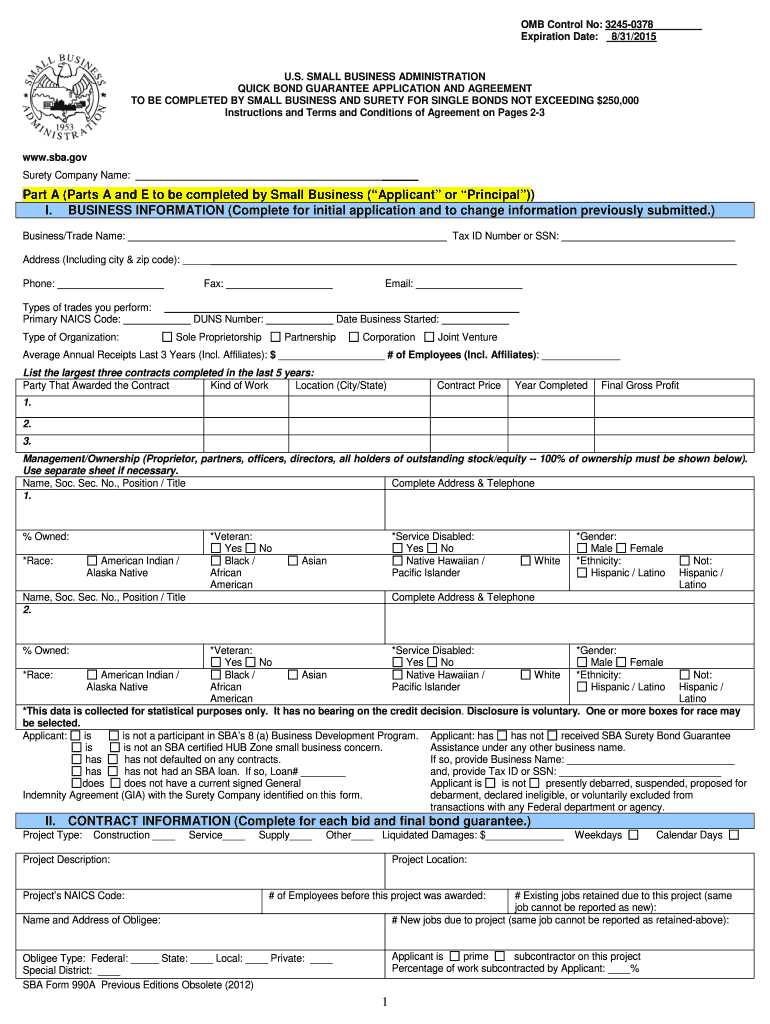
- Begin with Part A, where you will provide your business information. Fill in your Business/Trade Name, Tax ID Number or SSN, and contact details including phone and email.
- Next, specify the type of organization (e.g., Sole Proprietorship, Corporation) and enter your average annual receipts for the last three years along with the number of employees.
- List the largest three contracts completed in the last five years by filling out the required fields for each contract, including party awarded, kind of work, location, contract price, year completed, and final gross profit.
- Proceed to Part B if applicable. Here you will complete sections related to bid bonds or final bonds as required by your project specifics.
- Finally, review all entered information for accuracy before submitting. Ensure that all necessary signatures are included in Part E for certification.
Start using our platform today to streamline your form completion process for free!
Fill out 990a online
It's free
It's free
Security and compliance
At DocHub, your data security is our priority. We follow HIPAA, SOC2, GDPR, and other standards, so you can work on your documents with confidence.
Learn more


