Type text, add images, blackout confidential details, add comments, highlights and more.
02. Sign it in a few clicks
Draw your signature, type it, upload its image, or use your mobile device as a signature pad.
03. Share your form with others
Send sacssp status check via email, link, or fax. You can also download it, export it or print it out.
How to use or fill out sacssp form with our platform
Ease of Setup
DocHub User Ratings on G2
Ease of Use
DocHub User Ratings on G2
Click ‘Get Form’ to open the sacssp form in the editor.
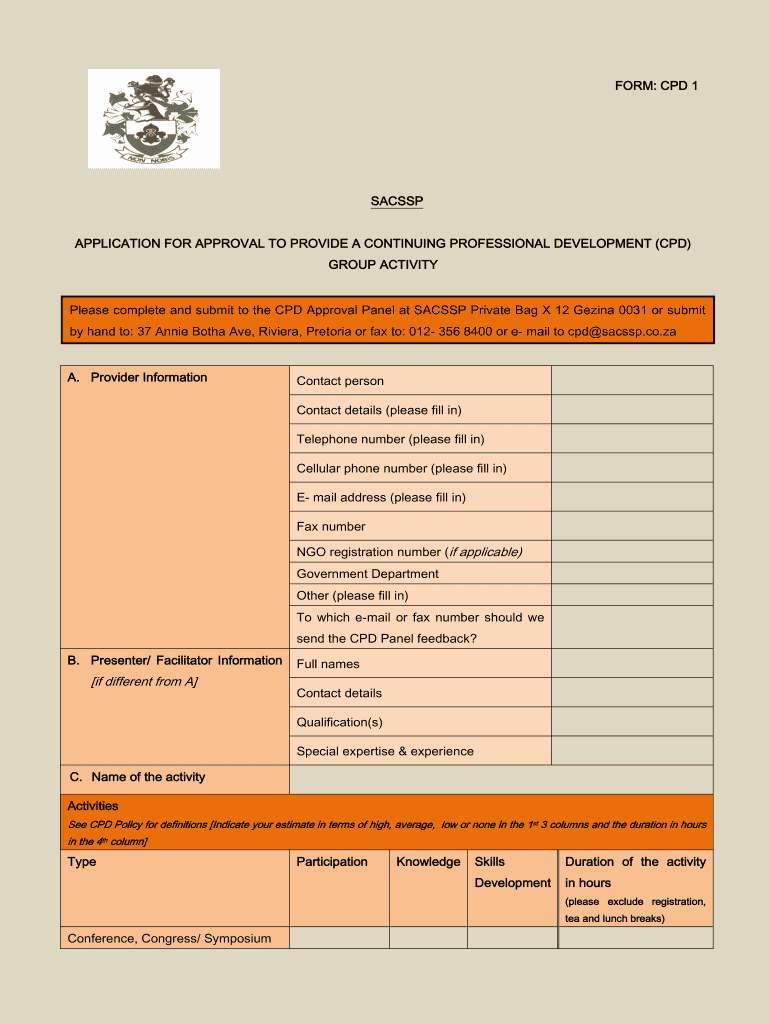
Begin with Section A: Provider Information. Fill in your contact person's name, telephone number, cellular phone number, email address, and any applicable registration numbers. Ensure you specify where feedback should be sent.
Move to Section B: Presenter/Facilitator Information. If different from the provider, enter the full names, contact details, qualifications, and special expertise of the presenter.
In Section C: Name of the Activity, provide details about the activity type, participation levels, knowledge and skills development metrics, duration in hours (excluding breaks), target group information, planned dates, and location.
Complete the objectives of the activity and indicate how it promotes ethical practice. Ensure all required attachments are included as per the checklist provided at the end of the form.
Start filling out your sacssp form today for free using our platform!
SACSSP loginSACSSP forms downloadSACSSP online registration 2026SACSSP registration checkSACSSP registration form for social workersSACSSP status report FORMSACSSP registration numberSACSSP search register
Security and compliance
At DocHub, your data security is our priority. We follow HIPAA, SOC2, GDPR, and other standards, so you can work on your documents with confidence.
Southern Association of Colleges and Schools (SACS). records
This collection contains reaffirmation materials as it pertains to re-accreditation of Southern Polytechnic State University throughout the years 1968-2009
Cookie consent notice
This site uses cookies to enhance site navigation and personalize your experience.
By using this site you agree to our use of cookies as described in our Privacy Notice.
You can modify your selections by visiting our Cookie and Advertising Notice.