SCR 3 130(8 4) LSDBi DI Legislative Proposal Report 2026

Get Form
SCR 3 130(8 4) LSDBi DI Legislative Proposal Report Preview on Page 1

Here's how it works

01. Edit your form online
Type text, add images, blackout confidential details, add comments, highlights and more.
02. Sign it in a few clicks
Draw your signature, type it, upload its image, or use your mobile device as a signature pad.
03. Share your form with others
Send it via email, link, or fax. You can also download it, export it or print it out.

How to use or fill out SCR 3 130(8 4) LSDBi DI Legislative Proposal Report

Form edit decoration
9.5
Ease of Setup
DocHub User Ratings on G2
9.0
Ease of Use
DocHub User Ratings on G2
  1. Click 'Get Form' to open the SCR 3 130(8 4) LSDBi DI Legislative Proposal Report in our editor.
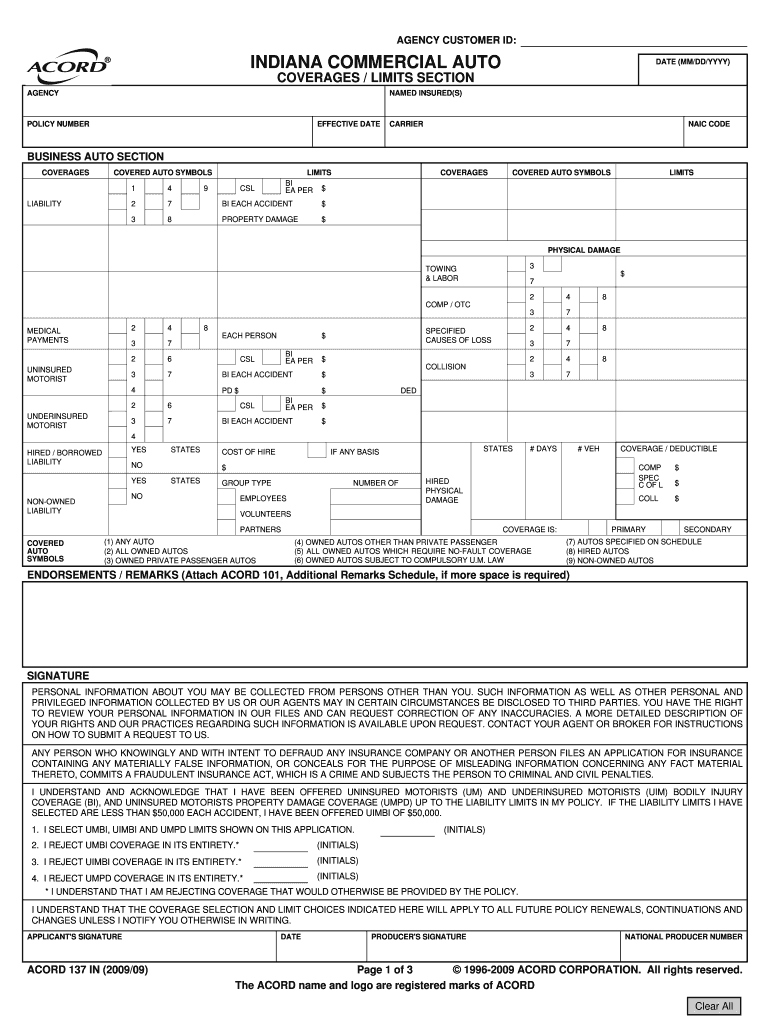
  2. Begin by entering your AGENCY CUSTOMER ID at the top of the form. This is essential for identifying your submission.
  3. Fill in the DATE (MM/DD/YYYY) field to indicate when you are completing the report.
  4. In the COVERAGES / LIMITS SECTION, provide details about the NAMED INSURED(S), POLICY NUMBER, EFFECTIVE DATE, and CARRIER. Ensure all information is accurate.
  5. Complete the BUSINESS AUTO SECTION by selecting appropriate COVERAGES and LIMITS for liability, physical damage, and other relevant categories. Use the provided symbols to specify covered autos.
  6. Review any endorsements or remarks that may require additional documentation. Attach ACORD 101 if necessary.
  7. Finally, sign and date the form where indicated to validate your submission.

Start using our platform today to streamline your document editing and ensure a smooth completion of your legislative proposal report!

be ready to get more

Complete this form in 5 minutes or less

Get form

Got questions?

We have answers to the most popular questions from our customers. If you can't find an answer to your question, please contact us.
Contact us

Microsoft Word doesn’t have signing tools to create legitimate eSignatures and enforceable forms. Luckily, DocHub is an online eSignature-compliant editor that supports different file formats, including .doc files. Sign in to your account and import the Word edition of your SCR 3 130(8 4) LSDBi DI Legislative Proposal Report from your device and cloud, or URL - our editor will automatically turn it into an editable PDF. Make all essential changes in your form and click Sign to create your own legally-binding electronic signature. You will find four signing options from which to choose.

If you are looking for a state-specific SCR 3 130(8 4) LSDBi DI Legislative Proposal Report sample, you will find it in our DocHub Forms & Templates catalog. Use the search field, enter your form’s name, and search through the results for your state. You may also filter out irrelevant results while exploring our catalog by groups.

Security and compliance

At DocHub, your data security is our priority. We follow HIPAA, SOC2, GDPR, and other standards, so you can work on your documents with confidence.

Learn more
ccpa2
pci-dss
gdpr-compliance
hipaa
soc-compliance