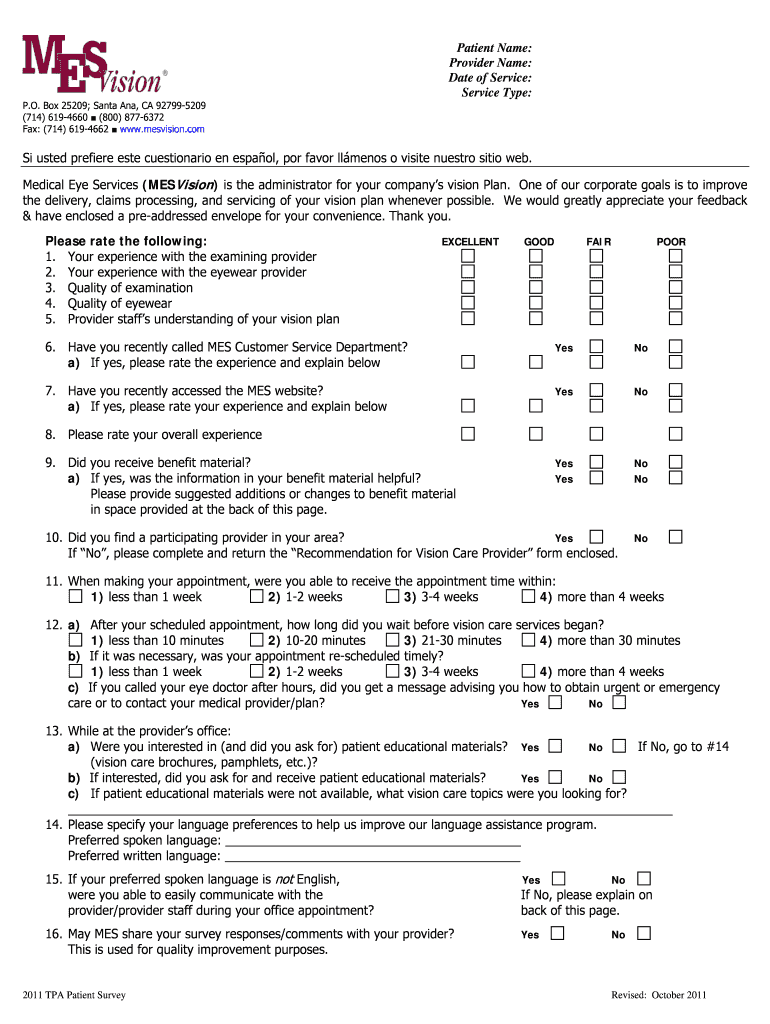
Patient Name: Provider Name: Date of Service: Service - MES Vision 2026

Get Form
Patient Name: Provider Name: Date of Service: Service - MES Vision Preview on Page 1

Here's how it works

01. Edit your form online
Type text, add images, blackout confidential details, add comments, highlights and more.
02. Sign it in a few clicks
Draw your signature, type it, upload its image, or use your mobile device as a signature pad.
03. Share your form with others
Send it via email, link, or fax. You can also download it, export it or print it out.

How to use or fill out Patient Name: Provider Name: Date of Service: Service - MES Vision with our platform

Form edit decoration
9.5
Ease of Setup
DocHub User Ratings on G2
9.0
Ease of Use
DocHub User Ratings on G2
  1. Click ‘Get Form’ to open it in the editor.
  2. Begin by entering the 'Patient Name' in the designated field. Ensure that you input the full name as it appears on official documents for accuracy.
  3. Next, fill in the 'Provider Name' section. This should reflect the name of the healthcare provider who conducted your vision examination.
  4. In the 'Date of Service' field, enter the date when you received your vision care services. Use the format MM/DD/YYYY for consistency.
  5. For 'Service Type', specify the nature of the service provided, such as an eye exam or eyewear fitting. This helps in categorizing your experience accurately.
  6. Proceed to rate your experiences with various aspects of your visit, including provider quality and customer service, using the provided rating scale.

Start using our platform today to easily complete and manage your vision care forms for free!

be ready to get more

Complete this form in 5 minutes or less

Get form

Got questions?

We have answers to the most popular questions from our customers. If you can't find an answer to your question, please contact us.
Contact us

Sure, and it’s really easy! DocHub is a web-based PDF editor with advanced document processing functions that allow you rapidly edit your paperwork, complete empty fields and add new ones for others to fill out, and create eSignatures in several ways. Add your Patient Name: Provider Name: Date of Service: Service - MES Vision, provide information as requested, and choose how you want to eSign your template - by typing your name, drawing your signature, uploading its picture, or utilizing a QR code.

If you store your documents in Google Drive, there is no need to download your Patient Name: Provider Name: Date of Service: Service - MES Vision on your computer and upload it back to our editor. A much easier way is to set up a browser extension developed by DocHub to simplify this flow. The extension allows editing PDFs in your browser. Alternatively, you may integrate your DocHub and Gmail accounts for more efficient editing.

If the provider did not perform a global service and instead performed only one component, the date of service for the technical component would be the date the patient received the service, and the professional component would be the date the review and interpretation is completed.
The date of service is the date of responsibility for the patient by the billing physician. This would also include when a patients dies during the calendar month.
The date of service is the date of responsibility for the patient by the billing physician. This would also include when a patients dies during the calendar month. When submitting a date of service span for the monthly capitation procedure codes, the day/units should be coded as 1.

Security and compliance

At DocHub, your data security is our priority. We follow HIPAA, SOC2, GDPR, and other standards, so you can work on your documents with confidence.

Learn more
ccpa2
pci-dss
gdpr-compliance
hipaa
soc-compliance
be ready to get more

Complete this form in 5 minutes or less

Get form

People also ask

Box 23 - TITLE: Prior Authorization Number (this field is also used for CLIA numbers) INSTRUCTIONS: Enter any of the following: prior authorization number, referral number, or Clinical Laboratory Improvement Amendments (CLIA) number, as assigned by the payer for the current service.
In general, the date of service (DOS) for clinical diagnostic laboratory tests is the date of specimen collection unless the physician orders the test at least 14 days following the patients discharge from the hospital.
Related to First Day of Service Date of Service means the date on which the client receives medical services or items, unless otherwise specified in the appropriate provider rules.

Related links