Type text, add images, blackout confidential details, add comments, highlights and more.
02. Sign it in a few clicks
Draw your signature, type it, upload its image, or use your mobile device as a signature pad.
03. Share your form with others
Send ems incident report via email, link, or fax. You can also download it, export it or print it out.
How to use or fill out EMS Incident Report with our platform
Ease of Setup
DocHub User Ratings on G2
Ease of Use
DocHub User Ratings on G2
Click ‘Get Form’ to open the EMS Incident Report in the editor.
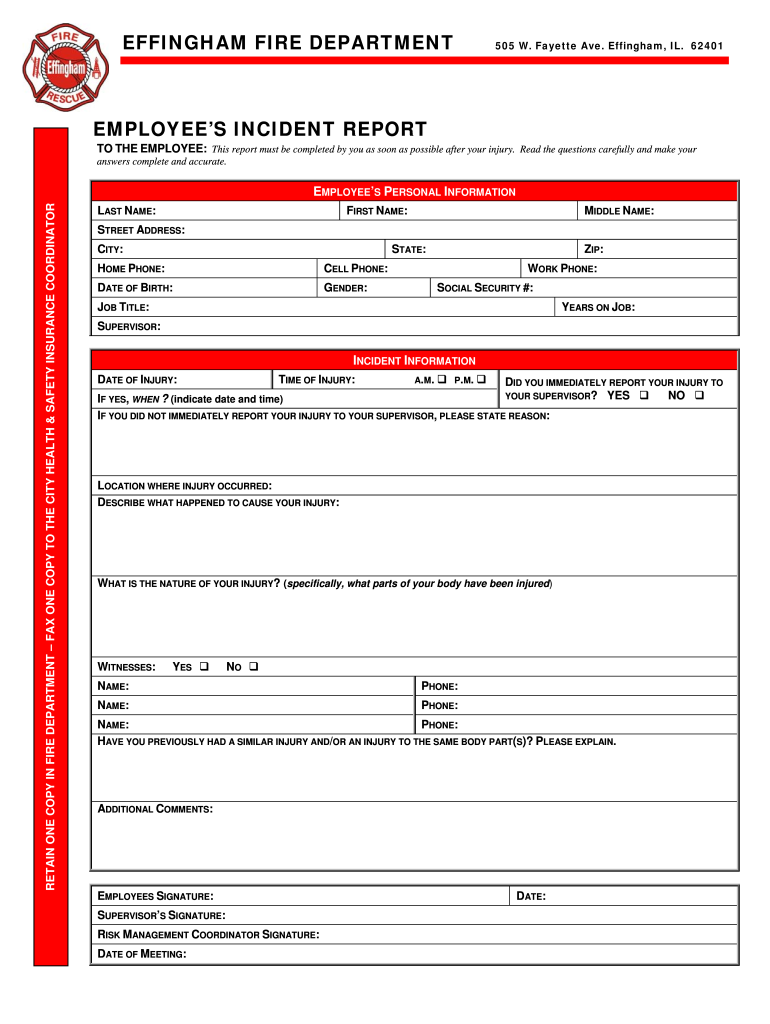
Begin by filling out the Employee’s Personal Information section. Enter your last name, first name, middle name, street address, city, state, home phone, cell phone, date of birth, gender, zip code, work phone, social security number, job title, years on the job, and supervisor's name.
In the Incident Information section, specify the time of injury by selecting A.M. or P.M. Indicate whether you reported your injury immediately to your supervisor and provide details if applicable.
Fill in the date of injury and location where it occurred. Describe what happened to cause your injury and specify the nature of your injury by detailing which parts of your body were affected.
If there were witnesses to the incident, indicate 'Yes' and provide their names and phone numbers. If you have had a similar injury before, explain this in the designated area.
Add any additional comments that may be relevant to your report. Finally, ensure all signatures are completed: Employee’s signature, Supervisor’s signature, and Risk Management Coordinator’s signature along with the meeting date.
Start using our platform today for free to streamline your EMS incident reporting process!
How to get copy of ambulance reportCan you look up ambulance records onlineEmergency ReportingEMS reportEMS reports near MeEMS reporting softwareESO Fire reporting loginESO Emergency Reporting
Security and compliance
At DocHub, your data security is our priority. We follow HIPAA, SOC2, GDPR, and other standards, so you can work on your documents with confidence.
Feb 19, 2025 The NEMSIS uniform dataset and National EMS Database help local, State and national EMS stakeholders more accurately assess EMS needs and performance.Read more
(A) Pursuant to section 4765.06 of the Revised Code, each emergency medical service organization shall report all EMS incidents to the emergency medicalRead more
Cookie consent notice
This site uses cookies to enhance site navigation and personalize your experience.
By using this site you agree to our use of cookies as described in our Privacy Notice.
You can modify your selections by visiting our Cookie and Advertising Notice.