




Here's how it works

01. Edit your dochub com fillable form online
Type text, add images, blackout confidential details, add comments, highlights and more.

02. Sign it in a few clicks
Draw your signature, type it, upload its image, or use your mobile device as a signature pad.

03. Share your form with others
Send how to fill out form va 4 via email, link, or fax. You can also download it, export it or print it out.
How to use or fill out form va 4p with our platform

- Click ‘Get Form’ to open it in the editor.
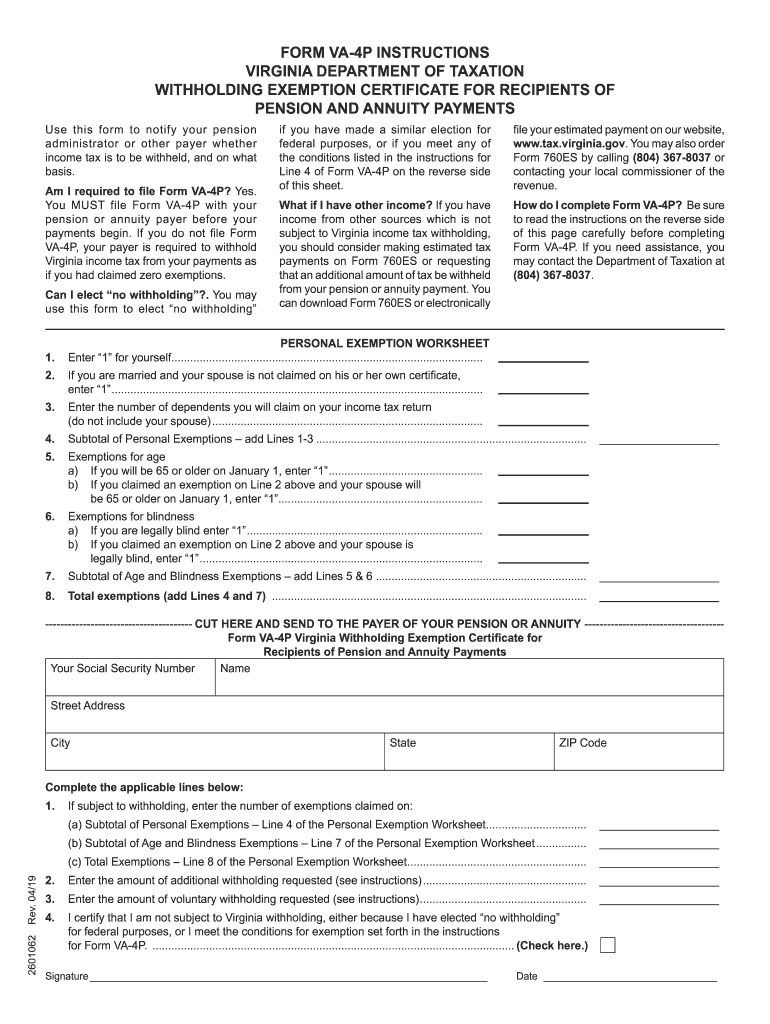
- Begin by entering your personal information, including your name, address, and Social Security number. This is essential for proper identification by your pension payer.
- Complete the Personal Exemption Worksheet. Start with Line 1 by entering '1' for yourself. If applicable, add '1' for your spouse on Line 2 and enter the number of dependents on Line 3.
- Calculate any additional exemptions for age or blindness on Lines 5 and 6. Add these to get a subtotal on Line 7.
- Sum up all exemptions from the worksheet and enter the total on Line 8 of the form.
- If you wish to have additional withholding, specify that amount in Line 2. For voluntary withholding, enter your desired amount in Line 3.
- Finally, certify your withholding status by checking the appropriate box on Line 4 and sign the form before submitting it to your payer.
Start using our platform today to easily complete Form VA-4P online for free!
Fill out form va 4p online
It's free
It's free
Security and compliance
At DocHub, your data security is our priority. We follow HIPAA, SOC2, GDPR, and other standards, so you can work on your documents with confidence.
Learn more


