




Here's how it works



How to use or fill out FEE AGREEMENT AND PSYCHOLOGICAL SERVICES CONTRACT with our platform

- Click ‘Get Form’ to open the FEE AGREEMENT AND PSYCHOLOGICAL SERVICES CONTRACT in the editor.
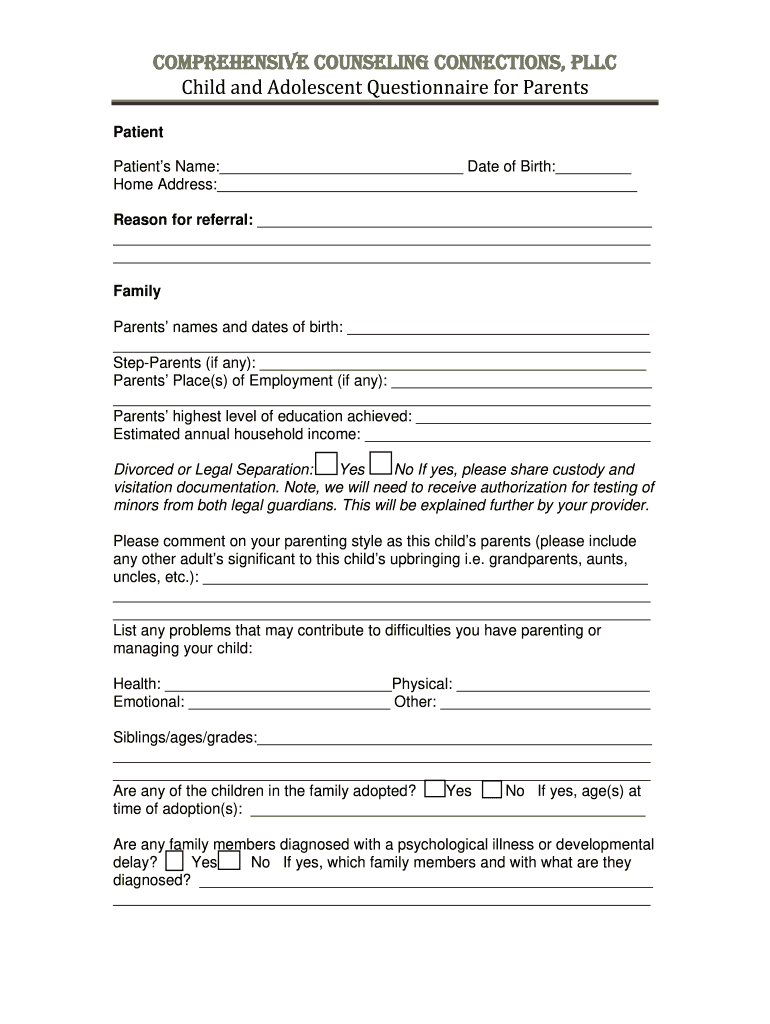
- Begin by entering the patient's name and date of birth in the designated fields. This information is crucial for identifying the individual receiving services.
- Fill out the home address and reason for referral sections. Be specific about the referral reason to ensure appropriate services are provided.
- In the Family section, provide details about parents' names, dates of birth, and employment. Include any step-parents if applicable.
- Indicate whether there is a divorce or legal separation, and provide custody documentation if necessary. This helps clarify family dynamics.
- Complete the Education section by entering your child's school information, including any special education needs like a 504 Plan or IEP.
- In Physical Health, list current health concerns and your child's physician's contact details. This ensures comprehensive care.
- Finally, review all entered information for accuracy before saving or sending your completed form through our platform.
Start using our platform today to easily fill out your FEE AGREEMENT AND PSYCHOLOGICAL SERVICES CONTRACT for free!
It's free
See more FEE AGREEMENT AND PSYCHOLOGICAL SERVICES CONTRACT versions
| Versions | Form popularity | Fillable & printable |
|---|---|---|
| 2016 | 4.8 Satisfied (202 Votes) |
Got questions?
How can I eSign my FEE AGREEMENT AND PSYCHOLOGICAL SERVICES CONTRACT in Word?
Microsoft Word doesn’t have signing tools to generate legitimate eSignatures and enforceable paperwork. Luckily, DocHub is an online eSignature-compliant editor that supports different document formats, such as .doc files. Sign in to your account and import the Word version of your FEE AGREEMENT AND PSYCHOLOGICAL SERVICES CONTRACT from your device and cloud, or URL - our editor will automatically transform it into an editable PDF. Make all essential alterations in your form and click Sign to generate your own legally-binding eSignature. You will find four signing options from which to choose.
What browser do I need to edit FEE AGREEMENT AND PSYCHOLOGICAL SERVICES CONTRACT online?
If you need to edit your FEE AGREEMENT AND PSYCHOLOGICAL SERVICES CONTRACT on the internet swiftly, it does not matter what internet browser you employ. DocHub’s simple editing instruments are available using any internet browser. Simply open the appropriate tab within our editor, add your file, and fill it out without stress.
What is a contract in therapy?
How does contract therapy work?
What are the 4 rules of a contract?
Security and compliance
At DocHub, your data security is our priority. We follow HIPAA, SOC2, GDPR, and other standards, so you can work on your documents with confidence.
Learn more


