
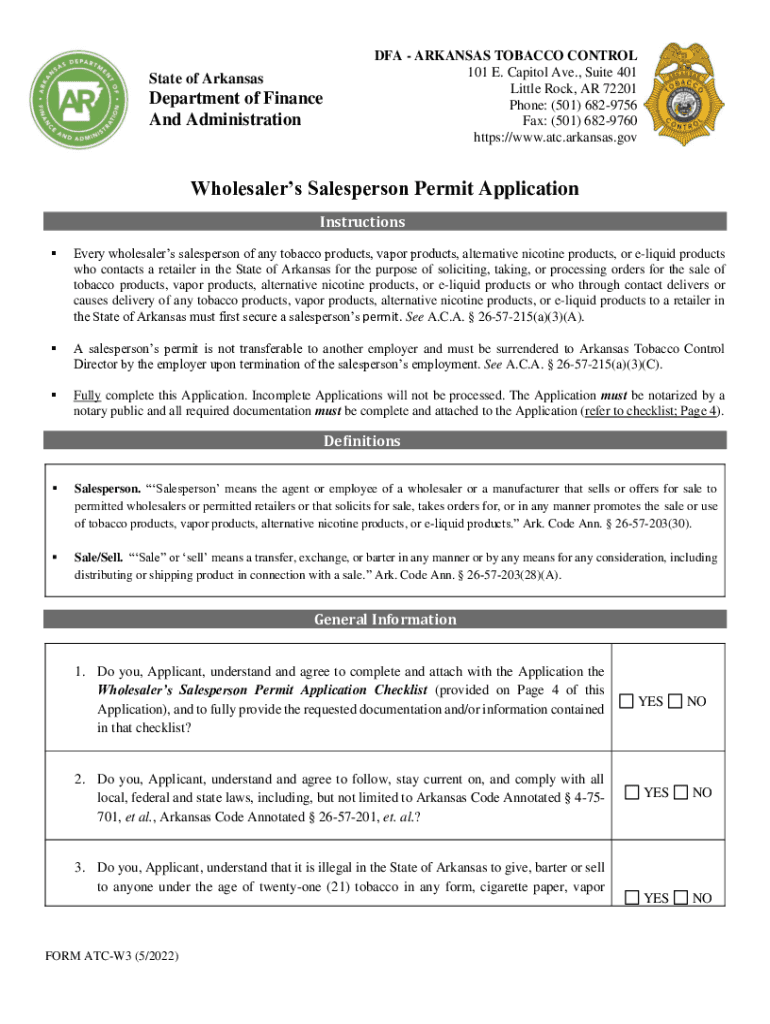




Here's how it works



How to use or fill out Wholesaler's Salesperson Permit Application with our platform

- Click ‘Get Form’ to open the Wholesaler's Salesperson Permit Application in the editor.
- Begin by filling out the Applicant Information section. Provide your full legal name, date of birth, and social security number. Ensure that your home address is complete and accurate, as it cannot be a P.O. Box.
- Next, complete the Applicant’s Employer Information section. Include the business name, physical location address, and current ATC permit number. Make sure to provide an up-to-date email for your employer.
- Review the General Information questions carefully. Answer each question truthfully and attach any required documentation if you answer 'Yes' to specific inquiries.
- Finally, sign the application in front of a notary public and ensure all pages are included before submission. Don’t forget to attach the completed checklist and payment details.
Start using our platform today for free to streamline your application process!
It's free
See more Wholesaler's Salesperson Permit Application versions
Got questions?
How can I send my Wholesaler's Salesperson Permit Application from Google Drive for approval?
If you regularly work with documents kept in your Google Drive, DocHub is a perfect option for you to easily and quickly complete, modify, and approve them. This editor integrates well with Google apps, so you can export your Wholesaler's Salesperson Permit Application from your Google Drive to the editor without the need of downloading and re-uploading it. Right-click on your document, select Open With → DocHub PDF Sign and Edit. In our editor, add and assign Signature Fields for all parties involved, then click on the Menu button above → Send → choose how you want to share your form.
How do you complete Wholesaler's Salesperson Permit Application online?
You can complete and eSign your Wholesaler's Salesperson Permit Application online, even on a tight deadline. All you need to access top-notch editing tools on any device is a DocHub profile, which you can register in a few moments. After you register, upload your document or find what you are searching for in our catalog, complete it utilizing the editing tools you need, and place your electronic signature on it at the end.
How old do you have to be to sell tobacco products in Arkansas?
How to open a vape shop in Arkansas?
Can a minor sell tobacco in Arkansas?
Security and compliance
At DocHub, your data security is our priority. We follow HIPAA, SOC2, GDPR, and other standards, so you can work on your documents with confidence.
Learn more


