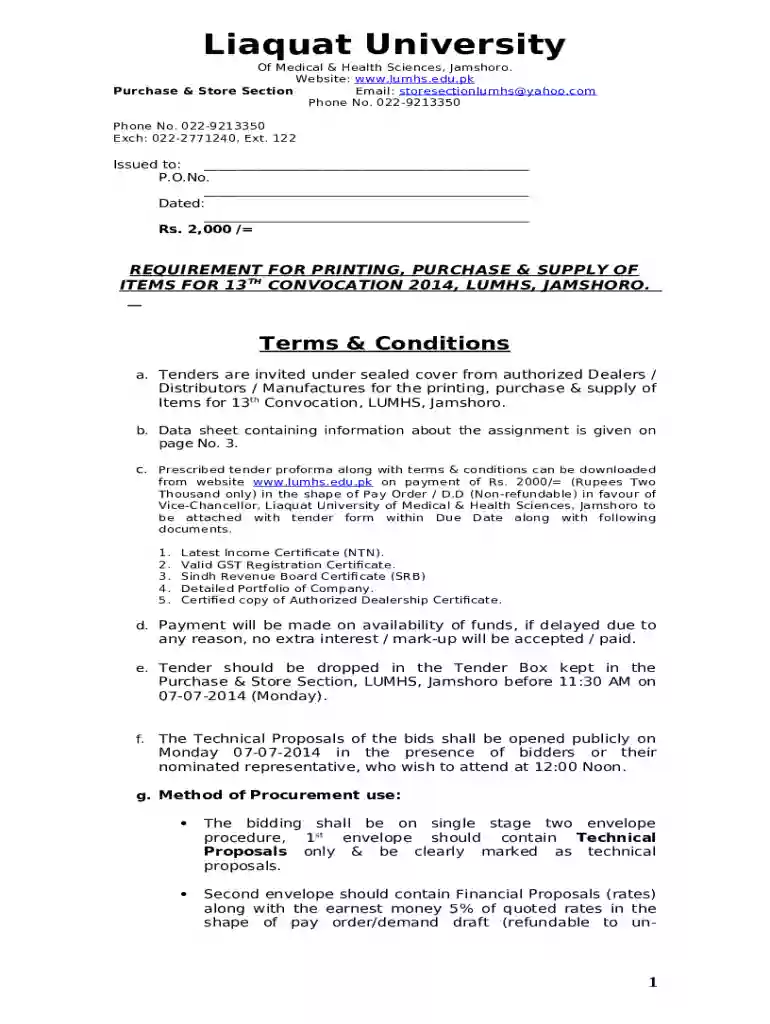
Purchase & Store SectionEmail: storesectionlumhsyahoo 2026

Get Form
Purchase & Store SectionEmail: storesectionlumhsyahoo Preview on Page 1

Here's how it works

01. Edit your form online
Type text, add images, blackout confidential details, add comments, highlights and more.

02. Sign it in a few clicks
Draw your signature, type it, upload its image, or use your mobile device as a signature pad.

03. Share your form with others
Send it via email, link, or fax. You can also download it, export it or print it out.

How to use or fill out Purchase & Store SectionEmail: storesectionlumhsyahoo

Form edit decoration
9.5
Ease of Setup
DocHub User Ratings on G2
9.0
Ease of Use
DocHub User Ratings on G2
  1. Click ‘Get Form’ to open it in the editor.
  2. Begin by filling in the 'Issued to' section with your name and details.
  3. Enter the Purchase Order Number (P.O.No.) and the date in the respective fields.
  4. Review the requirements for printing, purchase, and supply of items listed under 'Terms & Conditions'. Ensure you have all necessary documents ready.
  5. Complete the item list by specifying quantities and unit prices for each item you wish to procure.
  6. Attach any required certifications such as Income Certificate, GST Registration, and others as specified.
  7. Ensure all envelopes are sealed properly as per instructions before submission.

Start using our platform today to streamline your document editing and form completion!

be ready to get more

Complete this form in 5 minutes or less

Get form

Got questions?

We have answers to the most popular questions from our customers. If you can't find an answer to your question, please contact us.
Contact us
Steps in the purchasing process Identify the need. Specify the requirement. Find and choose a supplier. Negotiate costs. Get order approval. Place the order. Receive and approve the order. Review supplier performance.
Purchasing management involves buying goods and services efficiently to limit costs and maximize profits. A purchase manager often works with vendors and attempts to align the delivery of essential materials with production needs.
The Government purchase card is the preferred procurement and payment method for micro-purchases (purchases $10,000 and below) of goods and services. It streamlines the purchasing process by eliminating the need for numerous purchase orders and payments.
The GPC may be used to purchase fixed-price commercial supplies and services that do not require the CH to agree to any terms and conditions other than price and delivery. These purchases are limited to the applicable micro-purchase threshold (MPT).
The GPC is only for official, mission-related Government purchases. It cannot be used for personal expenses of any kind.

Security and compliance

At DocHub, your data security is our priority. We follow HIPAA, SOC2, GDPR, and other standards, so you can work on your documents with confidence.

Learn more
ccpa2
pci-dss
gdpr-compliance
hipaa
soc-compliance

People also ask

A U.S. government purchase card is an internationally accepted credit card issued by individual contractors and available to personnel in all federal agencies under a single General Services Administration (GSA) contract.

Related links