




Here's how it works

01. Edit your form online
Type text, add images, blackout confidential details, add comments, highlights and more.

02. Sign it in a few clicks
Draw your signature, type it, upload its image, or use your mobile device as a signature pad.

03. Share your form with others
Send it via email, link, or fax. You can also download it, export it or print it out.
How to use or fill out Counseling & Career Services - Welcome to Avila University with Our Platform

- Click ‘Get Form’ to open it in the editor.
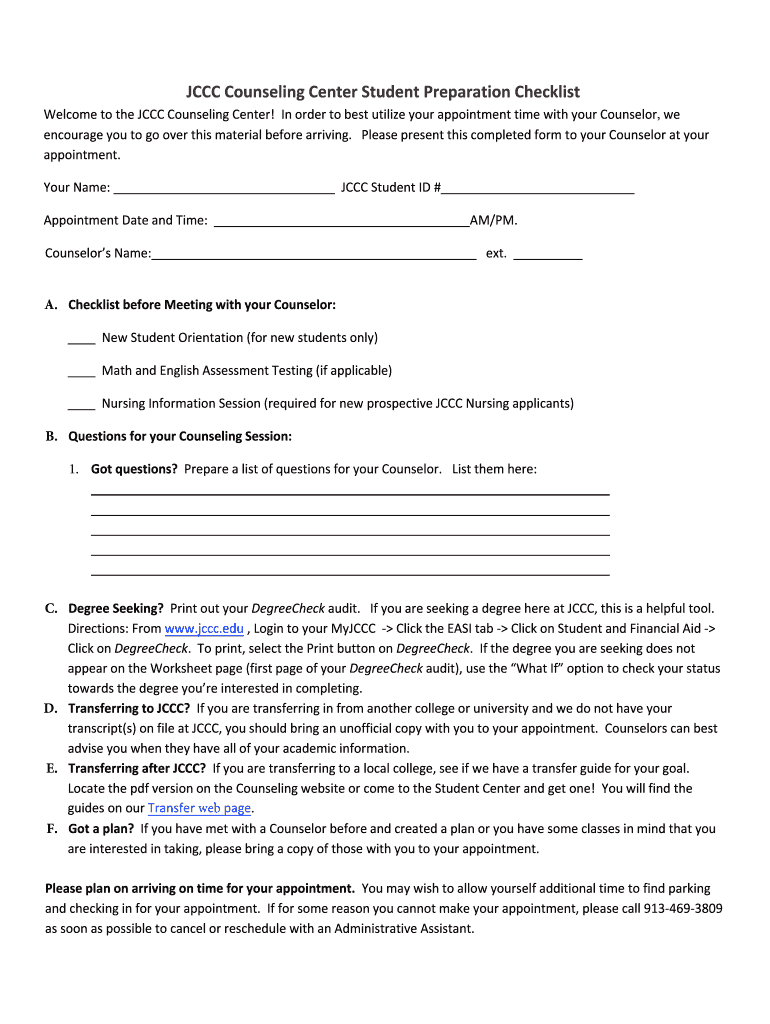
- Begin by entering your name and JCCC Student ID # in the designated fields. This information is essential for your Counselor to identify you during your appointment.
- Fill in your appointment date and time, ensuring accuracy for a smooth check-in process.
- In section A, review the checklist items before your meeting. Mark each item that applies to you, such as attending New Student Orientation or completing assessment testing.
- For section B, prepare a list of questions you want to discuss with your Counselor. Use the provided space to jot them down clearly.
- If applicable, follow the instructions in section C to print out your DegreeCheck audit from the MyJCCC portal. This will help guide your discussion regarding degree requirements.
- In sections D and E, note any transcripts or transfer guides you need to bring along for a comprehensive counseling session.
- Finally, ensure you arrive on time for your appointment and have all necessary documents ready for review.
Start using our platform today to streamline your form completion and enhance your counseling experience!
Fill out Counseling & Career Services - Welcome to Avila University online
It's free
It's free
Security and compliance
At DocHub, your data security is our priority. We follow HIPAA, SOC2, GDPR, and other standards, so you can work on your documents with confidence.
Learn more


