




Here's how it works

01. Edit your entity business online
Type text, add images, blackout confidential details, add comments, highlights and more.

02. Sign it in a few clicks
Draw your signature, type it, upload its image, or use your mobile device as a signature pad.

03. Share your form with others
Send it via email, link, or fax. You can also download it, export it or print it out.
How to use or fill out taxable exemption with our platform

- Click ‘Get Form’ to open the taxable exemption form in the editor.
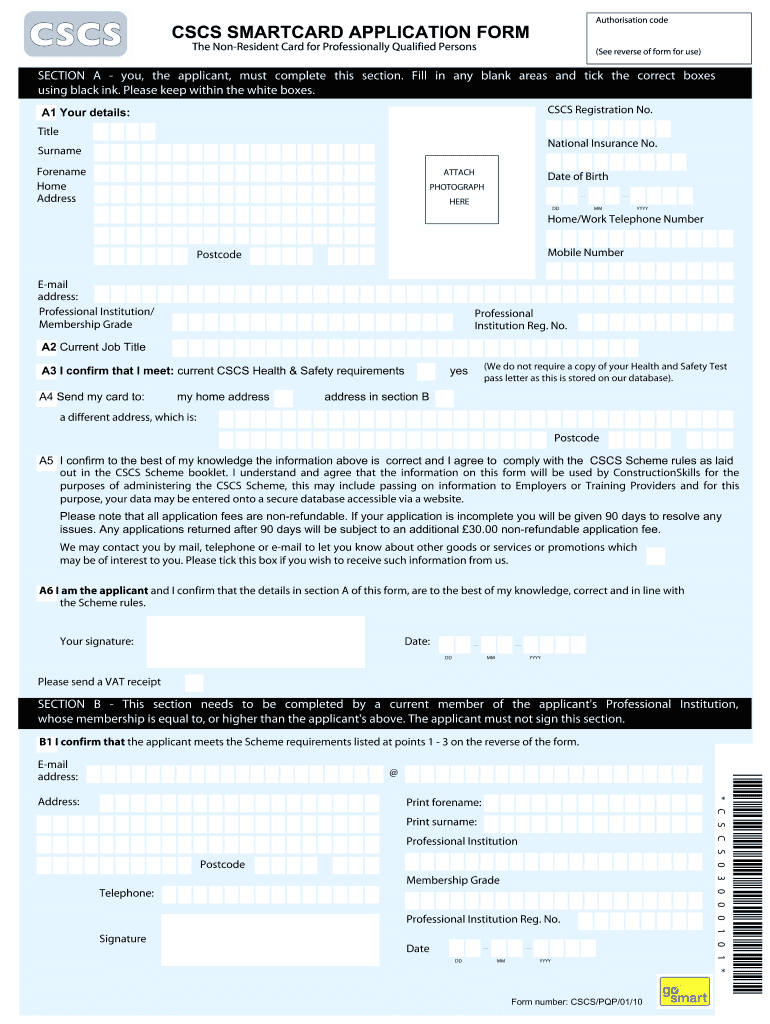
- In Section A, provide your personal details. Fill in your title, surname, forename, and date of birth. Ensure you use black ink and stay within the white boxes.
- Complete your contact information including home address, telephone numbers, and email address. Attach a recent photograph in the designated area.
- Confirm your current job title and check the box indicating you meet the CSCS Health & Safety requirements.
- Indicate where you would like your card sent by selecting either your home address or a different address in Section B.
- Sign and date the form at the bottom of Section A to confirm that all information is accurate and complies with CSCS Scheme rules.
- If applicable, have a current member of your Professional Institution complete Section B as a verifier, ensuring they sign and date it as well.
Start filling out your taxable exemption form online for free today!
Fill out taxable exemption online
It's free
It's free
Security and compliance
At DocHub, your data security is our priority. We follow HIPAA, SOC2, GDPR, and other standards, so you can work on your documents with confidence.
Learn more




