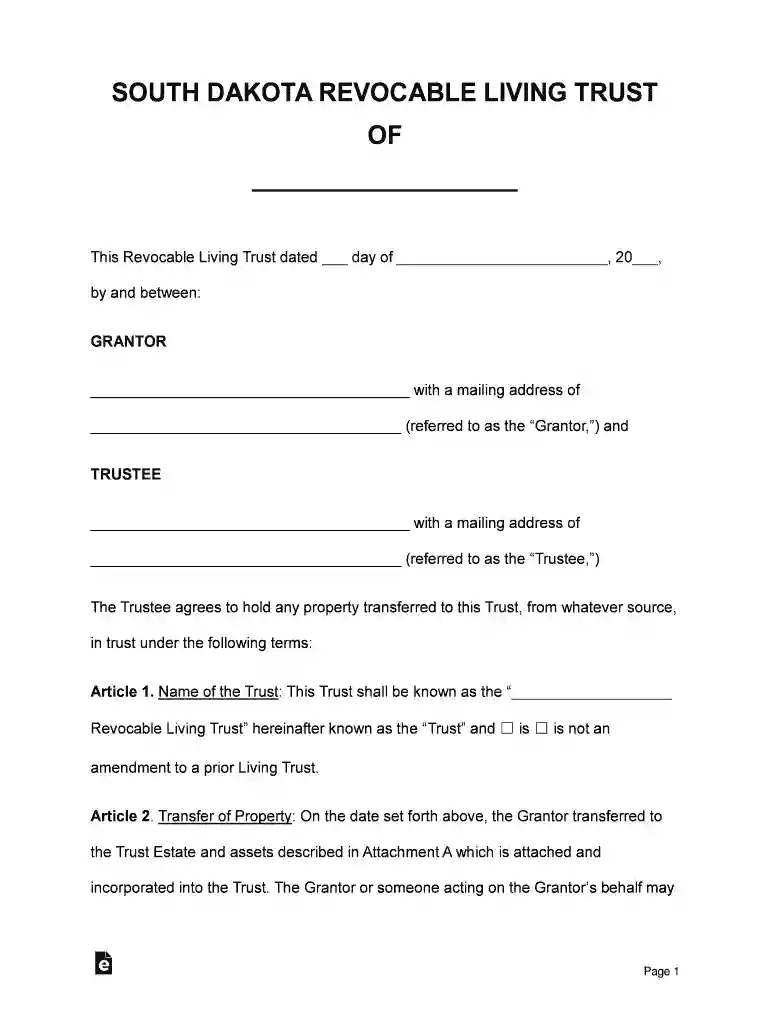
South Dakota Revocable Living Trust Form - eForms 2026

Get Form
South Dakota Revocable Living Trust Form - eForms Preview on Page 1

Here's how it works

01. Edit your form online
Type text, add images, blackout confidential details, add comments, highlights and more.

02. Sign it in a few clicks
Draw your signature, type it, upload its image, or use your mobile device as a signature pad.

03. Share your form with others
Send it via email, link, or fax. You can also download it, export it or print it out.

How to use or fill out South Dakota Revocable Living Trust Form - eForms with DocHub

Form edit decoration
9.5
Ease of Setup
DocHub User Ratings on G2
9.0
Ease of Use
DocHub User Ratings on G2
  1. Click ‘Get Form’ to open the South Dakota Revocable Living Trust Form in our editor.
  2. Begin by filling in the Grantor's name and mailing address at the top of the form. This identifies who is creating the trust.
  3. In Article 1, specify the name of the Trust and indicate whether it is an amendment to a prior Living Trust by checking the appropriate box.
  4. Proceed to Article 2, where you will list any property being transferred into the Trust. Use Attachment A for detailed descriptions of assets.
  5. Complete Articles 3 through 4 by detailing how the Trustee will manage and distribute assets during and after the Grantor's life, including specific distributions and personal property designations.
  6. Fill out Articles regarding pets, residuary property, and any special provisions as necessary, ensuring all beneficiaries are clearly identified.
  7. Finally, review all entries for accuracy before signing. Ensure that both Grantor and Trustee signatures are included at the end of the document.

Start using our platform today to easily complete your South Dakota Revocable Living Trust Form for free!

See more South Dakota Revocable Living Trust Form - eForms versions

We've got more versions of the South Dakota Revocable Living Trust Form - eForms form. Select the right South Dakota Revocable Living Trust Form - eForms version from the list and start editing it straight away!
Versions Form popularity Fillable & printable
2017 4.8 Satisfied (124 Votes)
be ready to get more

Complete this form in 5 minutes or less

Get form

Got questions?

We have answers to the most popular questions from our customers. If you can't find an answer to your question, please contact us.
Contact us
If you would like to create a living trust in South Dakota, you need to create a written trust agreement and sign it before a notary public. To make the trust effective, you must transfer your assets into it. A revocable living trust is a popular estate planning option. It may be an option that will work for you.
To set up a Revocable Living Trust, follow these steps: Create a Revocable Living Trust document. Within it, you must name a trustee, list beneficiaries, and list the assets you will place in the trust. Sign the document and get it docHubd. Transfer the ownership of assets into the name of your trust.
Provides No Tax Benefits While revocable living trusts do provide some asset protection, they dont have direct tax benefits. Since you retain control of the assets while you are alive, any income from those assets passes through you. As a result, this income is reported and taxed.
South Dakota imposes no state income tax, capital gains tax, or estate tax, allowing trust assets to grow without state-imposed financial burdens. Additionally, beneficiaries are not subject to inheritance taxes, making South Dakota one of the most tax-efficient jurisdictions for trust planning.
The average fee for creating a revocable living trust ranges from $1,500 to $3,000 nationwide, although it is usually much higher in California where costs can escalate to $5,000 to $10,000 or more. These fees often reflect the lawyers experience and expertise.

Security and compliance

At DocHub, your data security is our priority. We follow HIPAA, SOC2, GDPR, and other standards, so you can work on your documents with confidence.

Learn more
ccpa2
pci-dss
gdpr-compliance
hipaa
soc-compliance
be ready to get more

Complete this form in 5 minutes or less

Get form