




Here's how it works

01. Edit your form online
Type text, add images, blackout confidential details, add comments, highlights and more.

02. Sign it in a few clicks
Draw your signature, type it, upload its image, or use your mobile device as a signature pad.

03. Share your form with others
Send it via email, link, or fax. You can also download it, export it or print it out.
How to use or fill out Disclosure & Agreement for Savings and Transaction Accounts

- Click ‘Get Form’ to open it in the editor.
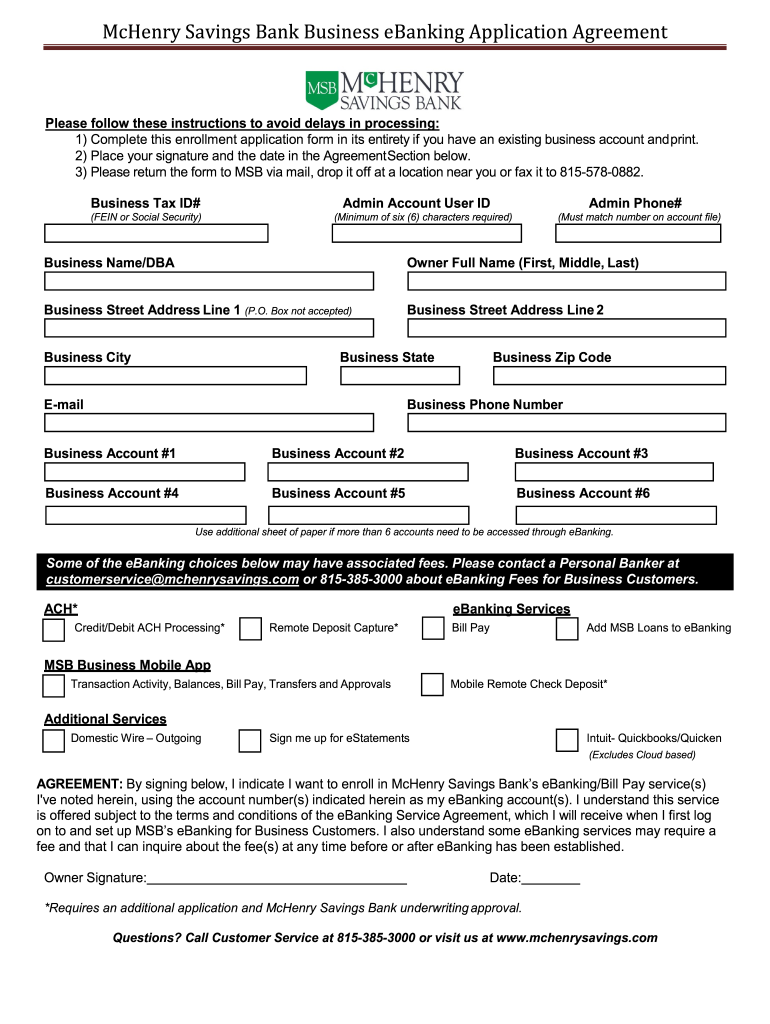
- Begin by entering your Business Tax ID# (FEIN or Social Security) in the designated field.
- Fill in the Admin Account User ID, ensuring it has a minimum of six characters and matches the number on your account file.
- Provide your Business Name/DBA and Owner Full Name (First, Middle, Last) in the respective fields.
- Complete the Business Street Address, City, State, Zip Code, and Phone Number sections accurately.
- List up to six Business Account numbers you wish to access through eBanking. If you have more than six accounts, use an additional sheet of paper.
- Review the eBanking services available and check any that you wish to enroll in. Be aware that some may incur fees.
- In the Agreement section, place your signature and date to confirm your enrollment in McHenry Savings Bank’s eBanking services.
Start using our platform today for free to streamline your document editing and signing process!
Fill out Disclosure & Agreement for Savings and Transaction Accounts online
It's free
Security and compliance
At DocHub, your data security is our priority. We follow HIPAA, SOC2, GDPR, and other standards, so you can work on your documents with confidence.
Learn more


