




Here's how it works

01. Edit your az ifta renewal online
Type text, add images, blackout confidential details, add comments, highlights and more.

02. Sign it in a few clicks
Draw your signature, type it, upload its image, or use your mobile device as a signature pad.

03. Share your form with others
Send 96 0424 via email, link, or fax. You can also download it, export it or print it out.
How to use or fill out az ifta renewal with DocHub

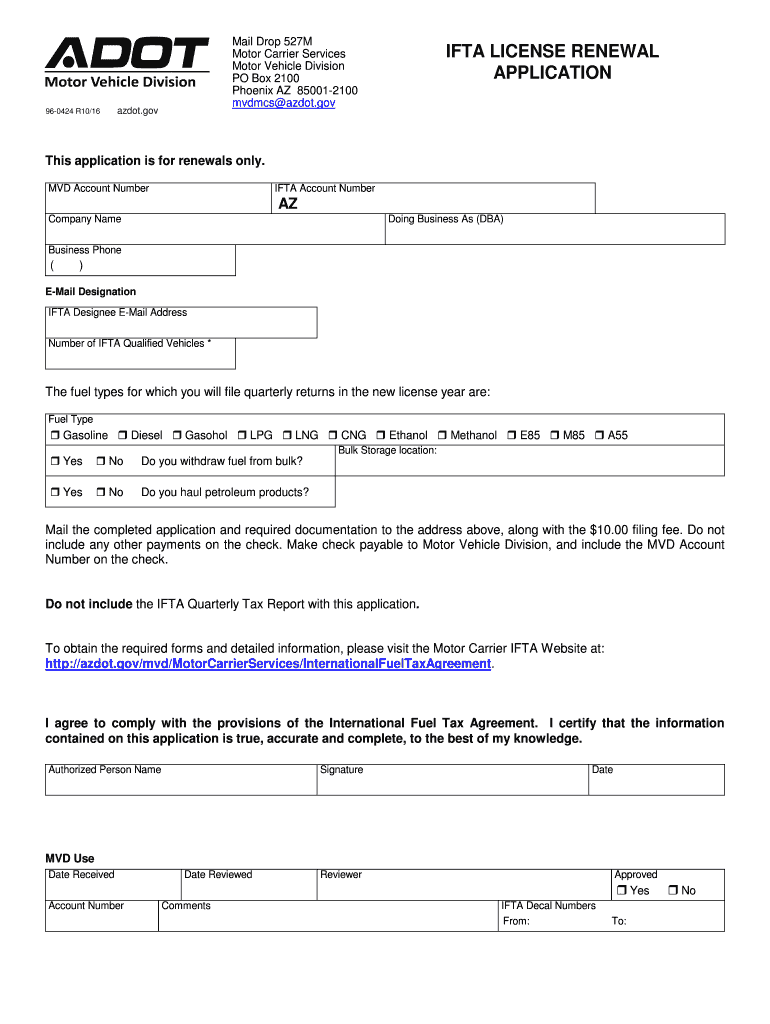
- Click ‘Get Form’ to open the az ifta renewal application in our editor.
- Begin by entering your MVD Account Number and IFTA Account Number at the top of the form. This information is crucial for processing your renewal.
- Fill in your Company Name and Doing Business As (DBA) name, along with your Business Phone number and E-Mail Designation. Ensure all contact details are accurate for effective communication.
- Indicate the number of IFTA Qualified Vehicles you have. This helps determine your filing requirements for the upcoming license year.
- Select the fuel types for which you will file quarterly returns by checking the appropriate boxes. This section is essential for compliance with tax regulations.
- If applicable, provide information regarding bulk storage and whether you withdraw fuel from bulk. Answer these questions truthfully to avoid issues later.
- Complete the address change request section if necessary, ensuring that you include verification documents for any changes to your business physical address.
- Finally, review all entered information for accuracy, sign and date the application before submitting it along with the required documentation and fee to the specified address.
Start using our platform today to streamline your az ifta renewal process effortlessly!
Fill out az ifta renewal online
It's free
It's free
Security and compliance
At DocHub, your data security is our priority. We follow HIPAA, SOC2, GDPR, and other standards, so you can work on your documents with confidence.
Learn more




