




Here's how it works



How to use or fill out antigen consent template with our platform

- Click ‘Get Form’ to open the antigen consent template in the editor.
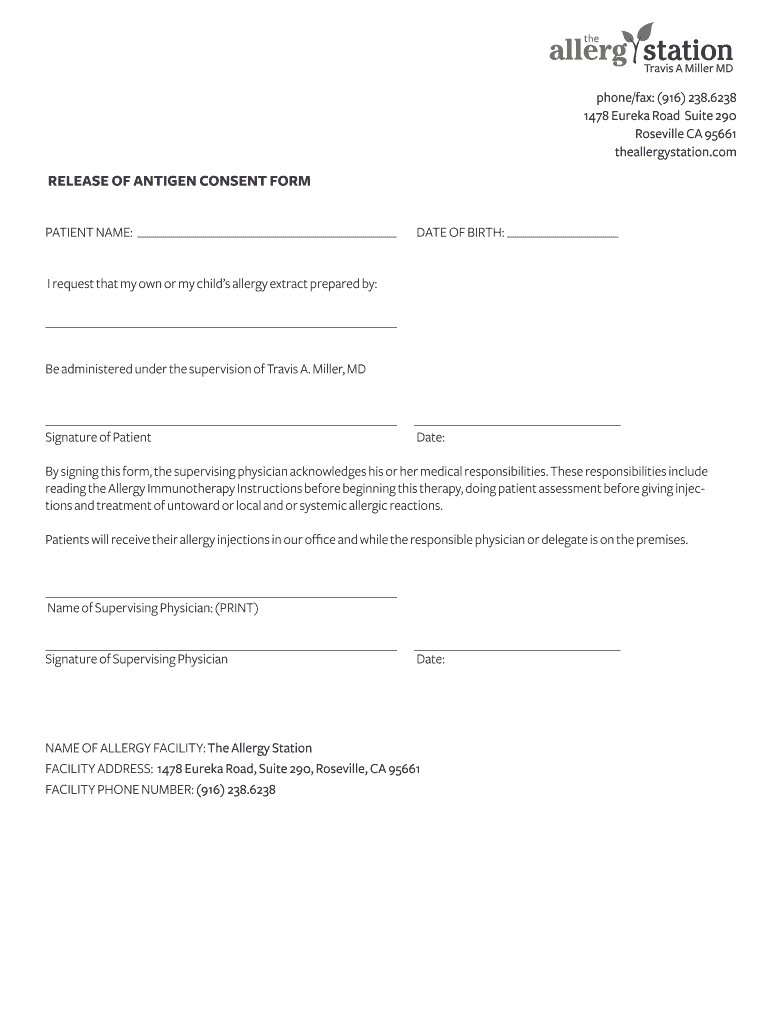
- Begin by entering the patient’s name in the designated field labeled 'PATIENT NAME'. Ensure accuracy for proper identification.
- Next, fill in the 'DATE OF BIRTH' field with the patient's birth date. This information is crucial for medical records.
- In the section requesting administration details, confirm that the allergy extract will be administered under the supervision of Travis A. Miller, MD.
- Sign in the 'Signature of Patient' field and enter today's date to acknowledge consent.
- The supervising physician must print their name and provide their signature along with the date to confirm their responsibilities.
- Finally, ensure that all facility information is correctly filled out, including 'NAME OF ALLERGY FACILITY', 'FACILITY ADDRESS', and 'FACILITY PHONE NUMBER'.
Start using our platform today to easily complete your antigen consent template online for free!
It's free
Got questions?
Can I sign my antigen consent form in electronic format?
According to eSignature regulations, documents signed electronically have the same validity as those approved with pen and paper. You can electronically sign almost any business and private documentation. Four types of paperwork still demand handwritten signatures only - wills and testamentary trusts, court orders and other court forms, state statutes governing divorce, adoption, or other family law, and notice of cancellation of utility services. If you adhere to the rules and use a trustworthy and compliant software solution, like DocHub, you can eSign your antigen consent form without printing it.
What browser do I need to edit antigen consent online?
If you need to edit your antigen consent on the internet easily, it does not matter what browser you employ. DocHub’s simple editing instruments are accessible using any internet browser. Simply open the appropriate tab in the editor, add your file, and fill it out without stress.
Security and compliance
At DocHub, your data security is our priority. We follow HIPAA, SOC2, GDPR, and other standards, so you can work on your documents with confidence.
Learn more


