Handler start checklist 2026

Get Form
handler start checklist Preview on Page 1

Here's how it works

01. Edit your handler start checklist online
Type text, add images, blackout confidential details, add comments, highlights and more.
02. Sign it in a few clicks
Draw your signature, type it, upload its image, or use your mobile device as a signature pad.
03. Share your form with others
Send it via email, link, or fax. You can also download it, export it or print it out.

How to use or fill out handler start checklist with our platform

Form edit decoration
9.5
Ease of Setup
DocHub User Ratings on G2
9.0
Ease of Use
DocHub User Ratings on G2
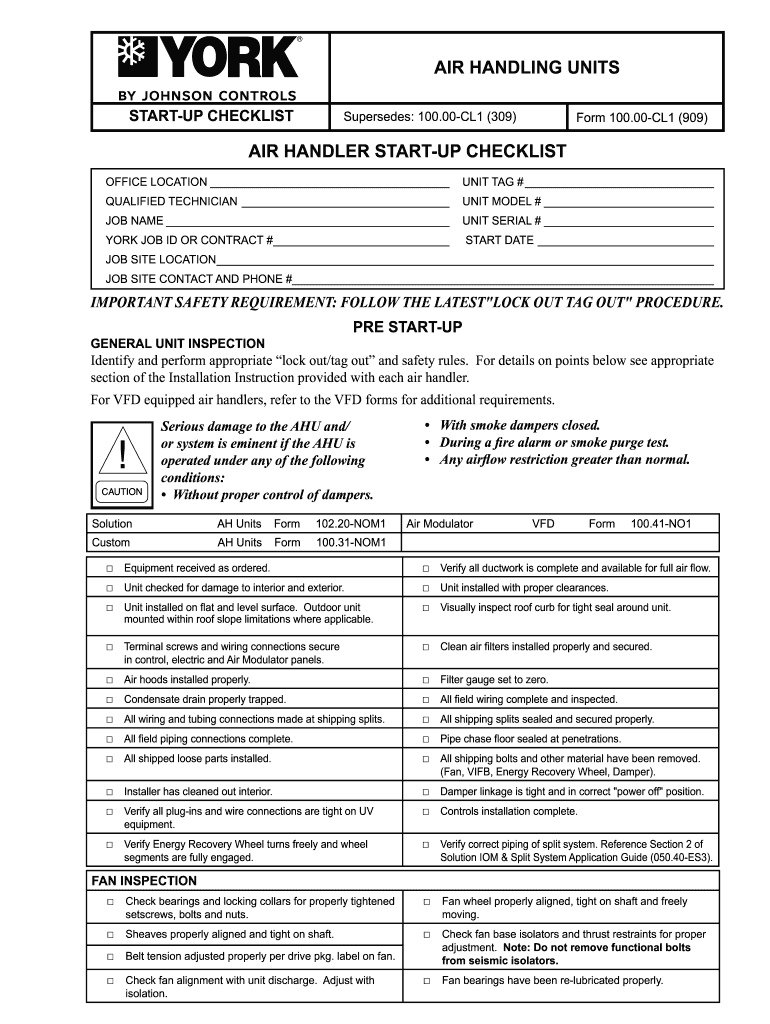
  1. Click ‘Get Form’ to open the handler start checklist in the editor.
  2. Begin by filling in the OFFICE LOCATION and unit tag # at the top of the form. This information is crucial for identifying the specific air handling unit.
  3. Next, enter details about the qualified technician, including their name and any relevant job identifiers such as JOB NAME and UNIT SERIAL #.
  4. Proceed to the pre-start-up section. Here, check off each item under GENERAL UNIT INSPECTION to ensure all safety protocols are followed. Use our platform’s checkbox feature for easy tracking.
  5. In the start-up section, follow the numbered steps sequentially. Make sure to document any observations directly in the provided fields, ensuring accurate data recording.
  6. Finally, complete the RECORD DATA section with all necessary specifications and have it signed by the customer’s agent at the end of your process.

Start using our platform today to streamline your handler start checklist process for free!

be ready to get more

Complete this form in 5 minutes or less

Get form

Got questions?

We have answers to the most popular questions from our customers. If you can't find an answer to your question, please contact us.
Contact us

Electronic document signing requires a software solution that complies with data security and eSignature laws. DocHub is an excellent tool for that, since it meets all the aforementioned requirements. Whatever method you like to sign your handler start checklist in DocHub, your eSignature will be legally binding and court-admissible.

With a swift editing system like DocHub, you do not need anything but a web browser and connection to the internet to modify your handler start checklist on the internet swiftly. Upload your document or get the appropriate form in DocHub’s catalog, open our editor with a single click, and finish it electronically. To revise your forms at any time, register a free profile with DocHub.

What if I dont have a P45 or starter checklist? If a new employee doesnt have a P45 from their previous employer, the HMRC new starter checklist form is their next best option. Completing this form will allow you to process their payroll accurately.
If you are starting a new job and do not have a form P45 from a previous employer or the Department for Work and Pensions, your employer should ask you to complete a starter checklist. This allows your employer to work out what tax code to use in the first instance.
A new starter form is a document that the employee and employer complete together when the new hire starts working. Also called a starter checklist, this form helps the employer gather any details needed to set up payroll for the employee and decide the proper tax code.

People also ask

By performing regular pre start checks, businesses can identify potential issues before they cause docHub problems, preventing unexpected downtime. Pre start checks can also help to ensure that equipment is used safely, preventing accidents and injuries that could lead to downtime.
Student loans If the new employee doesnt have a student loan to repay, they can move straight to the declaration section. But, if the employee does have a student loan to repay, then they go to question 10.In question 10, the employee indicates what student loan plan theyre on.
Give the completed form to your employer as soon as possible. They need this information to tell HMRC about you and help them to use the right tax code. Make sure you answer the questions correctly. If you do not, you may pay the wrong amount of tax or student loan deductions.

Related links