




Here's how it works

01. Edit your 2019 new york income online
Type text, add images, blackout confidential details, add comments, highlights and more.

02. Sign it in a few clicks
Draw your signature, type it, upload its image, or use your mobile device as a signature pad.

03. Share your form with others
Send it via email, link, or fax. You can also download it, export it or print it out.
How to use or fill out 2019 New York Income with our platform

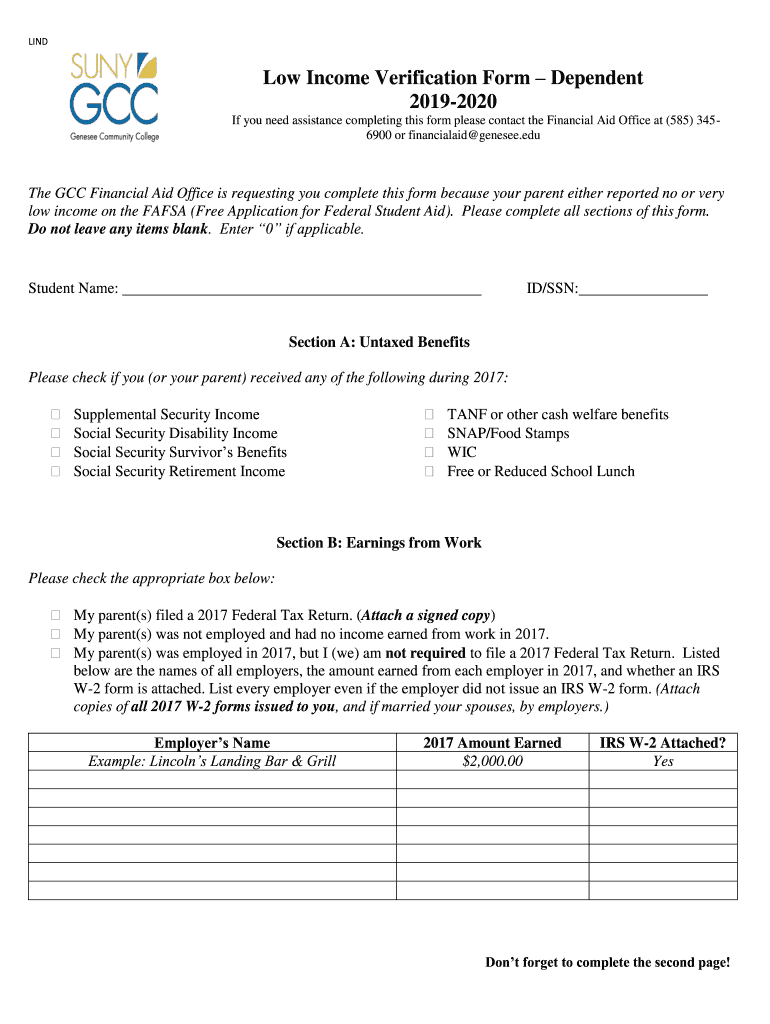
- Click ‘Get Form’ to open the 2019 New York Income form in the editor.
- Begin with Section A: Untaxed Benefits. Check all applicable boxes if you or your parent received any untaxed benefits in 2017, such as Supplemental Security Income or SNAP.
- Move to Section B: Earnings from Work. Indicate whether your parent filed a Federal Tax Return, was not employed, or was employed but not required to file. List all employers and their earnings for 2017, ensuring to attach any W-2 forms.
- In Section C: Other Sources of Financial Assistance, specify if any additional cash assistance was received in 2017. If yes, check the relevant sources and provide monthly amounts.
- Proceed to Section D: Living Expenses. List monthly living expenses for your parents along with the source of payment for each expense.
- Finally, complete Section E: Acknowledgment and Signature by signing and dating the form both as a student and parent.
Start filling out your form online for free today using our platform!
Fill out 2019 new york income online
It's free
It's free
Security and compliance
At DocHub, your data security is our priority. We follow HIPAA, SOC2, GDPR, and other standards, so you can work on your documents with confidence.
Learn more


