




Here's how it works



How to use or fill out Mutual Savings Association Tonganoxie - Bank Branch Locator with our platform

- Click ‘Get Form’ to open the Mutual Savings Association Tonganoxie - Bank Branch Locator in the editor.
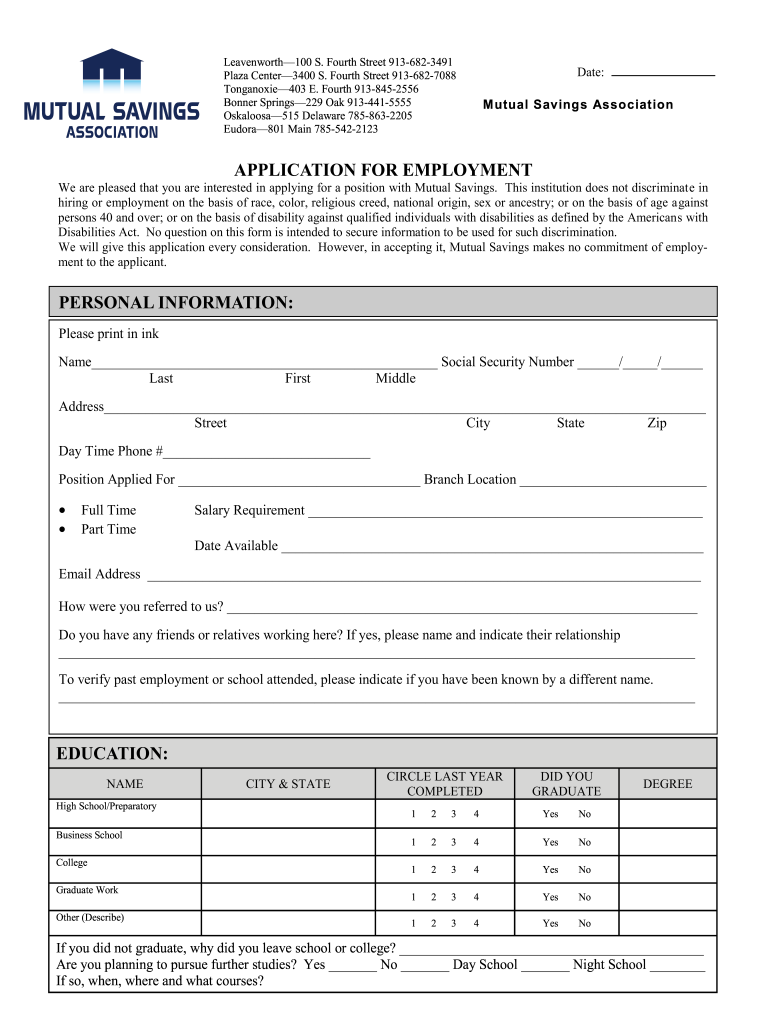
- Begin by entering your personal information. Fill in your name, social security number, and address clearly in the designated fields.
- Indicate the position you are applying for and select your preferred branch location from the options provided.
- Complete the education section by listing your educational background, including schools attended and degrees obtained. Be sure to circle the last year completed.
- In the employment history section, list your previous jobs starting with the most recent. Include details such as company name, dates employed, and duties performed.
- Provide references and answer any questions regarding convictions honestly. This information is crucial for your application process.
- Finally, review all entered information for accuracy before signing and submitting your application through our platform.
Start filling out your application today using our platform for free!
It's free
Got questions?
What is the simplest way to electronically sign my Mutual Savings Association Tonganoxie - Bank Branch Locator?
Many software applications are available out there for document modifying and signing. DocHub is one of the most popular online solutions that comply with all security and compliance standards and ensures your eSigned paperwork is legally enforceable. All you need to give it a try is to create an account, add your Mutual Savings Association Tonganoxie - Bank Branch Locator, fill out the required details, and click Sign. Create your electronic signature by typing, drawing it, uploading its image to your document, or scanning a unique QR code.
How do you get Mutual Savings Association Tonganoxie - Bank Branch Locator?
You can find the latest and most relevant version of the Mutual Savings Association Tonganoxie - Bank Branch Locator in our DocHub forms library. Browse it by categories or use the search field to find the exact template that suits your case. You may open this form for editing after you find it.
Security and compliance
At DocHub, your data security is our priority. We follow HIPAA, SOC2, GDPR, and other standards, so you can work on your documents with confidence.
Learn more


