




Here's how it works

01. Edit your certification of health care provider form online
Type text, add images, blackout confidential details, add comments, highlights and more.

02. Sign it in a few clicks
Draw your signature, type it, upload its image, or use your mobile device as a signature pad.

03. Share your form with others
Send physician practitioners supplementary certificate via email, link, or fax. You can also download it, export it or print it out.
How to use or fill out Physician or Practitioner Certification (family member) with our platform

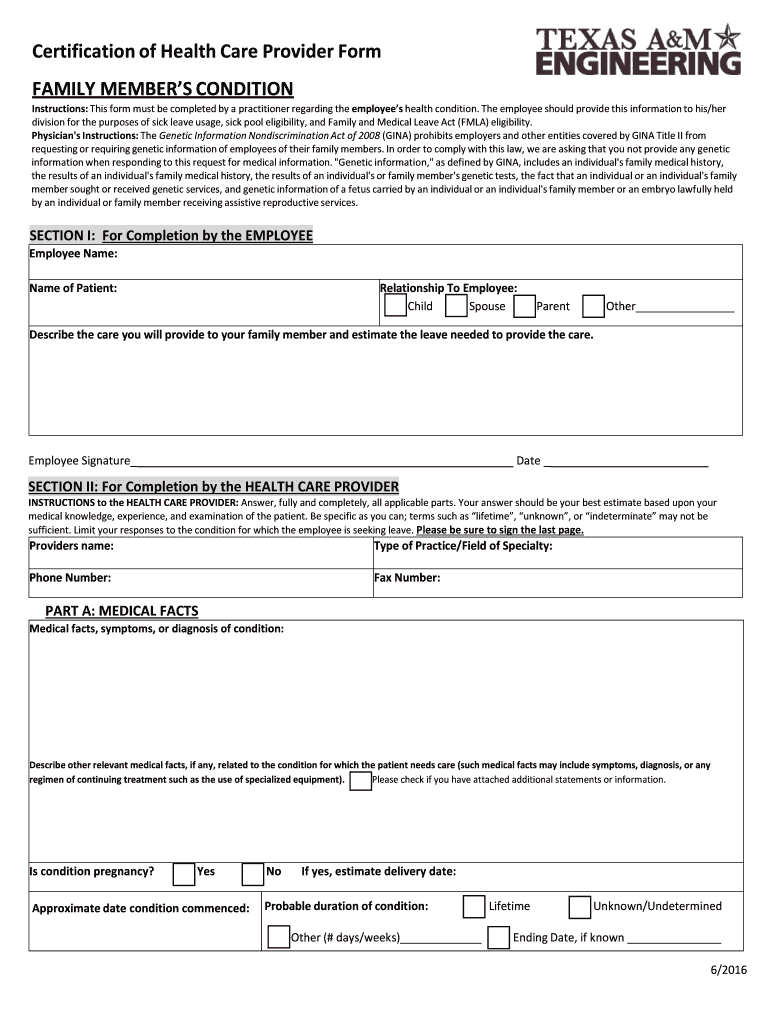
- Click ‘Get Form’ to open the Physician or Practitioner Certification in the editor.
- In Section I, enter the Employee Name and Name of Patient. Specify the Relationship to Employee by selecting from options like Child, Spouse, Parent, or Other.
- Describe the care you will provide and estimate the leave needed for this care. Ensure to sign and date this section.
- Move to Section II for completion by the Health Care Provider. Fill in the Provider's name, type of practice, phone number, and fax number.
- In Part A, provide detailed medical facts regarding the patient's condition. Be specific about symptoms and treatment regimens.
- Indicate if the condition is pregnancy-related and provide approximate dates for commencement and delivery if applicable.
- Check relevant categories under FMLA eligibility that apply to the patient’s medical condition.
- In Part B, check statements that apply regarding the amount of leave needed for care. Provide estimates for intermittent care if necessary.
- Ensure all sections are completed accurately before signing at the end of Section II. Submit your form as instructed.
Start using our platform today to easily fill out your Physician or Practitioner Certification form online for free!
Fill out Physician or Practitioner Certification (family member) online
It's free
See more Physician or Practitioner Certification (family member) versions
We've got more versions of the Physician or Practitioner Certification (family member) form. Select the right Physician or Practitioner Certification (family member) version from the list and start editing it straight away!
| Versions | Form popularity | Fillable & printable |
|---|---|---|
| 2016 | 4.8 Satisfied (147 Votes) |
Security and compliance
At DocHub, your data security is our priority. We follow HIPAA, SOC2, GDPR, and other standards, so you can work on your documents with confidence.
Learn more


