




Here's how it works

01. Edit your emergency preparedness early childhood online
Type text, add images, blackout confidential details, add comments, highlights and more.

02. Sign it in a few clicks
Draw your signature, type it, upload its image, or use your mobile device as a signature pad.

03. Share your form with others
Send it via email, link, or fax. You can also download it, export it or print it out.
How to use or fill out emergency preparedness early childhood with our platform

- Click ‘Get Form’ to open the Emergency Preparedness Early Childhood document in the editor.
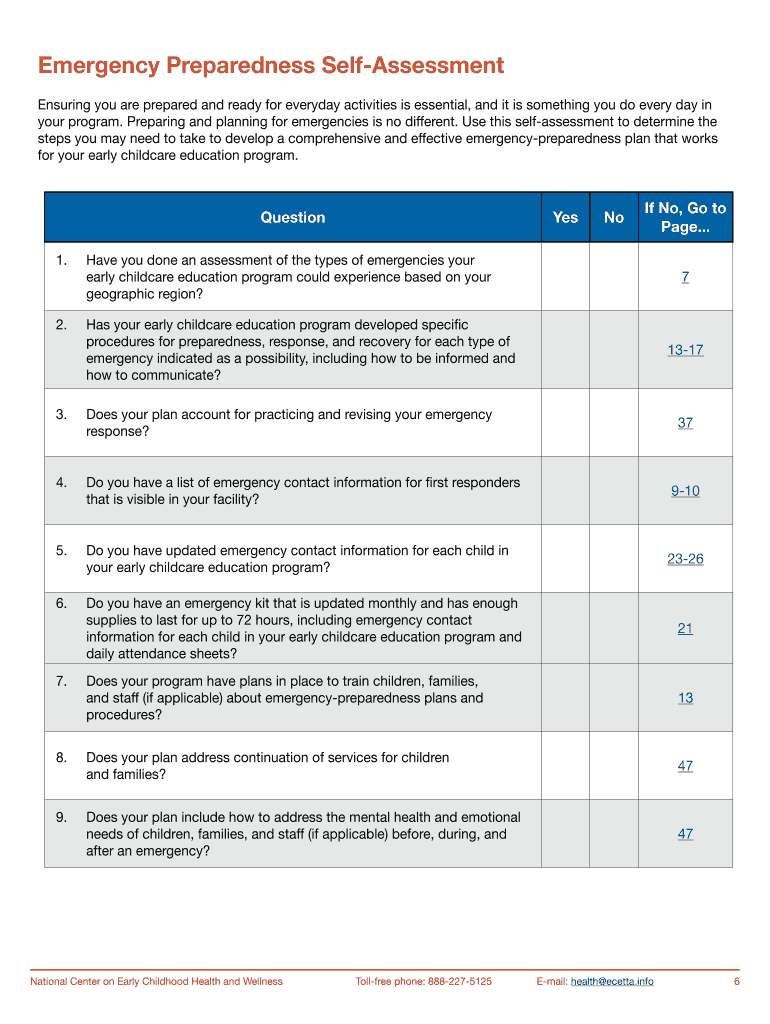
- Begin by completing the Emergency Preparedness Self-Assessment questionnaire on page 6. This will help identify necessary steps for your program.
- Use the 'Making Your Emergency Response Plan' worksheet (pages 14-20) to designate staff responsibilities and determine evacuation sites.
- Follow the 'How to Build an Emergency Kit' section (page 21) to ensure you have all essential supplies ready for emergencies.
- Utilize the Mitigation Checklist (pages 27-28) to assess and reduce potential hazards in your environment.
- Review communication procedures using the 'Establishing Your Communication Procedures' worksheet (page 12) to ensure effective information flow during emergencies.
Start using our platform today for free to streamline your emergency preparedness planning!
Fill out emergency preparedness early childhood online
It's free
It's free
Security and compliance
At DocHub, your data security is our priority. We follow HIPAA, SOC2, GDPR, and other standards, so you can work on your documents with confidence.
Learn more


