Type text, add images, blackout confidential details, add comments, highlights and more.
02. Sign it in a few clicks
Draw your signature, type it, upload its image, or use your mobile device as a signature pad.
03. Share your form with others
Send it via email, link, or fax. You can also download it, export it or print it out.
How to use or fill out 1443 Medicaid Claim Form with DocHub
Ease of Setup
DocHub User Ratings on G2
Ease of Use
DocHub User Ratings on G2
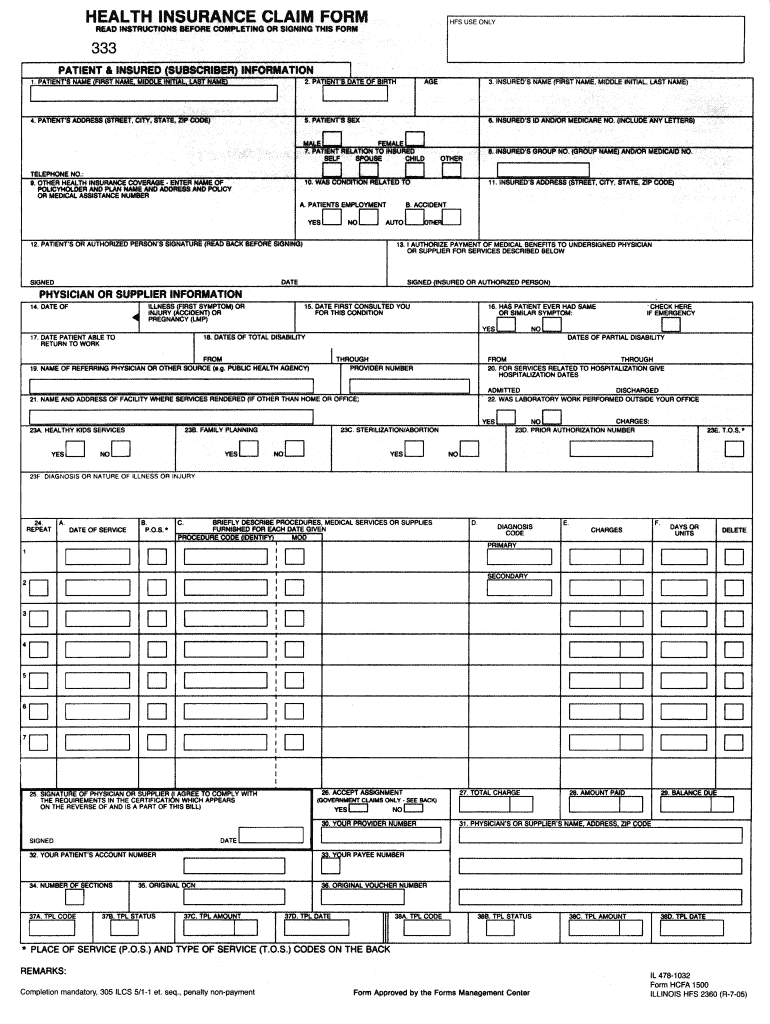
Click ‘Get Form’ to open the 1443 Medicaid Claim Form in our platform's editor.
Begin by entering the patient’s information in the designated fields, including their name, date of birth, and Medicaid number. Ensure accuracy to avoid processing delays.
Next, fill out the provider's details. This includes your name, address, and NPI number. Double-check that all information is current and correct.
In the services section, specify the type of service provided along with dates of service. Use clear descriptions to ensure proper understanding by reviewers.
Finally, review all entries for completeness and accuracy before signing electronically. Utilize our platform’s features to add your signature easily.
Start using our platform today to fill out your 1443 Medicaid Claim Form online for free!
Fill out 1443 medicaid claim form online It's free
Feb 7, 2017 Eligibility File (12M records in 2015) For each patient on Medicaid for any period 1/1/06 to present, complete eligibility information byRead more
Provider Forms Request (Springfield) HFS 1517 (pdf) or Online Form Request Provider Invoice Example Only HFS 1443 (OCR) (pdf) Questionnaire and Order forRead more
Cookie consent notice
This site uses cookies to enhance site navigation and personalize your experience.
By using this site you agree to our use of cookies as described in our Privacy Notice.
You can modify your selections by visiting our Cookie and Advertising Notice.