Complaint Form for the Durable Medical Equipment - NABP 2026

Get Form
nabp complaint Preview on Page 1

Here's how it works

01. Edit your nabp complaint online
Type text, add images, blackout confidential details, add comments, highlights and more.
02. Sign it in a few clicks
Draw your signature, type it, upload its image, or use your mobile device as a signature pad.
03. Share your form with others
Send it via email, link, or fax. You can also download it, export it or print it out.

How to use or fill out Complaint Form for the Durable Medical Equipment - NABP

Form edit decoration
9.5
Ease of Setup
DocHub User Ratings on G2
9.0
Ease of Use
DocHub User Ratings on G2
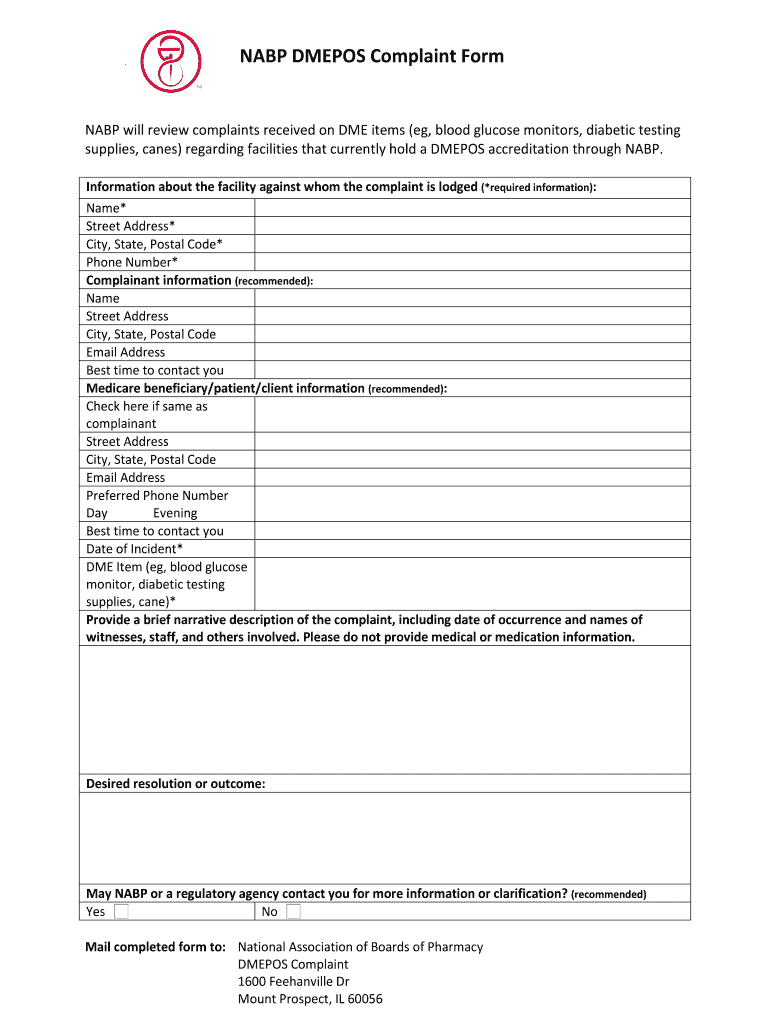
  1. Click ‘Get Form’ to open it in the editor.
  2. Begin by filling in the required information about the facility. Include the name, street address, city, state, postal code, and phone number.
  3. Next, provide your information as the complainant. While this is recommended, you can choose to remain anonymous. Fill in your name, address, email, and best contact time.
  4. If applicable, enter details for the Medicare beneficiary or patient. You can check the box if their information is the same as yours.
  5. Indicate the date of the incident and specify the DME item involved (e.g., blood glucose monitor).
  6. In a brief narrative description, outline your complaint including relevant details such as dates and names of witnesses without sharing medical information.
  7. State your desired resolution or outcome clearly.
  8. Finally, indicate whether NABP or a regulatory agency may contact you for further clarification before submitting your form.

Start using our platform today to easily fill out and submit your complaint form for free!

See more Complaint Form for the Durable Medical Equipment - NABP versions

We've got more versions of the Complaint Form for the Durable Medical Equipment - NABP form. Select the right Complaint Form for the Durable Medical Equipment - NABP version from the list and start editing it straight away!
Versions Form popularity Fillable & printable
2019 4.8 Satisfied (135 Votes)
be ready to get more

Complete this form in 5 minutes or less

Get form

Got questions?

We have answers to the most popular questions from our customers. If you can't find an answer to your question, please contact us.
Contact us
Documentation must include the following content: Problem list, including significant illnesses and medical conditions. Medications. Adverse drug reactions. Allergies. Smoking status. Any history of alcohol use or substance abuse. Biographical or personal data. Pertinent history.
Before submitting a claim to the DME MAC, you must have on file a standard written order (SWO), a written order prior to delivery (WOPD) (if applicable), information from the treating practitioner concerning the beneficiarys diagnosis1, and any information required for the use of specific modifiers or attestation
Note: The equipment you buy may be replaced if its lost, stolen, damaged beyond repair, or used for more than the reasonable useful lifetime of the equipment, which is generally 5 years from the date you start using the item. If you rent DME and other devices, Medicare makes monthly payments for the equipment.
As part of the DME documentation requirement, make sure to include the following information, from the physician, with all submitted claims. Benefit and outcome of the patient using the DME items. Clinical and functional status of the patient to show medical necessity. Patients medical record.

Security and compliance

At DocHub, your data security is our priority. We follow HIPAA, SOC2, GDPR, and other standards, so you can work on your documents with confidence.

Learn more
ccpa2
pci-dss
gdpr-compliance
hipaa
soc-compliance