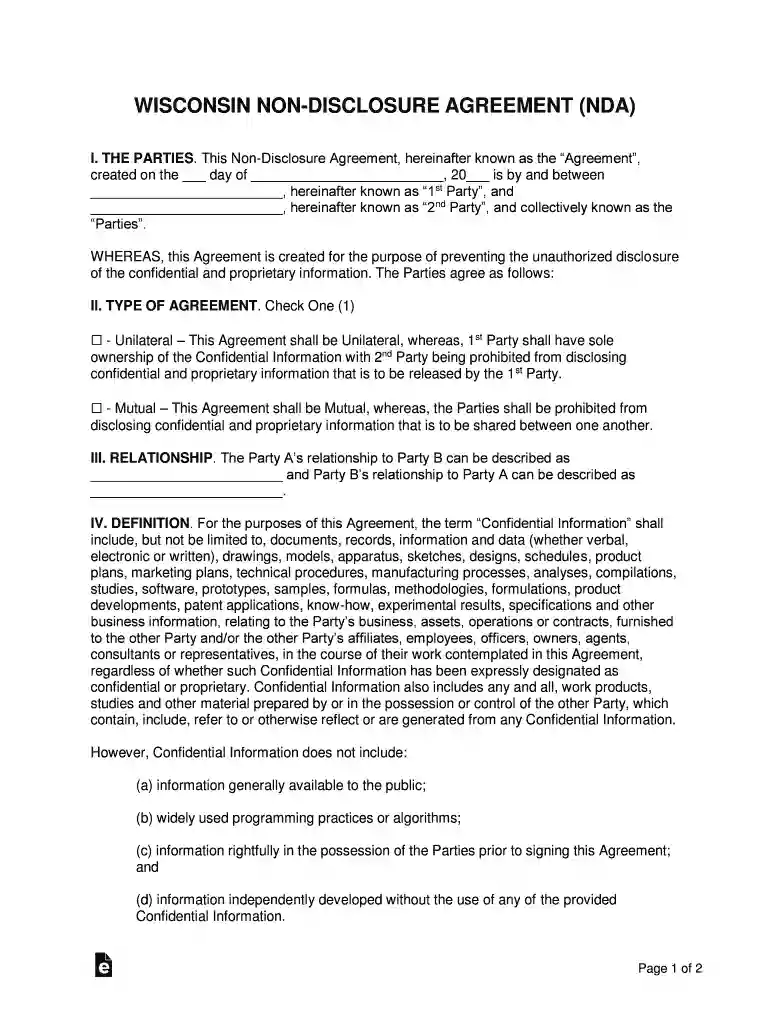
Wisconsin Non-Disclosure Agreement (NDA) Template 2026

Get Form
Wisconsin Non-Disclosure Agreement (NDA) Template Preview on Page 1

Here's how it works

01. Edit your form online
Type text, add images, blackout confidential details, add comments, highlights and more.

02. Sign it in a few clicks
Draw your signature, type it, upload its image, or use your mobile device as a signature pad.

03. Share your form with others
Send it via email, link, or fax. You can also download it, export it or print it out.

How to use or fill out Wisconsin Non-Disclosure Agreement (NDA) Template with DocHub

Form edit decoration
9.5
Ease of Setup
DocHub User Ratings on G2
9.0
Ease of Use
DocHub User Ratings on G2
  1. Click ‘Get Form’ to open the Wisconsin Non-Disclosure Agreement (NDA) Template in our editor.
  2. Begin by filling in the date at the top of the document. This is crucial as it marks the official start of your agreement.
  3. In the 'THE PARTIES' section, enter the names of both parties involved in the agreement. Ensure accuracy to avoid any legal complications.
  4. Next, select whether this is a Unilateral or Mutual agreement by checking the appropriate box in 'TYPE OF AGREEMENT'.
  5. Describe the relationship between both parties in the 'RELATIONSHIP' section. This helps clarify the context of information sharing.
  6. Review and fill out any additional sections regarding Confidential Information, Obligations, Time Period, and other clauses as necessary.
  7. Finally, ensure both parties sign and date at the bottom of the document to validate the agreement.

Start using our platform today to easily complete your Wisconsin NDA for free!

be ready to get more

Complete this form in 5 minutes or less

Get form

Got questions?

We have answers to the most popular questions from our customers. If you can't find an answer to your question, please contact us.
Contact us
Typically, a legal professional writing the NDA will complete these steps: Step 1 - Describe the scope. Which information is considered confidential? Step 2 - Detail party obligations. Step 3 - Note potential exclusions. Step 4 - Set the term. Step 5 - Spell out consequences.
Yes, you can. NDA can be made between individuals like you would between independent contractors.
An NDA does not necessarily need to be docHubd to be valid. The key elements for its validity are mutual agreement, clearly defined terms, and exchange of consideration (which can be the mutual exchange of information).
A Confidential Disclosure Agreement [(CDA), also referred to as non-disclosure agreement (NDA) or secrecy agreement, is a legal agreement between a minimum of two parties which outlines information the parties wish to share with one another for certain evaluation purposes, but wish to restrict from wider use and

Security and compliance

At DocHub, your data security is our priority. We follow HIPAA, SOC2, GDPR, and other standards, so you can work on your documents with confidence.

Learn more