




Here's how it works

01. Edit your unisa appeal form online
Type text, add images, blackout confidential details, add comments, highlights and more.

02. Sign it in a few clicks
Draw your signature, type it, upload its image, or use your mobile device as a signature pad.

03. Share your form with others
Send unisa appeal form pdf via email, link, or fax. You can also download it, export it or print it out.
How to use or fill out unisa declaration form 2022 with our platform

- Click ‘Get Form’ to open the unisa declaration form 2022 in the editor.
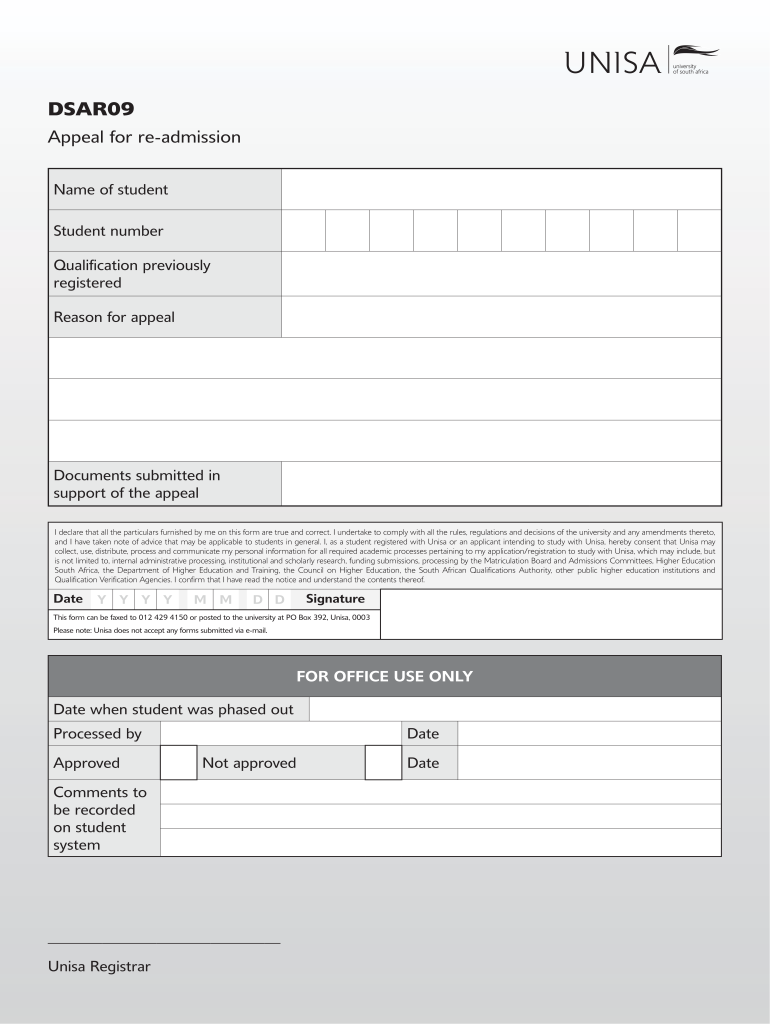
- Begin by entering your personal details in the 'Name of student' and 'Student number' fields. Ensure accuracy as this information is crucial for processing your appeal.
- In the 'Qualification previously registered' section, specify the qualification you were enrolled in. This helps the university understand your academic history.
- Clearly state your 'Reason for appeal'. Be concise yet detailed to provide context for your request.
- Attach any supporting documents by using the upload feature in our editor. This may include transcripts or letters that substantiate your appeal.
- Review all entered information for accuracy. Once confirmed, sign and date the form at the bottom to validate your submission.
- Finally, save your completed form and follow instructions to fax or post it to Unisa, as email submissions are not accepted.
Start using our platform today for free to complete your unisa declaration form efficiently!
Fill out unisa declaration form 2022 online
It's free
It's free
Security and compliance
At DocHub, your data security is our priority. We follow HIPAA, SOC2, GDPR, and other standards, so you can work on your documents with confidence.
Learn more


