




Here's how it works



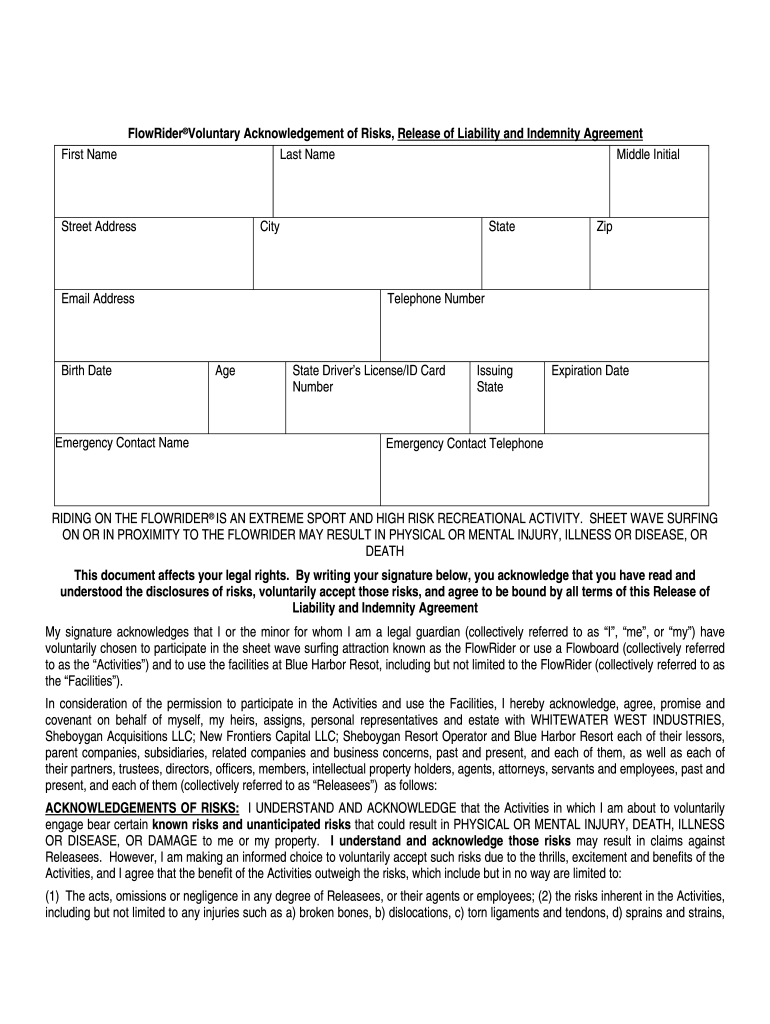
How to use or fill out B DISCLOSURE OF RISK AND RELEASE FORM (employee) FlowRider

- Click ‘Get Form’ to open it in the editor.
- Begin by entering your First Name, Last Name, and Middle Initial in the designated fields.
- Fill in your Street Address, City, State, Zip Code, and Telephone Number to ensure accurate contact information.
- Provide your Email Address and Birth Date. This information is crucial for identification and communication purposes.
- List an Emergency Contact Name along with their Telephone Number to facilitate quick communication in case of emergencies.
- Enter your State Driver’s License/ID Card Number, Issuing State, and Expiration Date for verification purposes.
- Read through the Acknowledgements of Risks section carefully. By signing below, you confirm that you understand the risks involved.
- Sign and date the form at the bottom. If applicable, a legal guardian must also sign if the participant is a minor.
Start filling out your B DISCLOSURE OF RISK AND RELEASE FORM today for free on our platform!
It's free
Got questions?
Can I use DocHub to generate legal electronic signatures on my B DISCLOSURE OF RISK AND RELEASE FORM (employee) FlowRider?
Yes, you can use DocHub for signing any business and personal documentation, including your B DISCLOSURE OF RISK AND RELEASE FORM (employee) FlowRider. All eSignatures you generate with our service are legally binding and court-admissible, as DocHub complies with standards required by ESIGN and UETA. Save your completed document with a detailed Audit Trail if needed.
How do you complete B DISCLOSURE OF RISK AND RELEASE FORM (employee) FlowRider on iOS?
You need only an internet connection and a browser to complete your B DISCLOSURE OF RISK AND RELEASE FORM (employee) FlowRider by using an iOS phone. Open the DocHub website and authenticate. Then, add your document or choose it from the list in your dashboard. Then use our editing instruments to complete your form and save all your modifications. You can also send it to a dedicated recipient immediately.
What is the meaning of risk assumption letter?
What is the assumption of risk waiver?
What is an indemnification waiver?
Security and compliance
At DocHub, your data security is our priority. We follow HIPAA, SOC2, GDPR, and other standards, so you can work on your documents with confidence.
Learn more


