How to affidavit death 2026

Get Form
affidavit death of joint tenant Preview on Page 1

Here's how it works

01. Edit your affidavit death of joint tenant online
Type text, add images, blackout confidential details, add comments, highlights and more.

02. Sign it in a few clicks
Draw your signature, type it, upload its image, or use your mobile device as a signature pad.

03. Share your form with others
Send affidavit death via email, link, or fax. You can also download it, export it or print it out.

How to use or fill out the Affidavit of Death with our platform

Form edit decoration
9.5
Ease of Setup
DocHub User Ratings on G2
9.0
Ease of Use
DocHub User Ratings on G2
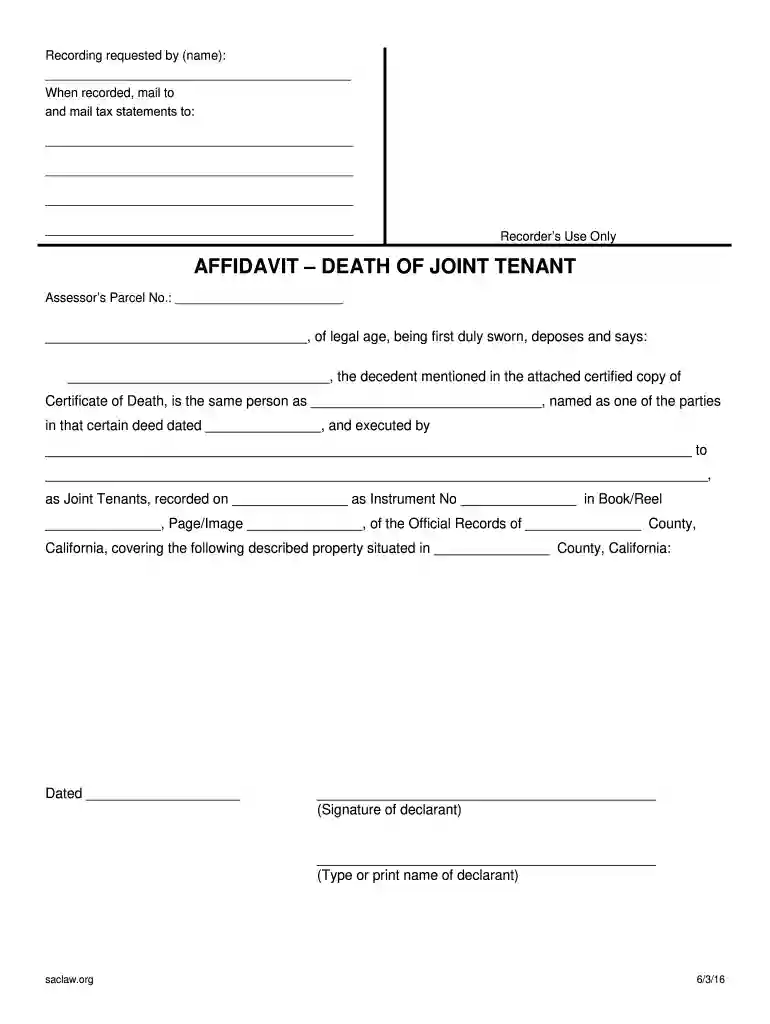
  1. Click ‘Get Form’ to open the Affidavit of Death in the editor.
  2. Begin by entering the state and county where the affidavit is being executed at the top of the form.
  3. In the first section, provide your name as the affiant, ensuring you are of legal age and duly sworn.
  4. Next, fill in the name of the decedent as mentioned in the attached Certificate of Death.
  5. Complete details regarding the deed, including its date, parties involved, and recording information. This includes Instrument No., Book/Reel, and Page/Image numbers.
  6. Specify the property description and Assessor's Parcel Number for accurate identification.
  7. Sign and date the affidavit at the bottom, ensuring all information is correct before submission.
  8. Finally, arrange for a notary to witness your signature and complete their section on notarization.

Start using our platform today to easily complete your Affidavit of Death online for free!

be ready to get more

Complete this form in 5 minutes or less

Get form

Got questions?

We have answers to the most popular questions from our customers. If you can't find an answer to your question, please contact us.
Contact us
Instead, an Affidavit of Death and a certified copy of the death certificate can be used. After the Affidavit of Death is signed and docHubd, the affidavit and the certified copy of the death certificate are both recorded at the County Recorders office in the county where the real property is located.
What to include in your affidavit. Title. This is either your name (Affidavit of Jane Doe) or the specific case information. Statement of identity. The next paragraph tells the court about yourself. Statement of truth. Statement of facts. Closing statement of truth. Sign and docHub.
Take note that for the Affidavit of Loss to be a legal document, it must be signed and docHubd in notary public office. The notary will require proof of identity such as passport, drivers license or any government-issued IDs.
An affidavit of loss is a document declaring the loss of a security usually through theft or destruction. The affidavit contains all the details regarding the loss, such as the owners name and any information pertaining to the security. That information may include a serial number or the securitys date of issue.
The transfer of inherited property is the most common situation that requires the use of an Affidavit of Death. An Affidavit of Death may also be known by a variety of other names: Affidavit of Death and Heirship.

Security and compliance

At DocHub, your data security is our priority. We follow HIPAA, SOC2, GDPR, and other standards, so you can work on your documents with confidence.

Learn more
ccpa2
pci-dss
gdpr-compliance
hipaa
soc-compliance

People also ask

5. How Much Will It Cost? PayeeFee Range (2025 typical practice) Notarization (jurat) ₱ 100 in Metro Manila / key cities; ₱ 50₱ 80 elsewhere. Some offices charge ₱ 150₱ 200 to include drafting or printing. Documentary Stamp Tax ₱ 30 per original affidavit (BIR 188).2 more rows Apr 29, 2025

affidavit death of trustee california