

Safety data sheet template pdf 2026

Get Form
safety data sheet template pdf Preview on Page 1

Here's how it works

01. Edit your form online
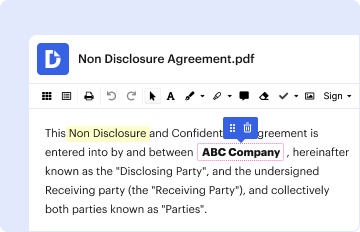
Type text, add images, blackout confidential details, add comments, highlights and more.
02. Sign it in a few clicks
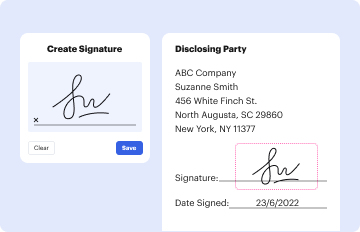
Draw your signature, type it, upload its image, or use your mobile device as a signature pad.
03. Share your form with others
Send it via email, link, or fax. You can also download it, export it or print it out.

How to use or fill out safety data sheet template pdf with our platform

Form edit decoration
9.5
Ease of Setup
DocHub User Ratings on G2
9.0
Ease of Use
DocHub User Ratings on G2
  1. Click ‘Get Form’ to open the safety data sheet template in the editor.
  2. Begin with Section 1, where you will input the company name, address, product name, and contact information. Ensure all fields are filled accurately for proper identification.
  3. Move to Section 2 to detail the composition of the product. Enter the hazardous ingredients and their respective percentages by weight. This section is crucial for compliance and safety.
  4. In Section 3, provide information on hazard identification. Fill in any potential health effects and emergency overview details as applicable.
  5. Continue through each section systematically, ensuring that first aid measures, firefighting measures, handling and storage instructions, and exposure controls are completed thoroughly.
  6. Review all sections for accuracy before saving your document. Utilize our platform's features to sign or share your completed safety data sheet easily.

Start using our platform today to streamline your safety data sheet completion process for free!

be ready to get more

Complete this form in 5 minutes or less

Get form

Got questions?

We have answers to the most popular questions from our customers. If you can't find an answer to your question, please contact us.
Contact us

A lot of software applications are available on the market for document modifying and signing. DocHub is one of the most widely used online solutions that comply with all security and compliance standards and ensures your eSigned documentation is legally enforceable. All you need to try it out is to sign up for an account, upload your safety data sheet template pdf, provide the requested information, and click Sign. Generate your electronic signature by typing, drawing it, uploading its image to your form, or scanning a unique QR code.

You can find the latest and most relevant version of the safety data sheet template pdf in our DocHub forms collection. Search it by categories or utilize the search field to get the exact template that suits your case. You may open this form for editing once you find it.


In response to your second question, OSHA has stated in a parenthetical note to paragraph 1910.1200(g)(8) of the HCS that: (Electronic access, microfiche, and other alternatives to maintaining paper copies of the material safety data sheets are permitted as long as no barriers to immediate employee access in each
Before writing a safety data sheet, you must be very knowledgeable about the chemical products included in your workplace and their potential risks. Research and collect as much information as possible, so you can give a detailed account of all areas of these substances within your SDS.
The information contained in the SDS is largely the same as the MSDS, except now the SDSs are required to be presented in a consistent user-friendly, 16-section format. This brief provides guidance to help workers who handle hazardous chemicals to become familiar with the format and understand the contents of the SDSs.

People also ask

SDS Information for Employers Whats important is that employees have access to the safety data sheets for all of the chemicals that they are using. If the employer does not have an SDS for one of these chemicals they should contact the manufacturer to obtain the current version of the SDS for that chemical.

Related links