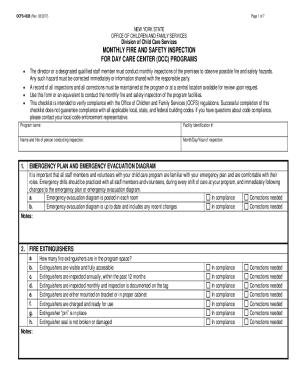
Arrestconviction report and certification form 2026

Get Form
arrestconviction report and certification form Preview on Page 1

Here's how it works

01. Edit your form online
Type text, add images, blackout confidential details, add comments, highlights and more.
02. Sign it in a few clicks
Draw your signature, type it, upload its image, or use your mobile device as a signature pad.
03. Share your form with others
Send it via email, link, or fax. You can also download it, export it or print it out.

How to use or fill out arrestconviction report and certification form with our platform

Form edit decoration
9.5
Ease of Setup
DocHub User Ratings on G2
9.0
Ease of Use
DocHub User Ratings on G2
  1. Click ‘Get Form’ to open the arrest/conviction report and certification form in the editor.
  2. In Section 1, enter your full legal name, date of birth, and any former names you may have used. Ensure all information is accurate for verification purposes.
  3. Proceed to Section 2. If you have been arrested or convicted of a reportable offense, check the appropriate box and provide details such as the crime, date, location of arrest/conviction, and court information in the space provided.
  4. If you have never been arrested or convicted of a reportable offense, check the box in Section 3 to confirm this statement.
  5. In Section 4, sign and date the form to certify that all statements are true and complete. Remember that false statements can lead to legal consequences.

Start filling out your arrest/conviction report today for free using our platform!

be ready to get more

Complete this form in 5 minutes or less

Get form

Got questions?

We have answers to the most popular questions from our customers. If you can't find an answer to your question, please contact us.
Contact us

eSignatures are a great replacement for traditional signing, as they save time, effort, and money people spend on printing, scanning, and paper delivery. You can electronically sign your arrestconviction report and certification form using a reliable and robust online document management services like DocHub. It complies with primary eSignature regulations (ESIGN and UETA), so all forms approved there are legally binding and have the same validity as manually signed ones.

In case your go-to email service is Gmail, it is simple to incorporate your DocHub editor into your work. Modify your arrestconviction report and certification form with DocHub tools and connect it to your drafts in Gmail. See how straightforward it is to exchange papers and collaborate having a swift PDF editing solution at hand.

Security and compliance

At DocHub, your data security is our priority. We follow HIPAA, SOC2, GDPR, and other standards, so you can work on your documents with confidence.

Learn more
ccpa2
pci-dss
gdpr-compliance
hipaa
soc-compliance
be ready to get more

Complete this form in 5 minutes or less

Get form