

Truist power of attorney 2026

Get Form
truist power of attorney Preview on Page 1

Here's how it works

01. Edit your form online
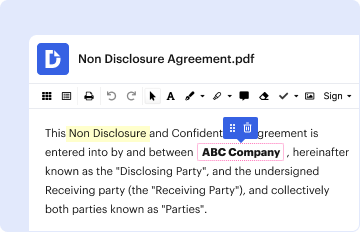
Type text, add images, blackout confidential details, add comments, highlights and more.
02. Sign it in a few clicks
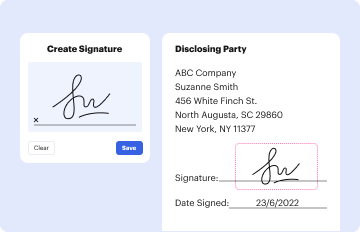
Draw your signature, type it, upload its image, or use your mobile device as a signature pad.
03. Share your form with others
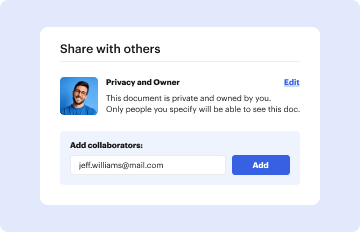
Send it via email, link, or fax. You can also download it, export it or print it out.

How to use or fill out truist power of attorney with our platform

Form edit decoration
9.5
Ease of Setup
DocHub User Ratings on G2
9.0
Ease of Use
DocHub User Ratings on G2
  1. Click ‘Get Form’ to open the truist power of attorney document in the editor.
  2. Begin by filling out the principal's information, including their full name and address. This identifies who is granting the power of attorney.
  3. Next, specify the agent's details. Enter the name and contact information of the person you are appointing as your agent.
  4. In the section regarding powers granted, clearly outline what authority you are giving to your agent. This may include financial decisions, legal matters, or healthcare choices.
  5. Review any additional clauses or conditions that may apply to this power of attorney. Ensure all necessary fields are completed accurately.
  6. Finally, sign and date the document electronically using our platform’s signature feature for a seamless completion process.

Start using our platform today to easily fill out your truist power of attorney form for free!

be ready to get more

Complete this form in 5 minutes or less

Get form

Got questions?

We have answers to the most popular questions from our customers. If you can't find an answer to your question, please contact us.
Contact us
This is a fairly simple process. To add a POA to your bank account, submit the signed, docHubd legal document to the financial institution holding the relevant accounts to review and confirm.
We can help you add someone to your account so they can handle your finances on your behalf.
Many state laws require banks and credit unions to accept POAs except under certain circumstances: for example, if the bank or credit union believes the POA is forged, knows that the POA was revoked, or believes that the person who created the POA is being abused or exploited by the agent.
You can designate people to have powers of attorney (POAs) on your behalf. Learn more.

Security and compliance

At DocHub, your data security is our priority. We follow HIPAA, SOC2, GDPR, and other standards, so you can work on your documents with confidence.

Learn more



