01. Edit your muniment of title mississippi online
Type text, add images, blackout confidential details, add comments, highlights and more.
02. Sign it in a few clicks
Draw your signature, type it, upload its image, or use your mobile device as a signature pad.
03. Share your form with others
Send it via email, link, or fax. You can also download it, export it or print it out.
How to use or fill out muniment of title mississippi with our platform
Ease of Setup
DocHub User Ratings on G2
Ease of Use
DocHub User Ratings on G2
Click ‘Get Form’ to open the muniment of title document in the editor.
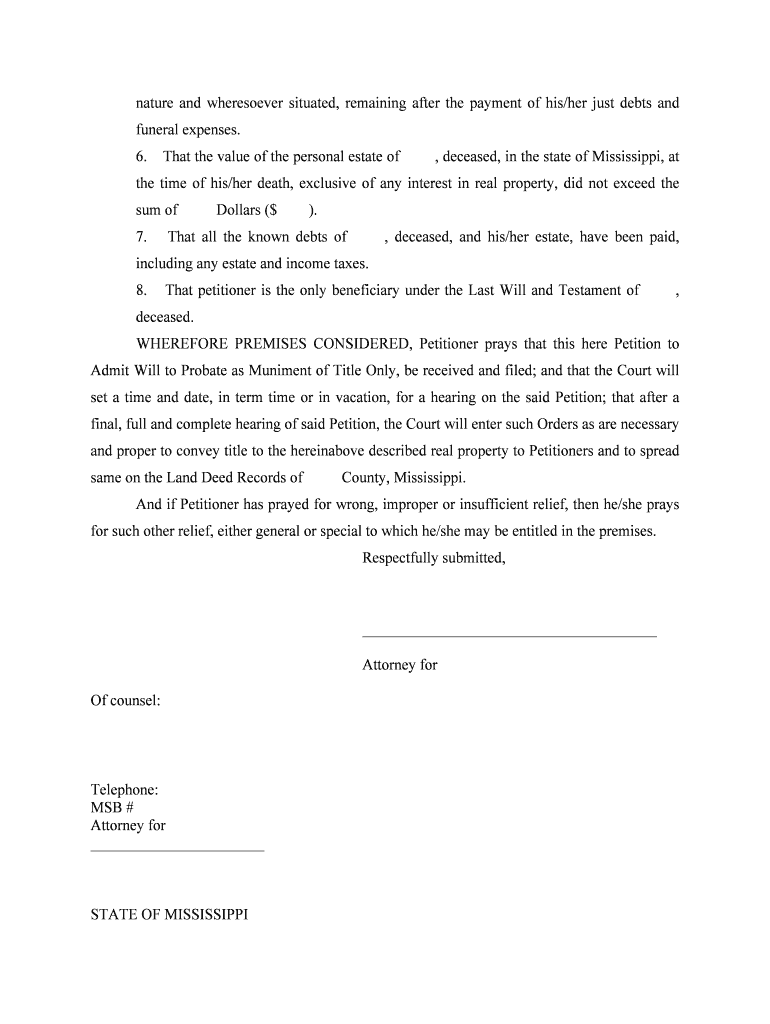
Begin by filling in the name of the deceased in the first section, along with their date of death and residency details. Ensure accuracy as this information is crucial for probate.
In the next section, indicate the marital status of the deceased and provide details about their spouse if applicable. This helps establish any claims on the estate.
Describe the real property owned by the deceased, including its location and any relevant deed information. Attach any necessary documents as exhibits using our platform's upload feature.
Complete sections regarding debts and beneficiaries. Clearly state that all known debts have been settled and identify yourself as the sole beneficiary under the will.
Finally, review your entries for accuracy before signing. Utilize our platform’s signature feature to sign electronically, ensuring a smooth submission process.
Start using our platform today to complete your muniment of title form online for free!
Fill out muniment of title mississippi online It's free
Muniment of title mississippi formMuniment of title mississippi sampleMuniment of title mississippi requirementsMuniment of title mississippi costMississippi code 91 7 322Affidavit of heirship mississippiMississippi small estate affidavit statuteAffidavit of heirship mississippi template
Security and compliance
At DocHub, your data security is our priority. We follow HIPAA, SOC2, GDPR, and other standards, so you can work on your documents with confidence.
by PE Basye 1956 Cited by 19 When recorded, it becomes a muniment of title. It is a judicial determination of heirship made in connection with and as a part of the administrationRead more
Cookie consent notice
This site uses cookies to enhance site navigation and personalize your experience.
By using this site you agree to our use of cookies as described in our Privacy Notice.
You can modify your selections by visiting our Cookie and Advertising Notice.