Type text, add images, blackout confidential details, add comments, highlights and more.
02. Sign it in a few clicks
Draw your signature, type it, upload its image, or use your mobile device as a signature pad.
03. Share your form with others
Send bulk sales form via email, link, or fax. You can also download it, export it or print it out.
How to use or fill out nj bulk sales form with DocHub
Ease of Setup
DocHub User Ratings on G2
Ease of Use
DocHub User Ratings on G2
Click ‘Get Form’ to open the nj bulk sales form in our editor.
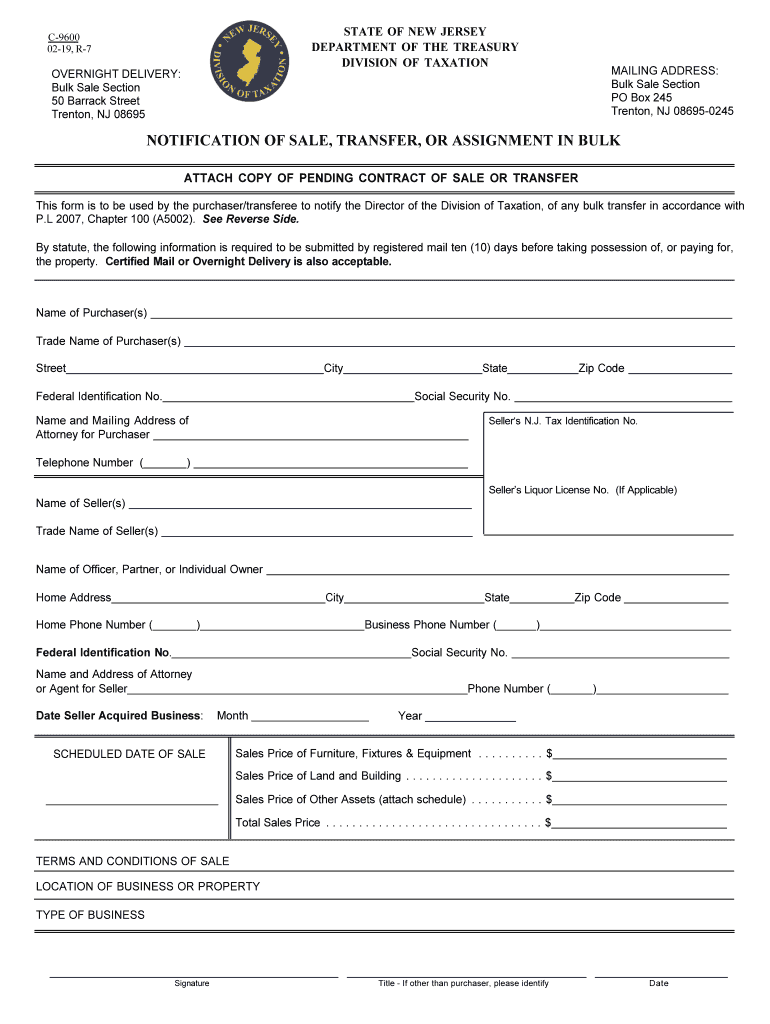
Begin by entering the 'Name of Purchaser(s)' and 'Trade Name of Purchaser(s)' in the designated fields. Ensure accuracy as this information is crucial for identification.
Fill in the 'Street', 'City', 'State', and 'Zip Code' for the purchaser's address. Include the 'Federal Identification No.' and 'Social Security No.' where required.
Next, provide details for the seller, including their name, trade name, and contact information. This section also requires the seller's N.J. Tax Identification No.
Complete the financial sections by entering the sales prices for furniture, fixtures & equipment, land and building, and other assets. The total sales price should be calculated automatically if using our platform.
Review all entered information for accuracy before signing. Ensure that you include your title if you are not the purchaser.
Start filling out your nj bulk sales form online for free with our platform today!
NJ Bulk Sales Phone numberNj bulk sales form pdfNj bulk sales form onlineBulk sale exemption NJNj bulk sales form c 9600Bulk Sale Section Trenton, NJ Phone NumberBulk sale formForm C-9600
Security and compliance
At DocHub, your data security is our priority. We follow HIPAA, SOC2, GDPR, and other standards, so you can work on your documents with confidence.
The declaration of net quantity of contents on pickles and pickle products, including relishes but excluding one or two whole pickles in a transparentRead more
Notification of Sale, Transfer, or Assignment in Bulk
The buyer or their attorney must send a completed Form C-9600 with an executed copy of the contract of sale, including any amendments, revisions, or assignmentsRead more
Cookie consent notice
This site uses cookies to enhance site navigation and personalize your experience.
By using this site you agree to our use of cookies as described in our Privacy Notice.
You can modify your selections by visiting our Cookie and Advertising Notice.