




Here's how it works



How to use or fill out form HS-122 with our platform

- Click ‘Get Form’ to open the HS-122 in the editor.
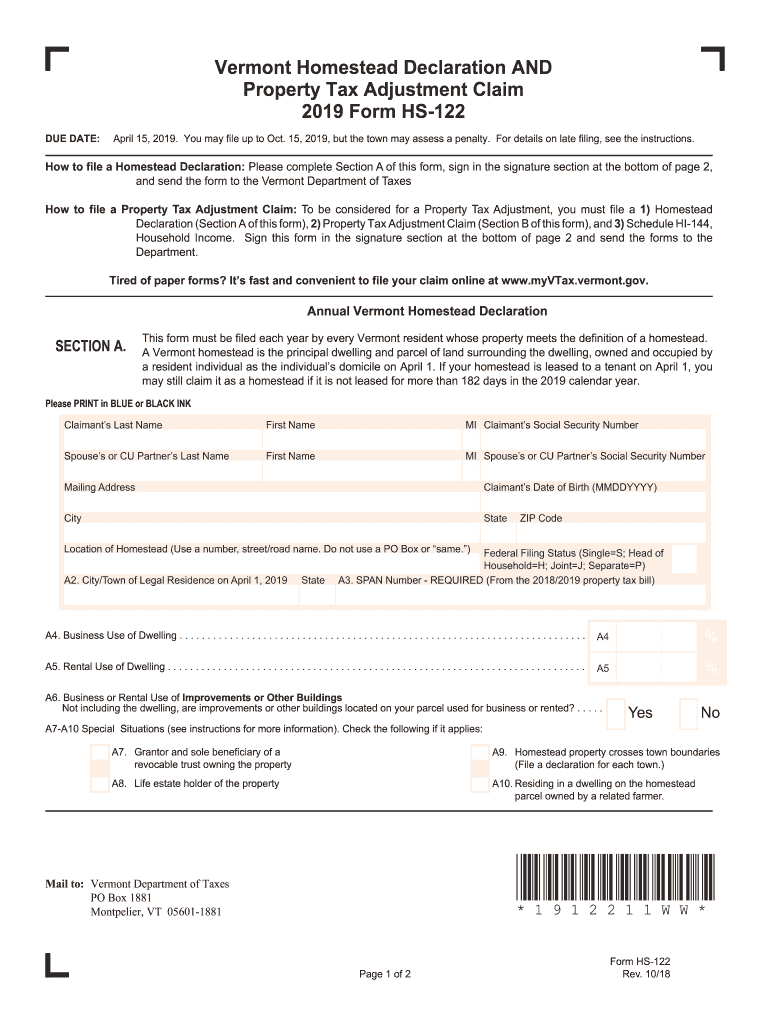
- Begin with Section A, where you will enter your personal information. Fill in your last name, first name, middle initial, and social security number. Ensure that you print in blue or black ink for clarity.
- Next, provide details about your spouse or civil union partner if applicable. Include their last name, first name, middle initial, and social security number.
- Complete the mailing address section accurately. This is crucial for receiving any correspondence regarding your homestead declaration.
- In Section B, answer all eligibility questions carefully. If you were domiciled in Vermont for the entire year of 2018 and were not claimed as a dependent by another taxpayer, proceed to fill out the required financial information.
- Review all entries for accuracy before signing at the bottom of page 2. Once completed, submit the form to the Vermont Department of Taxes.
Start filling out your HS-122 form online today for free and experience the convenience of our platform!
It's free
See more form hs 122 versions
Got questions?
What do I need to sign my 2023 form hs 122 electronically?
Electronic document signing demands a software solution that works in compliance with data protection and eSignature standards. DocHub is a perfect tool for that, as it meets all the aforementioned requirements. Whatever method you like to sign your 2023 form hs 122 in DocHub, your eSignature will be legally binding and court-admissible.
Do I need to set up software to modify my vermont homestead declaration?
If you edit your vermont homestead declaration with DocHub, you only require a steady internet connection and virtually any browser installed on your device. No need to install any third-party software or research guides. Just open a tab with DocHub, drag and drop your file, and edit it on the spot.
Security and compliance
At DocHub, your data security is our priority. We follow HIPAA, SOC2, GDPR, and other standards, so you can work on your documents with confidence.
Learn more


