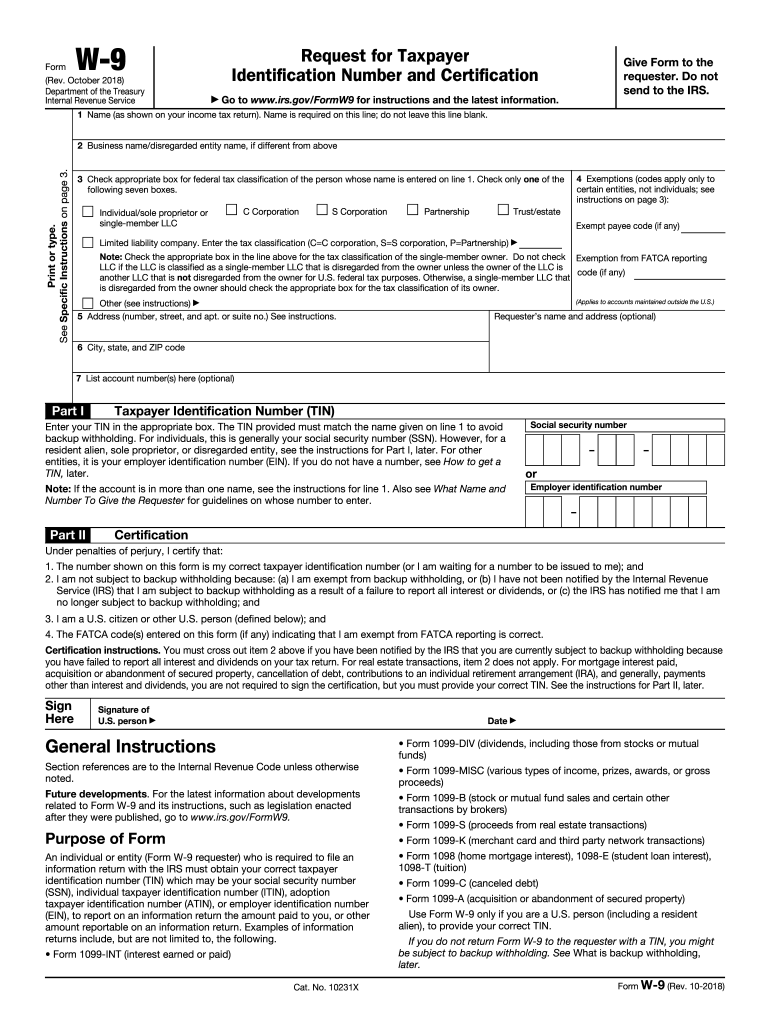
Get your W-9 form for free

Get Form
Form preview image

"Can easily upload and sign documents without needing to pay for expensive options. This is the go-to web software for free eSigning. I can integrate this software with other storage platforms to upload files from anywhere."

Ted T., Small-Business

"The simplicity of the product and ease of use with new individuals on a daily basis. The ability to sign documents on any device, especially mobile, when one is out of the office. The ability to review use templates is also great."

Ian A., Director

"It is very easy to use and we like the feature to have a team of people that can access all the shared documents. People that we ask to sign the contracts find it very easy via a smartphone. We only encounter a very small number of people struggle, but this is definitely user error."

Gary B., Chair, Trustee and Volunteer

"This is by far the best program ive found to date to keep my small business running smoothly as far as collecting customer signatures... i love it."

The Wood Doctor Tree Service

"DocHub makes filling out government forms so much easier than anything else I have tried. I love that it saves my work so efficiently in the same format that is needed to send to the court. It also makes it a breeze to update reports everything three years. Honestly, I wish I had know about DocHub years ago."

Dieuwke S.

"The experience using DocHub is amazing and simple, I love it as it gives me what I need in my company as a document editor that is easy, quick, and performs as you would want in a product such as a document editor. I don't know what I would do without DocHub, Thank you DocHub."

Robert D.

How it works

Get your form

Make edits and annotations

Sign or request signatures from others

Share your form via email, fax, or download it

Complete W-9 form — the easy way

Form edit decoration
DocHub Reviews
44 reviews
9.5
Ease of Setup
DocHub User Ratings on G2
9.0
Ease of Use
DocHub User Ratings on G2

Here is a brief guide on how to complete your W-9 form:

  • Fill out your personal information, including your full name, address, and business name if applicable.
  • Select your tax classification: choose "individual/sole proprietor" if you're an independent contractor or a single-member LLC.
  • Provide your Taxpayer Identification Number (TIN), which may be your Social Security Number (SSN) or your Employer Identification Number (EIN).
  • Certify any exemptions from backup withholding that might apply to you.
  • Review your information and sign the form to certify that the information is accurate.
  • Submit the completed W-9 form to the entity that requested it from you.

Remember that the W-9 form is used for informational purposes only and is not sent to the IRS. Your client or business will use the information from the form to complete their 1099-MISC form, which will be filed with the IRS.

Please consult with a tax advisor or professional if you need more assistance or have more specific questions.

be ready to get more

Complete this form in 5 minutes or less

Get form

Got questions?

Check out the answers for the most common customer questions. If you can't find what you're looking for, don't hesitate to contact us.
Contact us
However, simply filling out a W-9 doesnt require a person to pay taxes. These payments arent typically subjected to IRS withholding, meaning it is the payees responsibility to track their income and pay the necessary taxes.
How to fill out a W-9 form Download the W-9 form from IRS.gov. Provide your full legal name and business name. Business structure. Exemption. Enter your mailing address. Add any account numbers. Provide your Social Security number or Employer Identification Number. See if you need to sign and date the form.
Use Form W-9 to provide your correct Taxpayer Identification Number (TIN) to the person who is required to file an information return with the IRS to report, for example: Income paid to you. Real estate transactions. Mortgage interest you paid.
The main differences between W-9 and 1099 tax forms are that a W-9 is filled out by the supplier or independent contractor to provide their tax and payment information to the payer, whereas 1099 forms are provided by the payer to document the supplier or contractors gross earnings and any backup withholding after
Who needs to fill out a W-9 form? Employers who work with independent contractors must provide them with a W-9 form to fill out before starting work. There are specific criteria for who is classified as an independent contractor and will need to fill it out.

How to complete a W-9 form: a comprehensive guide

Identification

Line 1: Enter your full name as shown on your income tax return. If you are completing this form for a business entity, make sure to use the name of the business.

Line 2: If you have a business name, trade name, DBA name, or disregarded entity name, you can enter it here. If not, you can leave it blank.

Line 3: Check the appropriate box for your U.S. tax classification. This may be individual/sole proprietor, C Corporation, S Corporation, Partnership, Trust/estate, Limited liability company, or other. If you chose Limited liability company, you need to enter the tax classification (C=C corporation, S=S corporation, P=Partnership).

Line 4: If you are exempt from backup withholding taxes, indicate this in the exemption field.

Line 5: Enter your address (number, street, and apt. or suite no.). This should be your current address.

Line 6: Enter your city, state, and ZIP code.

Part I: TIN (Taxpayer Identification Number)

Enter your Social Security Number (SSN). If you are providing the form for a business entity, enter the Employer Identification Number (EIN).

Part II: Certification

If applicable, check the box. This applies to you if you are subject to backup withholding because you have failed to report all interest and dividends on your tax return.

Sign and date the form. By doing so, you're certifying that the information is correct.
Remember to keep your W-9 updated. You should re-submit a new form if your name, business name, or TIN changes.

Also note that the W-9 form is not sent to the IRS. Instead, it is used by the person who requested it from you to complete certain tax forms they are required to file.
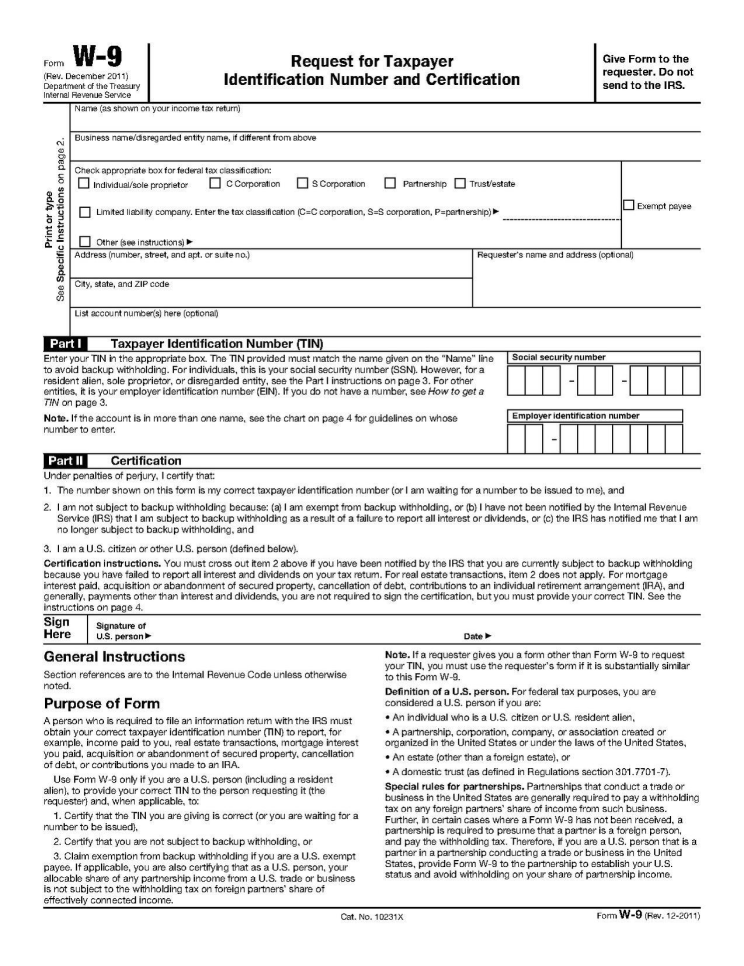

W-9 form image
be ready to get more

Complete this form in 5 minutes or less

Get form