




Here's how it works

01. Edit your crisis plan template online
Type text, add images, blackout confidential details, add comments, highlights and more.

02. Sign it in a few clicks
Draw your signature, type it, upload its image, or use your mobile device as a signature pad.

03. Share your form with others
Send crisis plan via email, link, or fax. You can also download it, export it or print it out.
How to use or fill out Crisis Plan Template - Fill Online, Printable, Fillable, Blank with DocHub

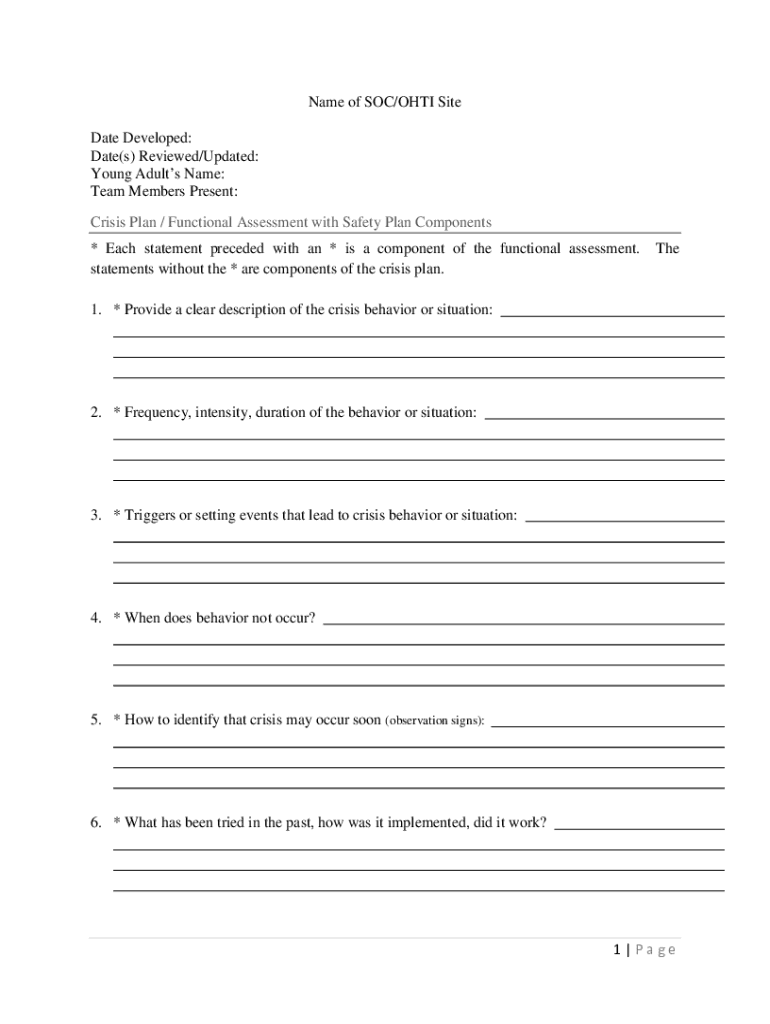
- Click ‘Get Form’ to open the Crisis Plan Template in our editor.
- Begin by entering the 'Name of SOC/OHTI Site' and the 'Date Developed' at the top of the form. This sets the context for your crisis plan.
- Fill in the 'Young Adult’s Name' and 'Team Members Present' to identify who is involved in this plan.
- Proceed to complete each component of the functional assessment. Start with a clear description of the crisis behavior or situation, followed by details on frequency, intensity, and duration.
- Identify triggers that lead to crises and note when behaviors do not occur. Observational signs that indicate an impending crisis should also be documented.
- Reflect on past interventions: what was tried, how it was implemented, and its effectiveness.
- Outline potential positive replacement behaviors and factors that could improve or worsen situations.
- Detail steps for preventing crises in response to triggers and actions during a crisis situation, including formal and informal supports.
- Define appropriate and inappropriate behaviors as well as plans for a 24-hour day.
- Finally, ensure all signatures are collected at the end of the document for validation.
Start using our platform today to fill out your Crisis Plan Template easily and for free!
Fill out Crisis Plan Template - Fill Online, Printable, Fillable, Blank online
It's free
It's free
See more Crisis Plan Template - Fill Online, Printable, Fillable, Blank versions
We've got more versions of the Crisis Plan Template - Fill Online, Printable, Fillable, Blank form. Select the right Crisis Plan Template - Fill Online, Printable, Fillable, Blank version from the list and start editing it straight away!
Security and compliance
At DocHub, your data security is our priority. We follow HIPAA, SOC2, GDPR, and other standards, so you can work on your documents with confidence.
Learn more


