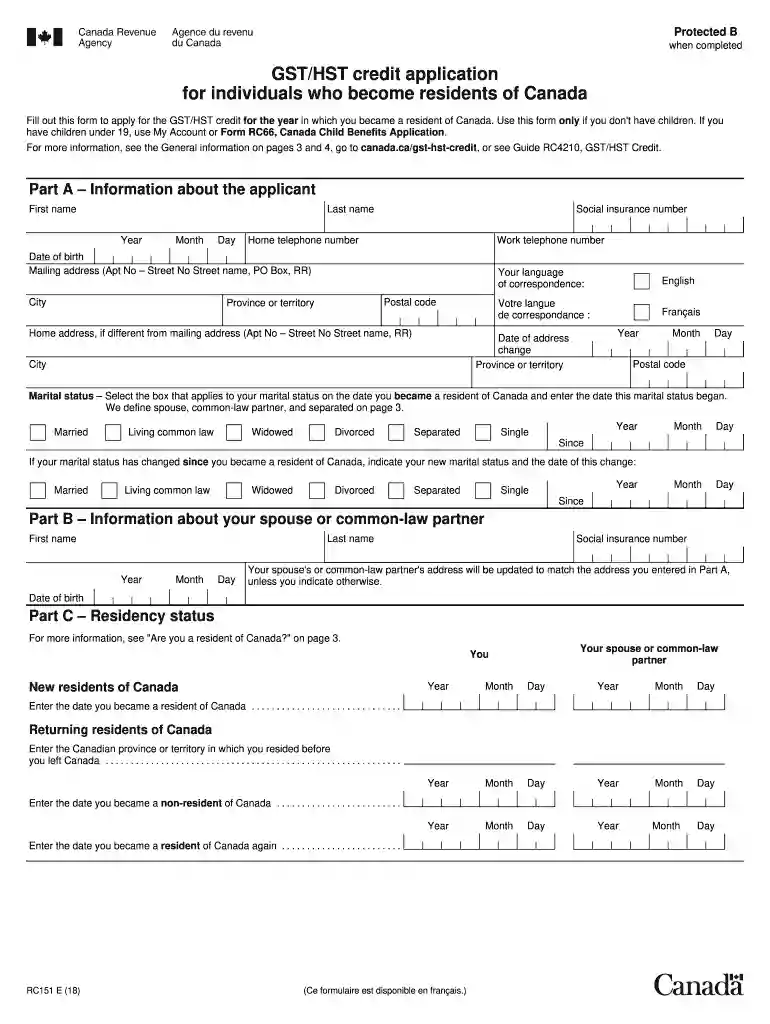
Rc151 2026

Get Form
rc151 Preview on Page 1

Here's how it works

01. Edit your rc151 online
Type text, add images, blackout confidential details, add comments, highlights and more.

02. Sign it in a few clicks
Draw your signature, type it, upload its image, or use your mobile device as a signature pad.

03. Share your form with others
Send rc 151 via email, link, or fax. You can also download it, export it or print it out.

How to use or fill out rc151 with our platform

Form edit decoration
9.5
Ease of Setup
DocHub User Ratings on G2
9.0
Ease of Use
DocHub User Ratings on G2
  1. Click ‘Get Form’ to open the rc151 in the editor.
  2. Begin with Part A, providing your personal information. Fill in your first name, last name, social insurance number, and contact details. Ensure accuracy as this information is crucial for processing your application.
  3. In Part B, if applicable, enter your spouse's or common-law partner's details. This includes their name and social insurance number. If their address differs from yours, specify it here.
  4. Proceed to Part C to confirm your residency status. Enter the date you became a resident of Canada and provide any necessary details regarding previous residency if applicable.
  5. In Part D, report income for yourself and your spouse or common-law partner for the relevant years. Follow the instructions carefully for each step to ensure all income sources are reported accurately.
  6. Finally, complete Part E by certifying that all provided information is correct. Sign and date where indicated.

Start using our platform today to fill out rc151 easily and efficiently!

See more rc151 versions

We've got more versions of the rc151 form. Select the right rc151 version from the list and start editing it straight away!
Versions Form popularity Fillable & printable
2019 4.8 Satisfied (131 Votes)
2018 4.2 Satisfied (35 Votes)
2017 4.4 Satisfied (259 Votes)
2014 4.4 Satisfied (85 Votes)
2013 4 Satisfied (36 Votes)
2008 4.1 Satisfied (74 Votes)
be ready to get more

Complete this form in 5 minutes or less

Get form

Got questions?

We have answers to the most popular questions from our customers. If you can't find an answer to your question, please contact us.
Contact us
The goods and services tax/harmonized sales tax (GST/HST) credit is a tax-free quarterly payment that helps individuals and families with low and modest incomes offset the GST or HST that they pay.
Note: you can submit the rc151 as another commenter suggested but it will take a long time to process. Up to 4 months. If you can find time to call, they should be able to take your information over the phone and speed up the process docHubly.
The purpose of the RC151 form is to report the income you earned in your previous country, before you moved to Canada. Theres no need to report your Canadian income on that form, as it will be reported on your tax return instead.
To claim a GST tax refund, you must apply by filling out Form GST 34. Same as a regular GST return, only this time, your input tax credits exceed the GST collected, creating a refund position.
New residents of Canada must apply for the credit If you are a new resident of Canada and have no children: Use the online Web Form RC151, GST/HST Credit and Canada Carbon Rebate Application for Individuals Who Become Residents of Canada. Its quick, convenient, and eliminates the need to mail in a form.

People also ask

If you are a new resident of Canada and have no children: Use the online Web Form RC151, GST/HST Credit and Canada Carbon Rebate Application for Individuals Who Become Residents of Canada. Its quick, convenient, and eliminates the need to mail in a form.
You are eligible for this credit if you are a resident of Canada for income tax purposes at the end of the month before and at the beginning of the month in which the CRA makes a payment (read When your GST/HST credit is paid). In the month before the CRA makes a quarterly payment, you must be at least 19 years old.

gst form fill up date 2025