Affidavit cook county 2026

Get Form
affidavit meaning Preview on Page 1

Here's how it works

01. Edit your affidavit meaning online
Type text, add images, blackout confidential details, add comments, highlights and more.

02. Sign it in a few clicks
Draw your signature, type it, upload its image, or use your mobile device as a signature pad.

03. Share your form with others
Send affidavit for child support illinois via email, link, or fax. You can also download it, export it or print it out.

How to use or fill out affidavit cook county with our platform

Form edit decoration
9.5
Ease of Setup
DocHub User Ratings on G2
9.0
Ease of Use
DocHub User Ratings on G2
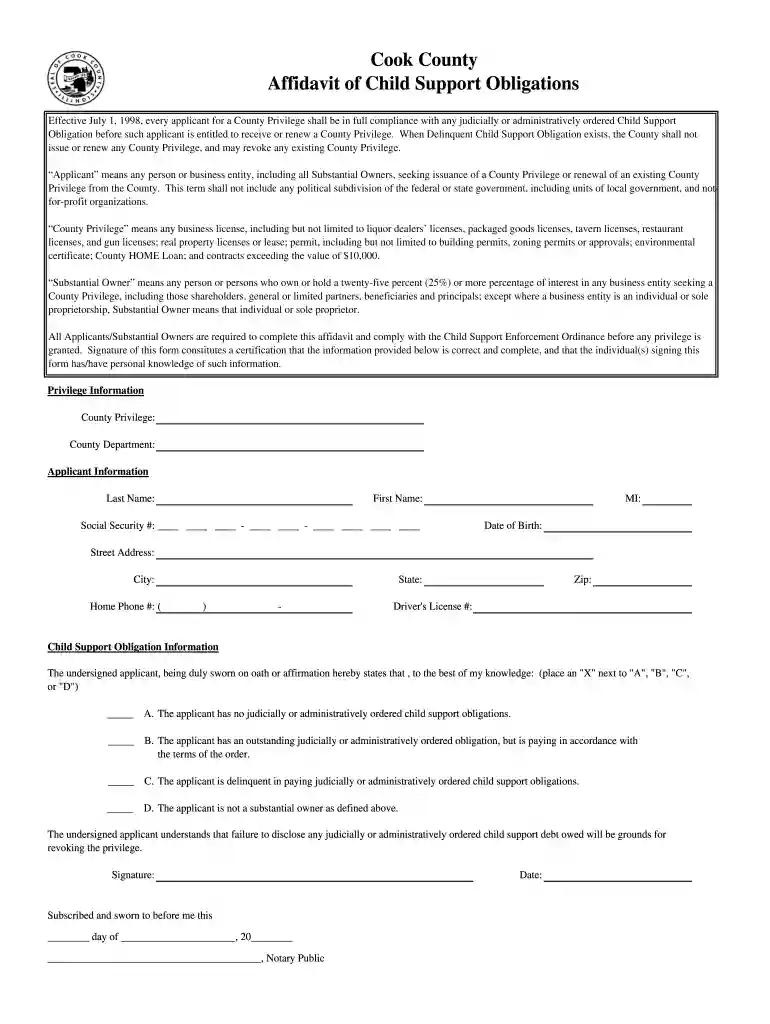
  1. Click ‘Get Form’ to open the affidavit of child support obligations in the editor.
  2. Begin by filling out the 'Privilege Information' section. Specify the type of County Privilege you are applying for and select the relevant County Department.
  3. In the 'Applicant Information' section, enter your last name, first name, middle initial, social security number, date of birth, street address, city, state, zip code, and home phone number.
  4. Provide your driver's license number in the designated field.
  5. Next, move to the 'Child Support Obligation Information' section. Indicate your status by placing an 'X' next to one of the options (A, B, C, or D) that best describes your child support obligations.
  6. Finally, sign and date the form at the bottom. Ensure that you have personal knowledge of all information provided before submitting.

Start using our platform today for free to complete your affidavit efficiently!

be ready to get more

Complete this form in 5 minutes or less

Get form

Got questions?

We have answers to the most popular questions from our customers. If you can't find an answer to your question, please contact us.
Contact us
According to Cook County Local Rule 13.3. 2, in all proceedings where a Financial Affidavit is required, each party will need copies of filed federal and state income tax returns, most recent pay stubs showing year-to-date earnings and deductions and records of any additional income and compensation.
Thus, unless otherwise provided for by a specific supreme court rule or statutory authorization, an affidavit must be docHubd to be valid.
Affidavits can be hand-written or typed, but all information included must be first-person and verifiable mere speculation into the details of a legal circumstance is not valid for an affidavit.
An affidavit is a written statement made under oath. This means the person making the statement swears that the contents are true and understands that they may be prosecuted if any part of the statement is false.
Include your full name, address, age, occupation, and other identifying information. Each separate line of the document should provide a separate fact or statement. There are a number of ways to organize an affidavit, and you should choose the manner that works best for your situation.

People also ask

Create affidavits quickly with our user-friendly online template. Simply fill in the required fields, sign, and submit. Use this free template to generate affidavits for legal proceedings, evidence documentation, and more.
A copy of your individual federal income tax return, including W-2s for the most recent tax year, or a statement and/or evidence describing why you were not required to file. Also include a copy of every Form 1099, schedule, and any other evidence of reported income.
When you need an affidavit you will need to have the document docHubd in order for it to be legally binding. This can be done with a traditional in-person or mobile notary, or an affiant can provide their statement using Remote Online Notarization (RON).

statewide referral