01. Edit your piedmont natural gas identity verification form online
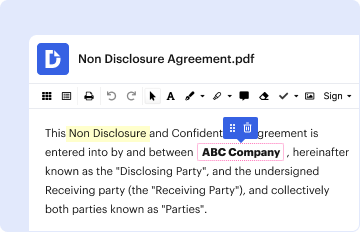
Type text, add images, blackout confidential details, add comments, highlights and more.
02. Sign it in a few clicks
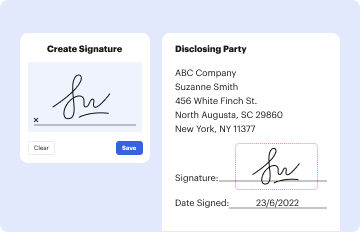
Draw your signature, type it, upload its image, or use your mobile device as a signature pad.
03. Share your form with others
Send piedmont natural gas identity via email, link, or fax. You can also download it, export it or print it out.
How to use or fill out Piedmont Natural Gas Identity Verification Form
Ease of Setup
DocHub User Ratings on G2
Ease of Use
DocHub User Ratings on G2
Click ‘Get Form’ to open it in the editor.
In Section I, fill in your printed name and provide the service location address, including city, state, zip code, and two phone numbers.
Present the form to a notary public for verification. Ensure that they complete Section III with their details.
In Section II, enter the notary's business name and address where the notarization took place.
Once completed, fax the form to Piedmont Natural Gas at 877.525.2880 or email it to customerselfservice@piedmontng.com. If neither option is available, mail it to the provided address.
Allow at least three business days for processing your request and remember to keep a copy for your records.
Start using our platform today to streamline your document completion process for free!
Fill out piedmont natural gas identity verification form online It's free
Piedmont natural gas identity verification form pdfPiedmont natural gas identity verification form pdf downloadPiedmont natural gas identity verification form phone numberFree piedmont natural gas identity verification formPiedmont natural gas identity verification form onlinePiedmont natural gas identity verification form downloadPiedmont natural gas customer ServicePiedmont Natural Gas create account
Security and compliance
At DocHub, your data security is our priority. We follow HIPAA, SOC2, GDPR, and other standards, so you can work on your documents with confidence.
Nov 4, 2020 The ideal candidate should have LNG plant experience or chemical, refinery, or gas processing plant experience and knowledge of cryogenicRead more
The document is intended to provide current knowledge in support of sound decisions. It is not intended to foster or discourage efforts to clean upRead more
Cookie consent notice
This site uses cookies to enhance site navigation and personalize your experience.
By using this site you agree to our use of cookies as described in our Privacy Notice.
You can modify your selections by visiting our Cookie and Advertising Notice.