




Here's how it works



How to use or fill out gymnastics liability waiver with our platform

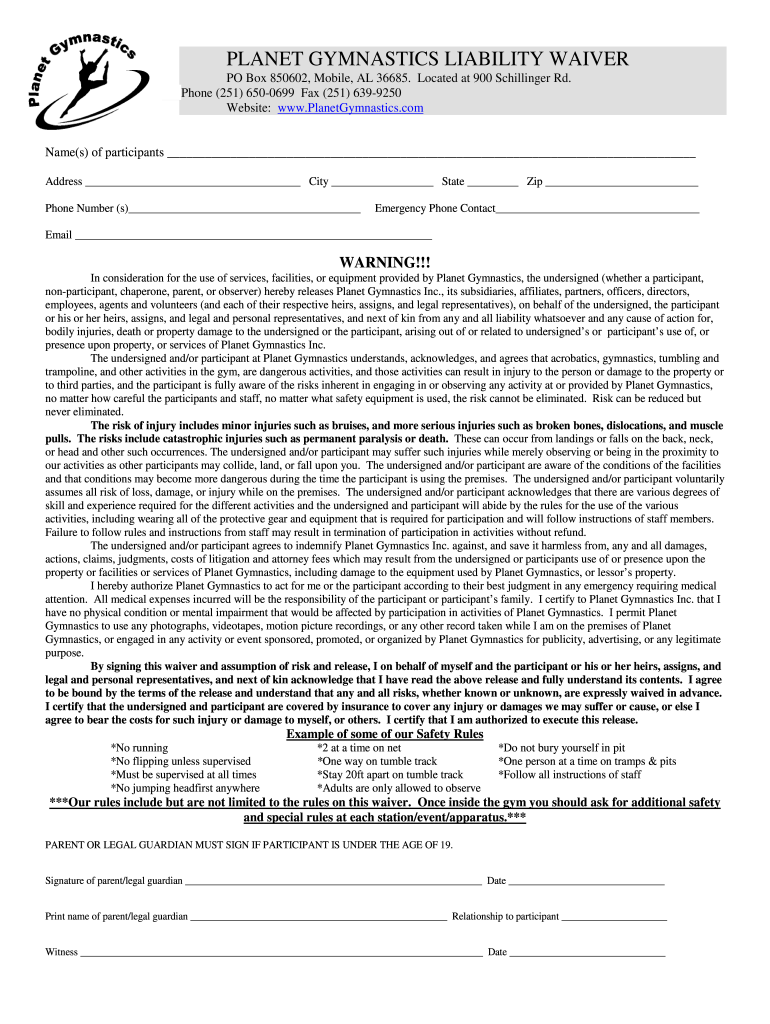
- Click ‘Get Form’ to open the gymnastics liability waiver in the editor.
- Begin by entering the names of all participants in the designated field. Ensure accuracy as this information is crucial for identification.
- Fill in the address, city, state, and zip code of each participant. This helps establish residency and emergency contact details.
- Provide phone numbers for participants and an emergency contact. This ensures that you can be reached if necessary.
- Enter an email address for communication purposes. This will be used for any follow-up or important notifications.
- Read through the warning section carefully. Acknowledge the risks associated with gymnastics activities by signing at the bottom of the waiver.
- If applicable, a parent or legal guardian must sign if the participant is under 19 years old. Ensure their relationship to the participant is noted.
Start using our platform today to easily complete your gymnastics liability waiver online for free!
It's free
Got questions?
What is the optimum way to electronically sign my gymnastics liability waiver?
Many software solutions are available on the market for document modifying and signing. DocHub is one of the most popular online solutions that comply with all data protection and compliance requirements and guarantees your electronically signed paperwork is legally enforceable. All you need to try it out is to sign up for an account, upload your gymnastics liability waiver, provide the necessary details, and click Sign. Create your eSignature by typing, drawing it, uploading its image to your template, or scanning a unique QR code.
How do you create an e-signature for the gymnastics liability waiver on iOS?
In addition to an extensive toolset for editing PDFs on mobile phones, DocHub enables you to sign your gymnastics liability waiver along the way. Open our editor in your web browser, make modifications using DocHub’s toolset, and complete your editing by eSigning the completed form.
Is a liability waiver a legal document?
What is the purpose of signing a waiver?
How binding is a liability waiver?
Security and compliance
At DocHub, your data security is our priority. We follow HIPAA, SOC2, GDPR, and other standards, so you can work on your documents with confidence.
Learn more


