Type text, add images, blackout confidential details, add comments, highlights and more.

02. Sign it in a few clicks
Draw your signature, type it, upload its image, or use your mobile device as a signature pad.

03. Share your form with others
Send n180 form example via email, link, or fax. You can also download it, export it or print it out.

How to use or fill out n180 with our platform
Ease of Setup
DocHub User Ratings on G2
Ease of Use
DocHub User Ratings on G2
Click ‘Get Form’ to open the n180 in the editor.
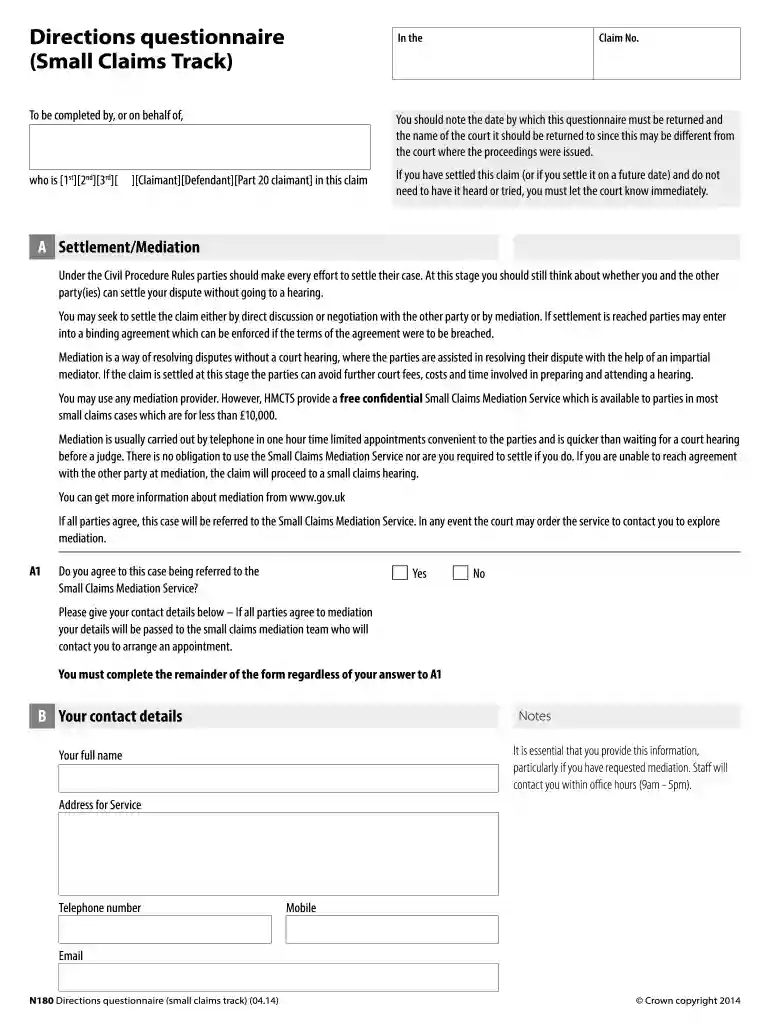
Begin by entering your Claim Number at the top of the form. This is essential for identifying your case.
In section A, specify who you are in this claim by selecting from options like Claimant or Defendant. Ensure accuracy as this affects court communications.
For section B, provide your contact details including full name, address, telephone number, and email. This information is crucial for any mediation processes.
In section C, confirm whether you agree that the small claims track is appropriate for your case. If not, explain why and suggest an alternative track.
Section D requires you to indicate your preferred hearing venue and any unavailable dates for yourself or witnesses. Be thorough to avoid scheduling conflicts.
Finally, sign the form electronically within our platform before submitting it back to the court as instructed.
Start filling out your n180 form today on our platform for free!
Buff OneCard Office. Center for Community (C4C) Room N180. 2249 Willard Loop Dr. 159 UCB Boulder, CO 80309-0159. 303-492-0355 M-F 8:00 a.m. - 4:30 p.m.Read more
Cookie consent notice
This site uses cookies to enhance site navigation and personalize your experience.
By using this site you agree to our use of cookies as described in our Privacy Notice.
You can modify your selections by visiting our Cookie and Advertising Notice.