




01. Edit your crywolf bexar county online
Type text, add images, blackout confidential details, add comments, highlights and more.

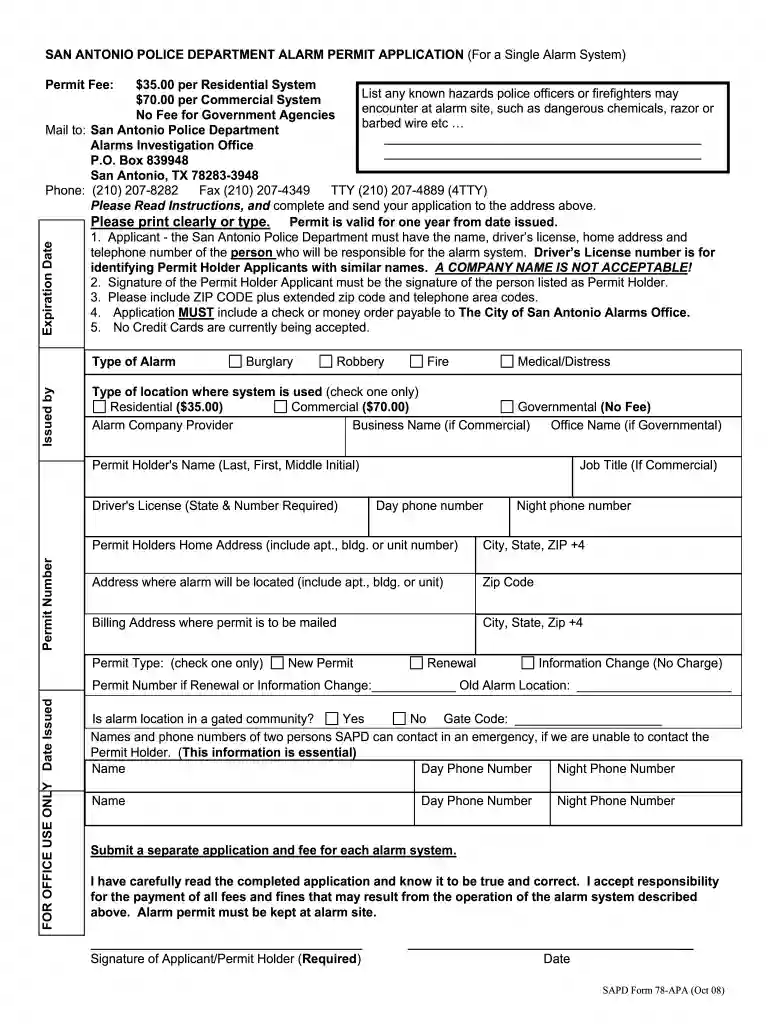
Type text, add images, blackout confidential details, add comments, highlights and more.

Draw your signature, type it, upload its image, or use your mobile device as a signature pad.

Send cry wolf services via email, link, or fax. You can also download it, export it or print it out.

Start using our platform today to easily complete your San Antonio Alarm Permit application online for free!
At DocHub, your data security is our priority. We follow HIPAA, SOC2, GDPR, and other standards, so you can work on your documents with confidence.
Feb 26, 2011 San Antonio City Lights Program: Replace la. 301 W NAKOMA. ROBERT VALDEZ (UMBELLA ACCOUNT). (210)590-2566 x. 1687359. San Antonio City LightsRead more
The UT Health San Antonio Police Department is required to report statistics concerning the occurrence of certain criminal offenses reported to the localRead more
For new permits, renewals and payments, use our online permit system: Alarm Permit. NOTE: You do not need to sign up for an account to apply or pay for aRead more


