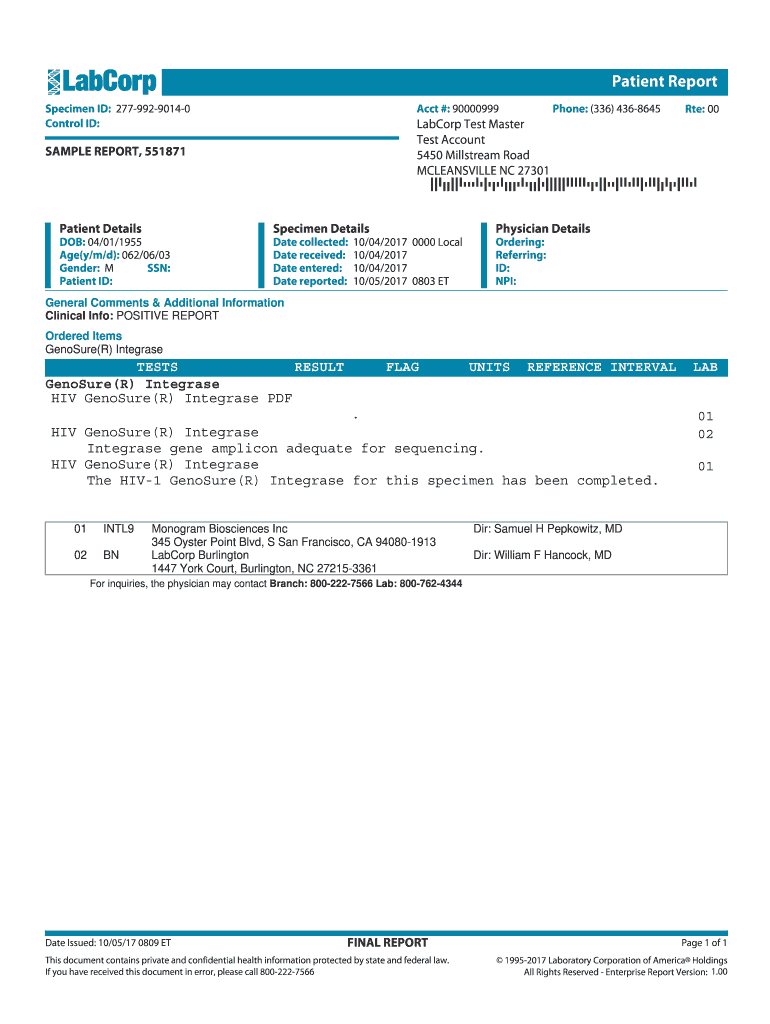
Specimen ID: 277-992-9014-0-2026

Get Form
Specimen ID: 277-992-9014-0 Preview on Page 1

Here's how it works

01. Edit your form online
Type text, add images, blackout confidential details, add comments, highlights and more.
02. Sign it in a few clicks
Draw your signature, type it, upload its image, or use your mobile device as a signature pad.
03. Share your form with others
Send it via email, link, or fax. You can also download it, export it or print it out.

How to use or fill out Specimen ID: 277-992-9014-0 with our platform

Form edit decoration
9.5
Ease of Setup
DocHub User Ratings on G2
9.0
Ease of Use
DocHub User Ratings on G2
  1. Click ‘Get Form’ to open the Specimen ID: 277-992-9014-0 in the editor.
  2. Begin by entering the patient details. Fill in the 'DOB', 'Age', and 'Gender' fields accurately to ensure proper identification.
  3. Next, complete the specimen details section. Input the 'Date Collected', 'Date Received', and 'Date Reported' as indicated on your report.
  4. In the physician details area, provide information for both the ordering and referring physicians, including their IDs and NPI numbers if available.
  5. Review any general comments or additional information sections for clinical insights that may be relevant to your report.
  6. Finally, ensure all fields are filled correctly before saving or exporting your completed form for further use.

Start using our platform today to streamline your document editing and form completion process for free!

be ready to get more

Complete this form in 5 minutes or less

Get form

Got questions?

We have answers to the most popular questions from our customers. If you can't find an answer to your question, please contact us.
Contact us
Positive specimen identification In order for a specimen to be considered to have positive identification, the test request form (TRF) and each related specimen container must contain exactly the same name and unique patient identifier. Examples of acceptable identifiers include, but are not limited.
The Specimen ID: NES007 quest is unlocked from the Exotic mission, Encore: Overture. It is found on the Exo body you need to scan to progress through the mission. Collecting it and then completing the mission may cause NES007 to disappear from your inventory.

Security and compliance

At DocHub, your data security is our priority. We follow HIPAA, SOC2, GDPR, and other standards, so you can work on your documents with confidence.

Learn more
ccpa2
pci-dss
gdpr-compliance
hipaa
soc-compliance