Type text, add images, blackout confidential details, add comments, highlights and more.
02. Sign it in a few clicks
Draw your signature, type it, upload its image, or use your mobile device as a signature pad.
03. Share your form with others
Send qrdo via email, link, or fax. You can also download it, export it or print it out.
How to use or fill out qdro with our platform
Ease of Setup
DocHub User Ratings on G2
Ease of Use
DocHub User Ratings on G2
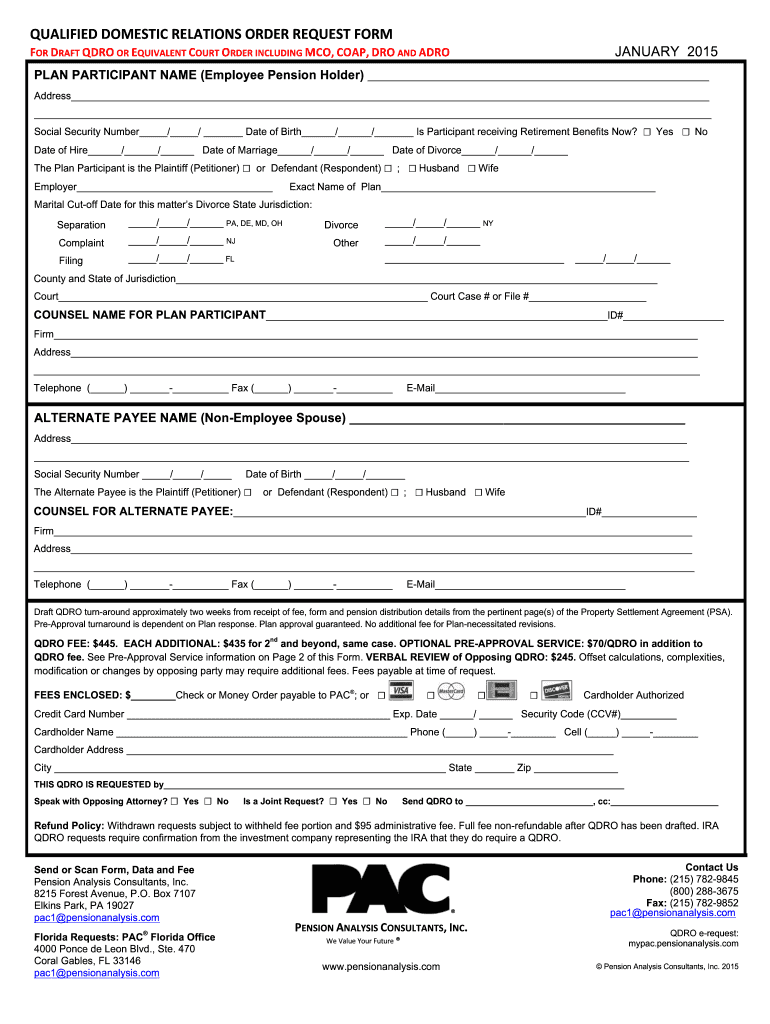
Click ‘Get Form’ to open the QDRO in the editor.
Begin by filling in the Plan Participant's details, including their name, address, Social Security number, and date of birth. Indicate if they are currently receiving retirement benefits.
Specify the role of the Plan Participant as either Plaintiff or Defendant and indicate their marital status. Fill in the dates for hire, marriage, and divorce.
Complete the employer information section along with contact details. Enter applicable marital cut-off dates relevant to your jurisdiction.
Provide details for both Counsel for Plan Participant and Alternate Payee, ensuring all contact information is accurate.
Review any fees associated with processing the QDRO and include payment information as required.
Once all fields are completed, save your document and utilize our platform’s features to sign or share it as needed.
Start using our platform today to streamline your QDRO process effortlessly!
Aug 26, 2025 A QDRO is a judgment, decree or order for a retirement plan to pay child support, alimony or marital property rights to a spouse,Read more
qualified domestic relations order (QDRO) - Law.Cornell.Edu
A qualified domestic relations order (QDRO) is a domestic relations order, ie, a judgment, order, or decree for alimony, support, or marital property rights.Read more
Cookie consent notice
This site uses cookies to enhance site navigation and personalize your experience.
By using this site you agree to our use of cookies as described in our Privacy Notice.
You can modify your selections by visiting our Cookie and Advertising Notice.