



Here's how it works



How to use or fill out New York Corporation Search with our platform

- Click ‘Get Form’ to open the New York Corporation Search in the editor.
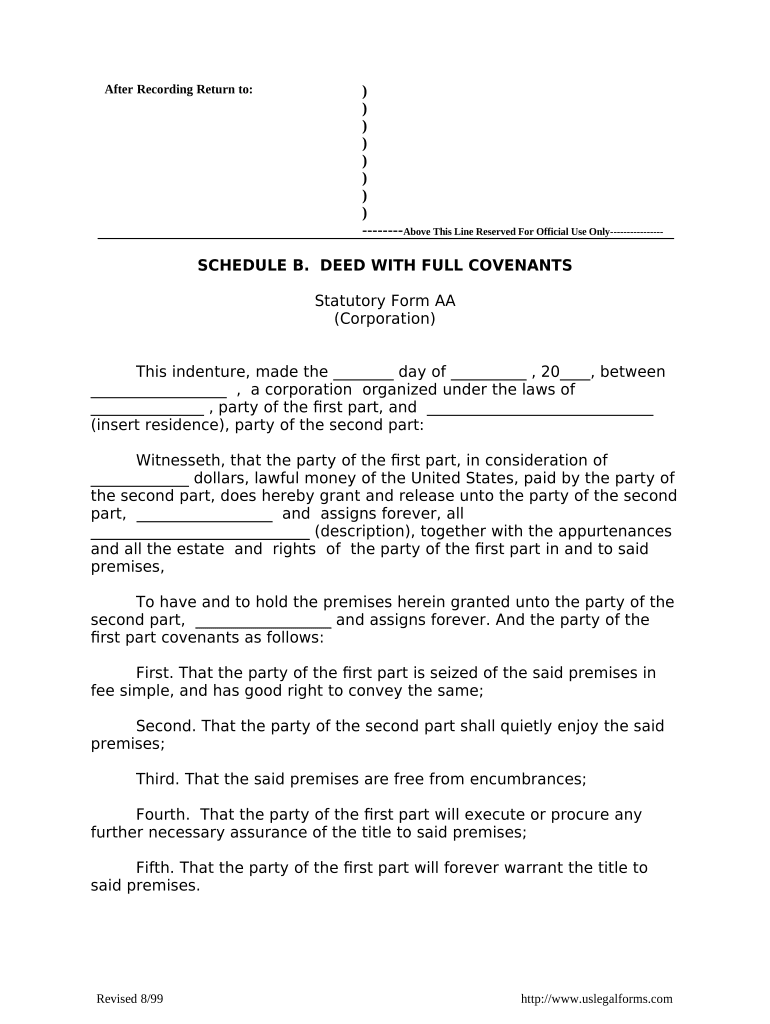
- Begin by entering the date of the deed at the top of the form. This is crucial for establishing a timeline for your records.
- Fill in the name of the corporation and its state of organization in the designated fields. Ensure accuracy as this identifies the entity involved.
- In the section regarding consideration, specify the amount paid for the property. This should reflect lawful money of the United States.
- Provide a detailed description of the premises being conveyed. This ensures clarity on what is included in this transaction.
- Complete any additional covenants as required, ensuring that all parties understand their rights and obligations regarding the property.
- Finally, have an authorized officer sign and affix the corporate seal where indicated, followed by notarization to validate the document.
Start using our platform today to streamline your New York Corporation Search process for free!
It's free
Got questions?
How can I create an electronic signature in my new york corporation search on Android?
Signing documents on a mobile device is quick, straightforward, and doesn’t require software installation when you have an account with DocHub. Sign in from any browser, complete your empty fields with your information, and click on Sign → Create your signature. You can draw your eSignature just as you usually do on paper, add its picture to your new york corporation search, or type in your name and stylize its look. Whatever option you choose, your form will be valid.
How do you fill out new york corporation search online?
You can find and modify your new york corporation search online by using DocHub. Its simple yet feature-rich design allows you to begin productive work immediately after you register your account. Create your account and add your file, then our user interface will guide you through our stress-free form completion experience.
Security and compliance
At DocHub, your data security is our priority. We follow HIPAA, SOC2, GDPR, and other standards, so you can work on your documents with confidence.
Learn more