Type text, add images, blackout confidential details, add comments, highlights and more.
02. Sign it in a few clicks
Draw your signature, type it, upload its image, or use your mobile device as a signature pad.
03. Share your form with others
Send provisional offer meaning via email, link, or fax. You can also download it, export it or print it out.
How to use or fill out provisional offer letter format with our platform
Ease of Setup
DocHub User Ratings on G2
Ease of Use
DocHub User Ratings on G2
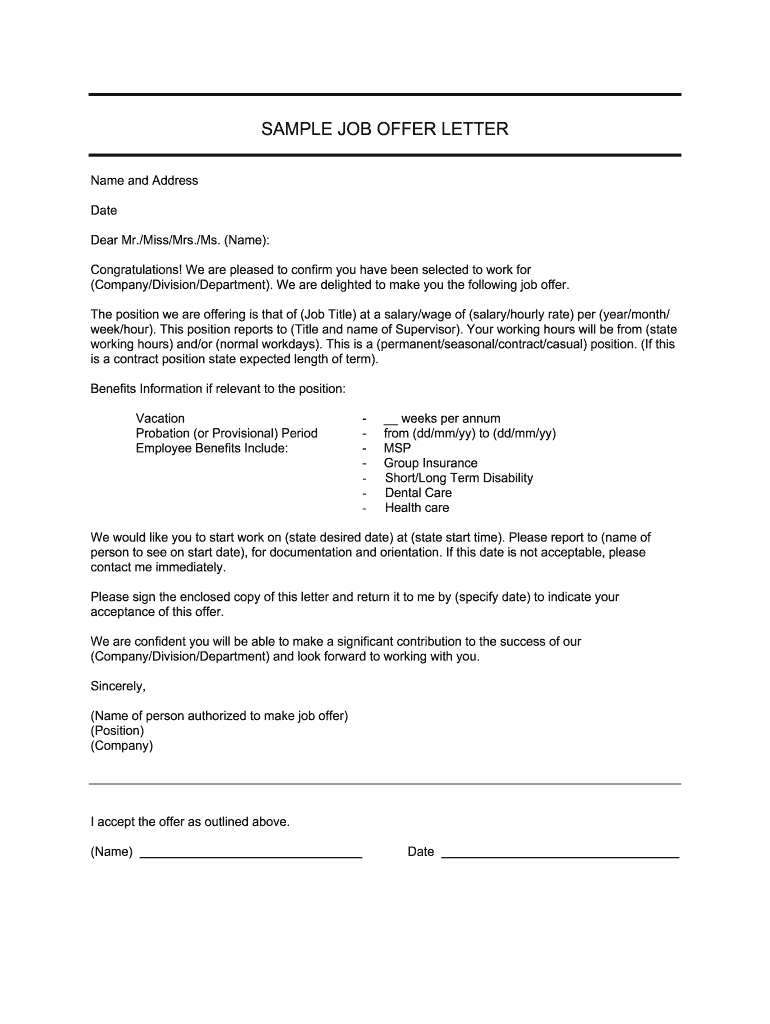
Click ‘Get Form’ to open the provisional offer letter format in the editor.
Begin by entering the candidate's name and address at the top of the document. This personalizes the offer and ensures clarity.
Insert the date of the letter to provide a clear timeline for the offer.
In the greeting section, address the candidate appropriately using Mr./Miss/Mrs./Ms. followed by their name.
Fill in the company details, including division and department, along with the job title and salary information. Specify whether it’s a permanent, seasonal, contract, or casual position.
Detail working hours and days clearly to set expectations for the candidate.
Include benefits information relevant to the position such as vacation time, probation period, and employee benefits like health care options.
State the desired start date and time, along with who they should report to on their first day.
Conclude by providing a space for both parties to sign and date the acceptance of this offer.
Start editing your provisional offer letter today for free on our platform!
Fill out provisional offer letter format online It's free
Provisional offer letter format wordProvisional offer letter format pdfDifference between provisional offer letter and offer letterProvisional offer letter format for employmentProvisional offer letter format for jobProvisional offer letter format for teachersProvisional offer letter format docProvisional offer letter download
Security and compliance
At DocHub, your data security is our priority. We follow HIPAA, SOC2, GDPR, and other standards, so you can work on your documents with confidence.
(AMP POSITIONS) I am pleased to offer you a Provisional appointment Please signify acceptance of this offer by signing and returning this letter to me.Read more
May 16, 1988 An employee with permanent, provisional or probationary status is appointed to a higher class of position for which no valid list exists or thatRead more
Cookie consent notice
This site uses cookies to enhance site navigation and personalize your experience.
By using this site you agree to our use of cookies as described in our Privacy Notice.
You can modify your selections by visiting our Cookie and Advertising Notice.