Type text, add images, blackout confidential details, add comments, highlights and more.
02. Sign it in a few clicks
Draw your signature, type it, upload its image, or use your mobile device as a signature pad.
03. Share your form with others
Send urban development via email, link, or fax. You can also download it, export it or print it out.
How to use or fill out hud 92577 with our platform
Ease of Setup
DocHub User Ratings on G2
Ease of Use
DocHub User Ratings on G2
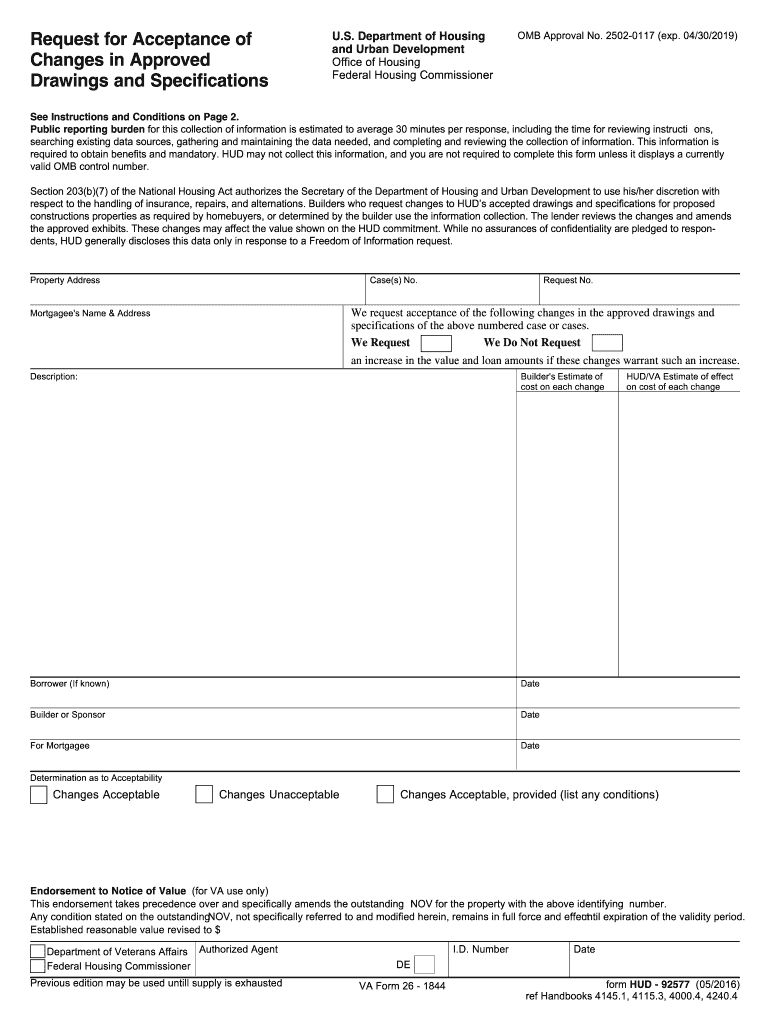
Click ‘Get Form’ to open the HUD 92577 in the editor.
Begin by entering the property address and case number at the top of the form. This information is crucial for identifying your request.
Fill in the mortgagee's name and address, along with the request number. Ensure accuracy as this will be used for correspondence.
In the 'We request' section, indicate whether you are requesting an increase in value and loan amounts due to changes. Provide a detailed description of each change in the designated area.
List the builder's estimate of costs associated with each change. If known, include borrower details and dates for all parties involved.
Sign and date where indicated for both builder/sponsor and mortgagee. If any mortgagor is unknown, note this accordingly.
Start using our platform today to streamline your HUD 92577 form completion for free!
by JB Forman 2015 Cited by 35 United States underinvests in the IRS. Underinvesting means that taxpayer services are suffering and that tax enforcement has been DocHubly weakened.Read more
Request for Acceptance of Changes in Approved Drawings
Jul 31, 2022 Builders who request changes to HUDs accepted drawings and specifications for proposed constructions properties as required by homebuyers, orRead more
Cookie consent notice
This site uses cookies to enhance site navigation and personalize your experience.
By using this site you agree to our use of cookies as described in our Privacy Notice.
You can modify your selections by visiting our Cookie and Advertising Notice.