Type text, add images, blackout confidential details, add comments, highlights and more.
02. Sign it in a few clicks
Draw your signature, type it, upload its image, or use your mobile device as a signature pad.
03. Share your form with others
Send 1149 via email, link, or fax. You can also download it, export it or print it out.
How to use or fill out 1149 form with our platform
Ease of Setup
DocHub User Ratings on G2
Ease of Use
DocHub User Ratings on G2
Click ‘Get Form’ to open the 1149 form in the editor.
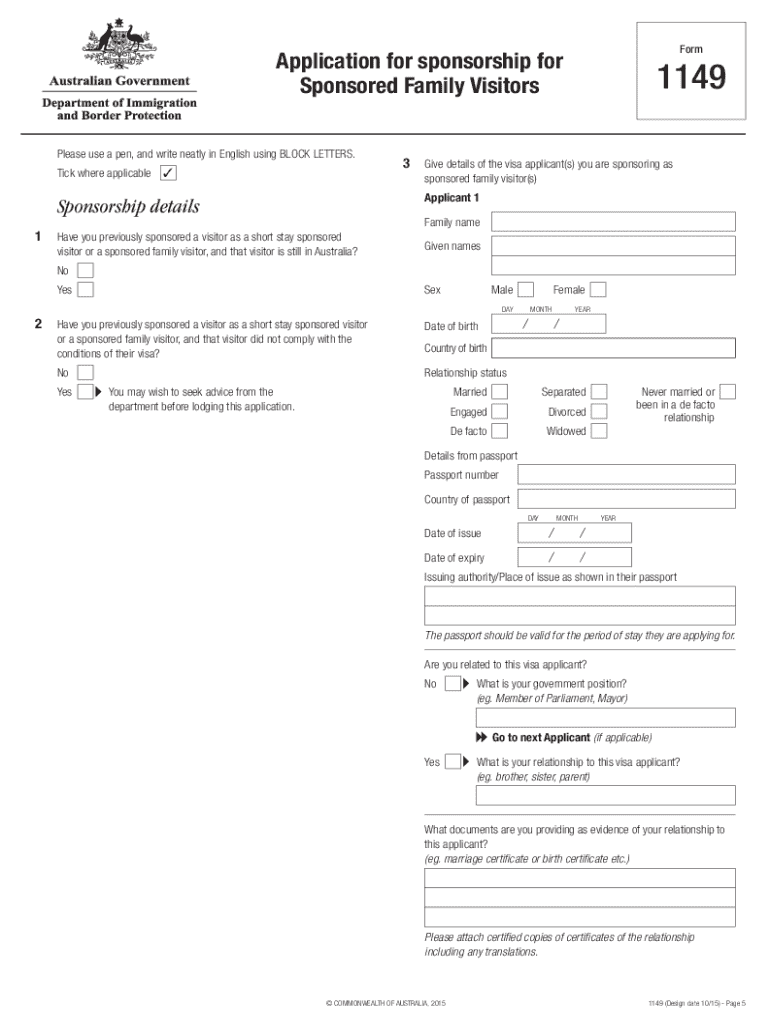
Begin by filling in your personal details, including your full name, date of birth, and current residential address. Ensure that you write clearly and use block letters.
Provide information about the visa applicants you are sponsoring. For each applicant, include their family name, given names, date of birth, country of birth, and relationship status.
Attach certified copies of documents that prove your relationship to each applicant. This may include marriage certificates or birth certificates.
Complete the sponsorship undertaking section by agreeing to accept financial obligations for the visitors during their stay in Australia.
Review all entered information for accuracy before submitting the form through our platform.
Start using our platform today to fill out your 1149 form easily and for free!
1149 form printable1149 form navy1149 form pdf1149 form for shipping1149 form templateDD FORM 1149 latest versionDD FORM 1149 2024DD FORM 1149, JAN 2016
Security and compliance
At DocHub, your data security is our priority. We follow HIPAA, SOC2, GDPR, and other standards, so you can work on your documents with confidence.
NHTSA Has Options to Improve the Safety Defect Recall
Jun 15, 2011 Note: According to NHTSA officials, the agency did not order any vehicle recalls during this time frame. 1149 U.S.C. 30118(b)(2). 0. 100. 200.Read more
RETURN COMPLETED FORM TO THE ADDRESS IN ITEM 2 OF DD FORM 1149. SHIPPING CONTAINER TALLY. SHEET NO. NO. OF SHEETS. 6. REQUISITION NUMBER. 11a.Read more
Cookie consent notice
This site uses cookies to enhance site navigation and personalize your experience.
By using this site you agree to our use of cookies as described in our Privacy Notice.
You can modify your selections by visiting our Cookie and Advertising Notice.