Type text, add images, blackout confidential details, add comments, highlights and more.
02. Sign it in a few clicks
Draw your signature, type it, upload its image, or use your mobile device as a signature pad.
03. Share your form with others
Send 4070a form via email, link, or fax. You can also download it, export it or print it out.
How to use or fill out form 4070a 1999 with our platform
Ease of Setup
DocHub User Ratings on G2
Ease of Use
DocHub User Ratings on G2
Click ‘Get Form’ to open it in the editor.
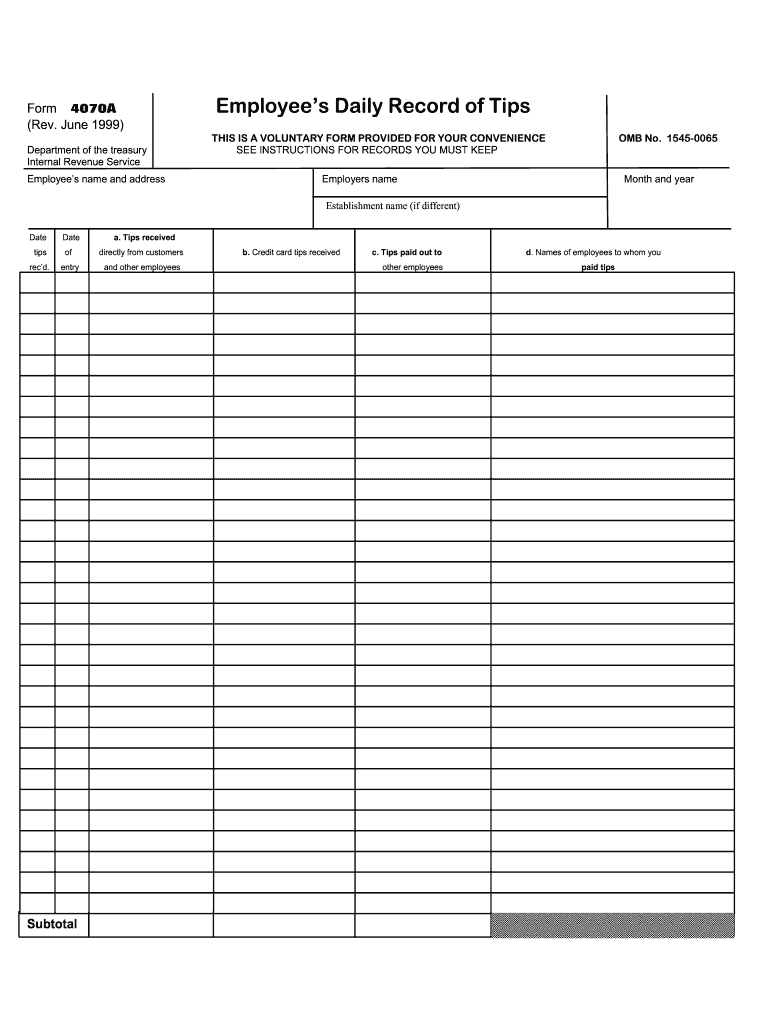
Begin by entering your name and address in the designated fields at the top of the form. This information is essential for identifying you as the employee.
Next, fill in your employer's name, along with the month and year for which you are reporting tips. This helps maintain accurate records.
In the 'Establishment name' field, provide the name of your workplace if it differs from your employer's name.
Record your daily tips received directly from customers in section 'a'. Ensure to include all amounts accurately for proper reporting.
For credit card tips, enter the total amount received in section 'b'. This is crucial for tracking income accurately.
If you paid out tips to other employees, document this in section 'c', and list their names in section 'd' to maintain transparency.
Start using our platform today to fill out form 4070a 1999 easily and for free!
Form 4070a 1999 pdfForm 4070a 1999 pdf downloadHow to fill out form 4070a 1999Form 4070a 1999 instructionsForm 4070A pdfForm 4070A 20254070A FormForm 4070a 2024
Security and compliance
At DocHub, your data security is our priority. We follow HIPAA, SOC2, GDPR, and other standards, so you can work on your documents with confidence.
Federal Register, Volume 64 Issue 46 (Wednesday, March
Mar 10, 1999 1999 to be assured of consideration. ADDRESSES: Direct all written Form Number: Forms 4070, 4070A, 4070PR, and 4070A-PR. AbstractRead more
To get Form 4070A, ask the Internal Revenue Service (IRS) or your em- ployer for Publication 1244, Employees Daily Record of Tips and Report to Employer.Read more
Cookie consent notice
This site uses cookies to enhance site navigation and personalize your experience.
By using this site you agree to our use of cookies as described in our Privacy Notice.
You can modify your selections by visiting our Cookie and Advertising Notice.