







Definition & Meaning
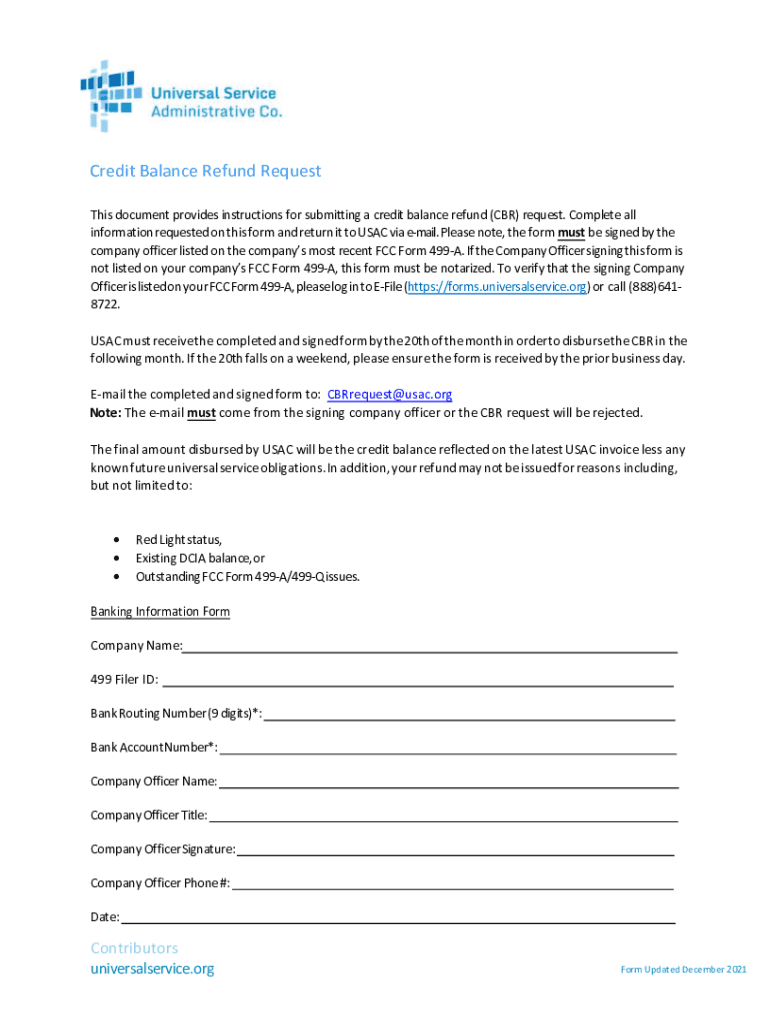
The term "form online" refers to digital forms that are accessed, completed, and submitted over the internet. These digital forms serve various purposes, such as capturing user information, facilitating transactions, and enabling applications across different sectors. Organizations utilize online forms to streamline operations, enhance user convenience, and reduce paper usage. They often include interactive features like dropdowns, checkboxes, and text fields to collect precise data electronically.
Practical Example: An example of this is when an individual fills out an online job application form on a company's website. The digital format allows the person to input all necessary information such as contact details, work experience, and educational background, which is then submitted directly to the company's HR system.
How to Obtain the Form Online
To access an online form, users typically navigate to a specific website or platform hosting the digital form. Most forms can be found on official websites related to their purpose – for instance, government forms would be on a government website.
- Visit the website offering the form.
- Use site navigation or search features to locate the form.
- Download or open the form directly in a web browser, depending on the platform's capabilities.
- Ensure you have the required software or plugins if necessary (e.g., Adobe Acrobat for PDFs).
Example: An employee seeking to submit an expense report might log into their company's intranet, navigate to the forms section, and select the "Expense Report" form available online.
Steps to Complete the Form Online
Completing a digital form involves a series of systematic steps to ensure all necessary data is captured accurately. Here's a typical process:
- Read Instructions Carefully: Before starting, review any guidelines provided to understand the requirements.
- Fill in Necessary Information: Enter all requested information into the corresponding fields, such as name, address, and specific transaction details.
- Review for Accuracy: Double-check all entries to catch any errors or omissions.
- Attach Supplementary Documents: Upload any required documents, if applicable, such as identification or proof of payment.
- Submit the Form: Use the submit button, which is often located at the end of the form. Ensure a confirmation message or email is received.
Important Terms Related to Form Online
When dealing with digital forms, it's crucial to understand certain terms that are frequently encountered:
- Form Fields: Interactive sections where users input information (e.g., text fields, radio buttons).
- Data Encryption: Security measure ensuring data is safely transmitted online.
- Submission Confirmation: A notification indicating that the form has been successfully submitted.
- Digital Signature: An electronic signature that legally validates a document.
Exploration: Consider a health insurance form; users must comprehend terms like "beneficiary," "deductible," and "policy number" to fill it out accurately.
Legal Use of the Form Online
Online forms are not just convenient; they carry legal weight when executed correctly. Forms that require legal compliance often include digital signature options that are recognized under laws like the ESIGN Act in the United States. This act ensures that electronic signatures are as legally binding as their handwritten counterparts.
Case Study: An individual signing a lease agreement electronically through a form is protected under U.S. law, just as if they had signed a paper document. This legal recognition simplifies many formalities involved in transactions, making processes faster and more efficient.
Key Elements of the Form Online
An online form typically comprises multiple elements aimed at ensuring accurate data capture:
- User Instructions: Clear directions on how to complete the form.
- Input Fields: Areas designated for entering user information.
- Validation Checks: Systems for verifying the correctness of entered data (e.g., email authentication).
- Submission Options: Methods available for form submission, often including buttons for sending or saving data.
Detailed Context: A tax filing form would integrate elements like tax ID input fields, guidelines on eligible deductions, and links to additional resources.
Examples of Using the Form Online
Online forms are prevalent across various industries and use cases:
- Education: Students fill out enrollment forms to apply to schools or universities.
- Employment: Candidates submit job applications and upload resumes through online platforms.
- E-commerce: Customers complete purchase forms, providing shipping and payment details.
- Travel: Travelers fill out customs declaration forms online before international flights.
Scenario: A person renewing their driver's license might complete an online form that auto-fills some data fields based on previous submissions, speeding up the process.
Form Submission Methods (Online / Mail / In-Person)
While digital submission is often preferred for speed and efficiency, forms may offer multiple submission options:
- Online Submission: The fastest and most direct method, often providing immediate feedback or confirmation.
- Mail Submission: Allows physical copies to be sent to the designated address, useful when documents require corroborating hard-copy evidence.
- In-Person Submission: Ideal for individuals who prefer direct interaction or need assistance completing complex sections.
Required Documents
Completing an online form may necessitate attaching certain documents to verify the information:
- Identification Documents: Such as driver's licenses or passports.
- Proof of Address: Utility bills or bank statements.
- Supporting Documentation: Health records, transcripts, or bank statements relevant to the form's purpose.
Example: An online mortgage application form might require scanned copies of the applicant's salary slips, tax returns, and credit reports.
There you have a detailed breakdown of the "form online" concept and practical insights into obtaining, completing, and submitting these digital documents across different contexts and requirements.




