
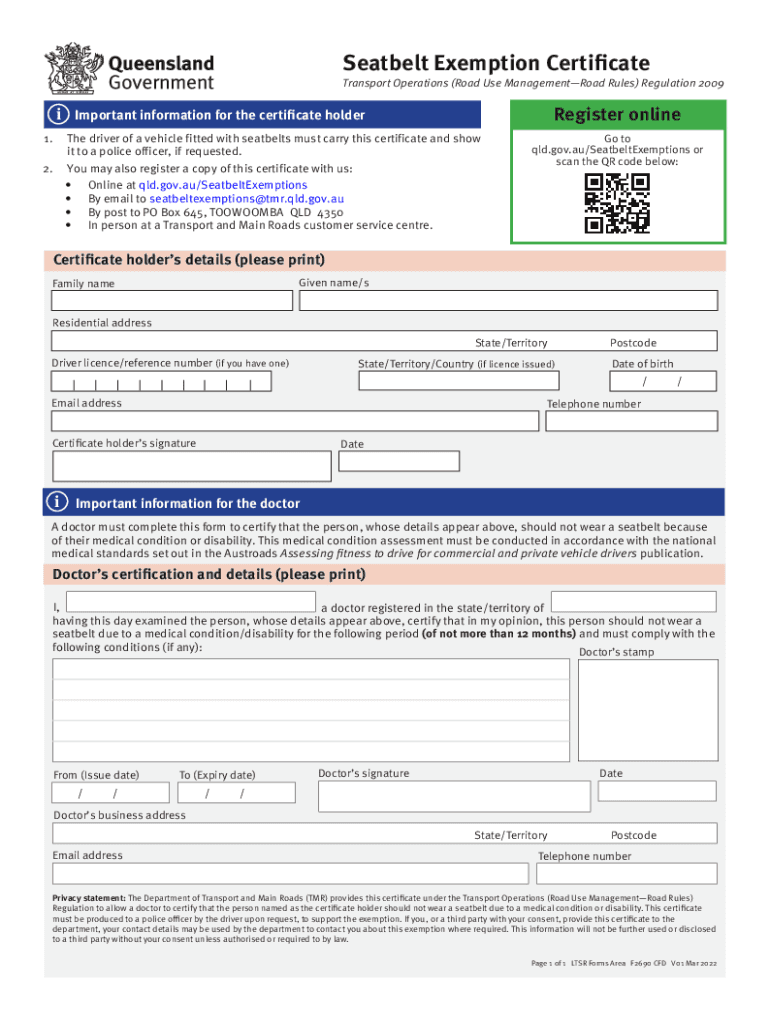







Definition and Meaning of Online Forms
Online forms are digital documents hosted on the internet that enable users to input data for various purposes including registration, applications, and data collection. These forms are interactive and can include fields like text boxes, dropdowns, and checkboxes to streamline the user experience. The convenience of filling out forms online minimizes logistical constraints associated with paper forms, such as printing and mailing, thus improving efficiency and accessibility.
How to Use Forms Online
To effectively use online forms, follow these general steps:
-
Access the Form: Visit the website where the form is hosted, which is often provided as a link or accessed through a web portal.
-
Fill Out Required Fields: Carefully read each section and enter the necessary information. Ensure that all mandatory fields are completed to avoid errors.
-
Review and Edit: Before submission, review your entries for accuracy. Many platforms allow you to edit fields in case of mistakes.
-
Submit the Form: Click the submit button. Some systems will offer a confirmation or summary screen, giving you one last chance to make changes.
-
Receive Confirmation: After submission, you might receive a confirmation email or reference number. Keep this for your records.
Using forms online can vastly increase productivity by reducing the need for physical paperwork and allowing for quick data processing.
How to Obtain Forms Online
Obtaining forms online typically involves the following:
-
Search the Form: Use search engines or visit a specific organization's website to find the required form. Forms are usually categorized by purpose or department.
-
Download Options: Many websites offer a direct download option where you can save the form to your device. Some might require you to fill it out directly on the website.
-
Account Creation: Certain forms may necessitate creating an account or logging in to access them. This step enhances security and personalization.
-
Contact Support: If a form is hard to find, utilize the site’s customer service or help section for assistance. Most platforms provide contact information or live chat options.
Successfully acquiring forms online relies on understanding the website's navigation and having a stable internet connection.
Steps to Complete an Online Form
Completing an online form efficiently can be broken down into these steps:
-
Gather Necessary Information: Ensure you have all required documentation and details before starting the form to prevent interruptions.
-
Understand the Form's Structure: Familiarize yourself with the sections of the form to better understand the order of questions and required information.
-
Fill Out Each Section: Enter your information into each field of the form. Use prompts or instructions in the form to guide you.
-
Add Attachments: If the form requires documents, upload these as indicated, ensuring they meet size and format guidelines.
-
Review and Submit: Double-check all input data and use any provided options to review the entire form. Once satisfied, submit the form.
These steps ensure that the form is filled out thoroughly and accurately, minimizing the risk of errors or rejections.
Key Elements of Online Forms
Online forms consist of several essential elements:
-
Input Fields: Spaces where users enter information, such as text boxes, checkboxes, and radio buttons.
-
Form Sections: Forms are often divided into sections to organize different types of information logically.
-
Instructions and Labels: Text that guides users on how to complete fields and what information to provide.
-
Validation: Processes that ensure entered data meets specified criteria before submission, usually indicating errors for correction.
Understanding these elements helps users efficiently navigate and complete forms online.
Legal Use of Online Forms
Using online forms must conform to legal standards, ensuring:
-
Privacy Compliance: Forms should adhere to privacy laws like the GDPR or CCPA, ensuring personal data is collected and stored legally.
-
Terms and Conditions: Users are often required to consent to terms and conditions before submitting a form, protecting both parties legally.
-
Digital Signatures: Some forms require digital signatures secured under standards such as the ESIGN Act, making them legally recognized.
Online forms need to secure legal compliance to protect users' data and maintain organizational integrity.
Examples of Using Forms Online
Online forms serve diverse purposes across industries:
-
Job Applications: Employers provide forms for candidates to submit resumes and cover letters electronically.
-
Customer Feedback: Businesses use feedback forms to gather valuable insights on customer satisfaction.
-
Event Registration: Forms get attendees' details and preferences for conferences, workshops, or community events.
-
Surveys: Research bodies or companies use forms to collect data on trends, opinions, and statistics.
These examples illustrate the versatility and utility of forms across various scenarios.
Who Typically Uses Online Forms
A broad range of individuals and organizations use online forms, including:
-
Students and Educators: For enrollment processes and satisfaction surveys.
-
Businesses: For processing transactions, collecting customer details, and feedback.
-
Nonprofits: To gather donations or volunteer information through secured forms.
-
Government Agencies: For applications such as permits, licenses, and public service applications.
By using online forms, these entities achieve streamlined operations and better data management.




