Type text, add images, blackout confidential details, add comments, highlights and more.
02. Sign it in a few clicks
Draw your signature, type it, upload its image, or use your mobile device as a signature pad.
03. Share your form with others
Send it via email, link, or fax. You can also download it, export it or print it out.
How to use or fill out dissolve company with our platform
Ease of Setup
DocHub User Ratings on G2
Ease of Use
DocHub User Ratings on G2
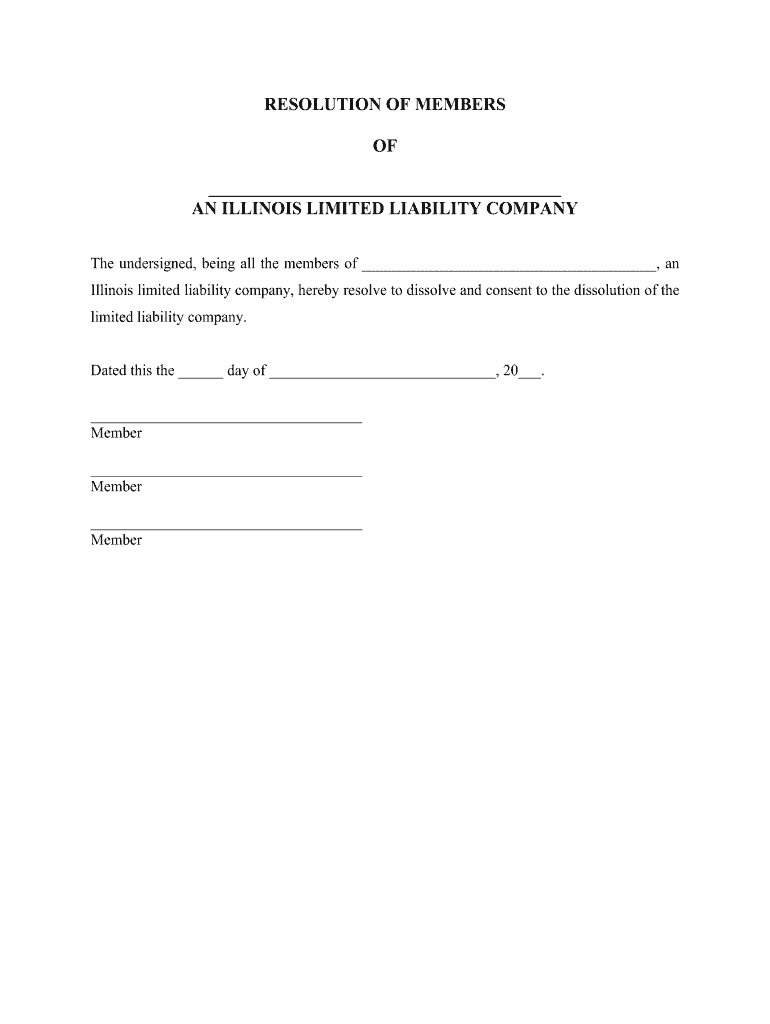
Click ‘Get Form’ to open the Resolution of Members Consenting to Dissolution in the editor.
Fill in the name of your limited liability company and the date on which the resolution is being made. Ensure all members sign the document to indicate their consent.
Next, complete the winding up process as outlined in the Introductory Notes. This includes settling debts and distributing remaining assets among members.
Proceed to fill out the Statement of Termination form. Download it from our platform, complete it, and ensure you have all necessary information ready for submission.
Mail the original Statement of Termination along with a copy and filing fee to the Department of Business Services. Include a transmittal letter for clarity.
Start using our platform today for free to streamline your dissolution process!
How to dissolve an LLC in NYNYS Certificate of DissolutionHow to dissolve a corporation in NYNys Certificate of Dissolution corporationArticles of dissolution NYNYS Certificate of DISSOLUTION pdfNYS Form TR-960 Consent to Dissolution of a corporationNYC Consent to Dissolution
Security and compliance
At DocHub, your data security is our priority. We follow HIPAA, SOC2, GDPR, and other standards, so you can work on your documents with confidence.
You must file Form 966, Corporate Dissolution or Liquidation, if you adopt a resolution or plan to dissolve the corporation or liquidate any of its stock. YouRead more
Cookie consent notice
This site uses cookies to enhance site navigation and personalize your experience.
By using this site you agree to our use of cookies as described in our Privacy Notice.
You can modify your selections by visiting our Cookie and Advertising Notice.